BudPack
54 diamonds
-
23,707Views, 33 today
- 10,496Downloads, 12 today
- Comments
- Favorites
- Flag / Report
Get Embed Code
Level 47 : Master Pixel Puncher
Posted 02/24/12 8:00:19 pm , last updated: 04/13/13 1:16:46 pm
02/24/12
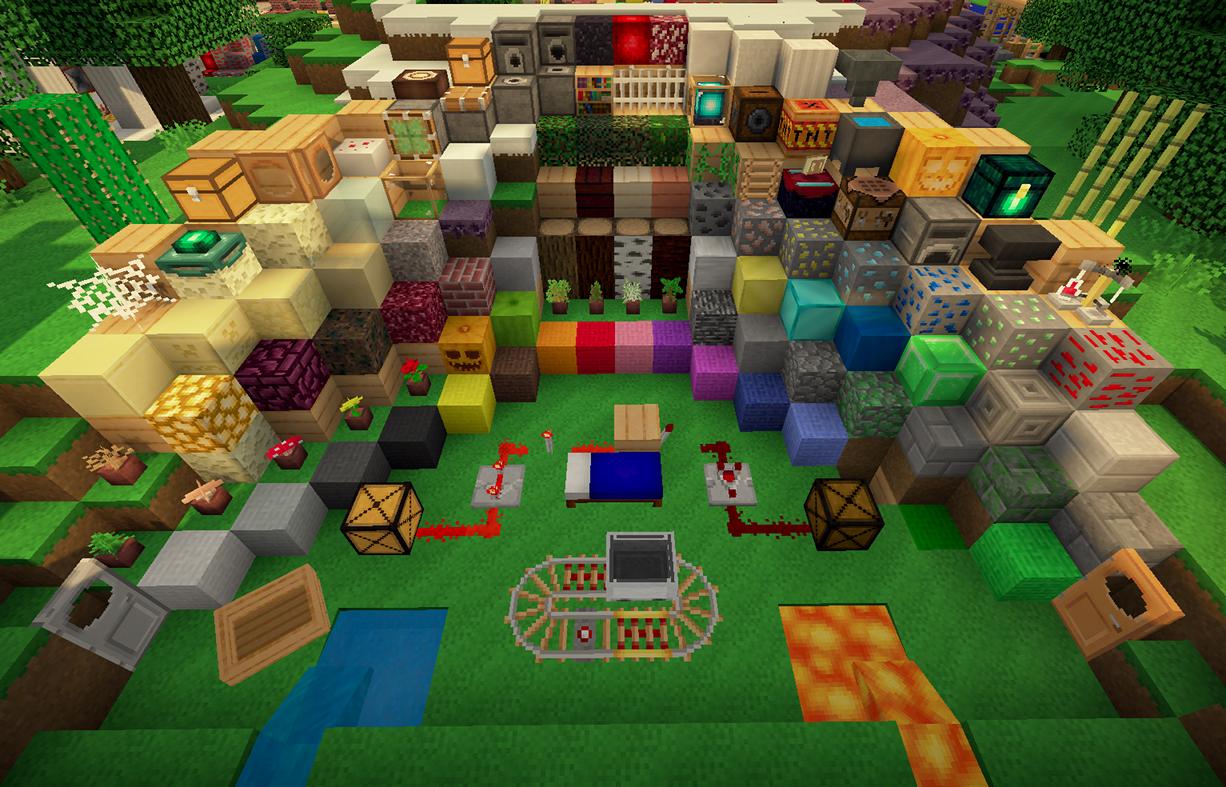
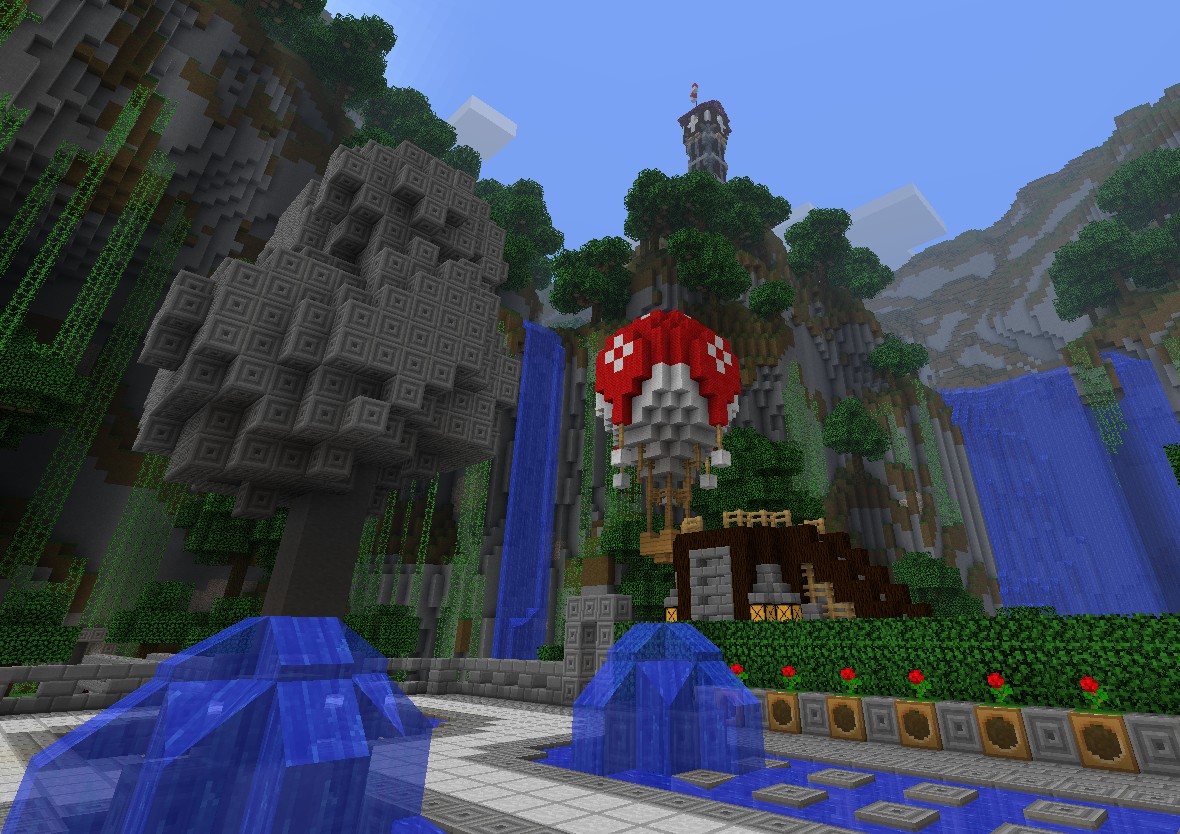
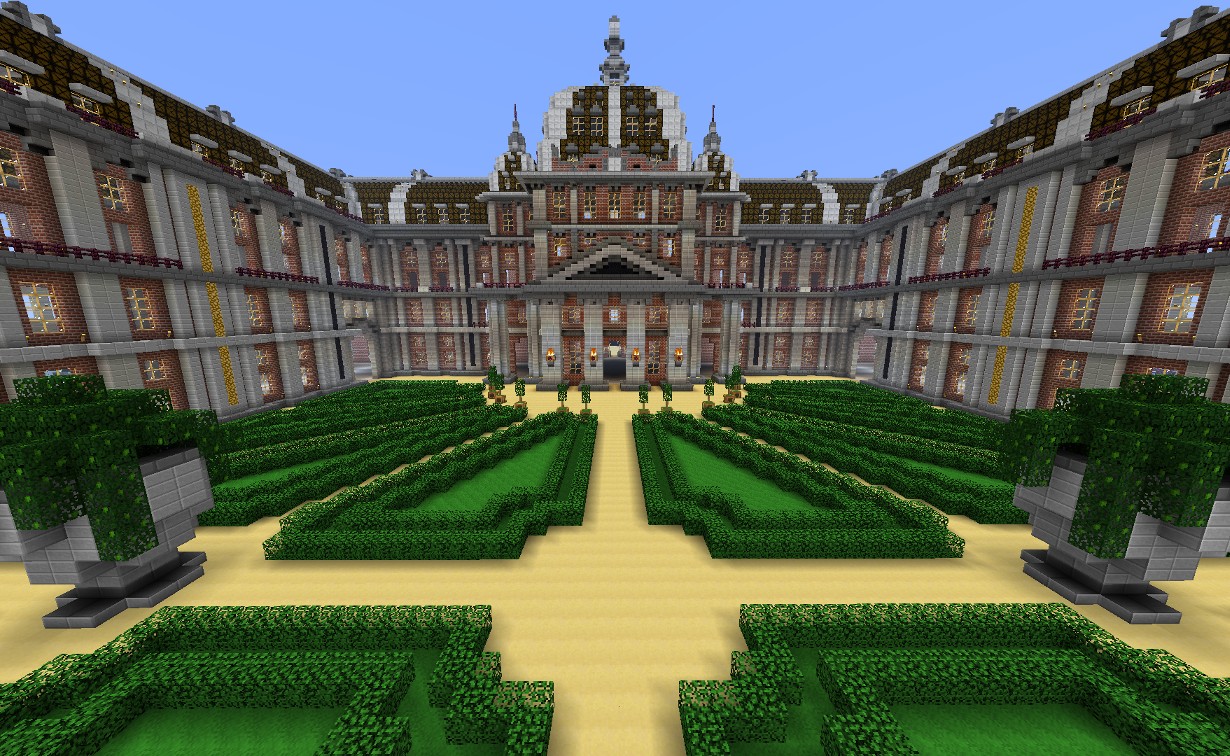
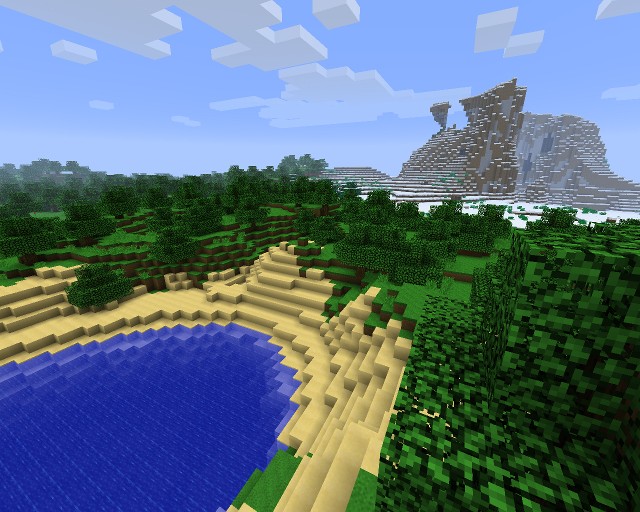
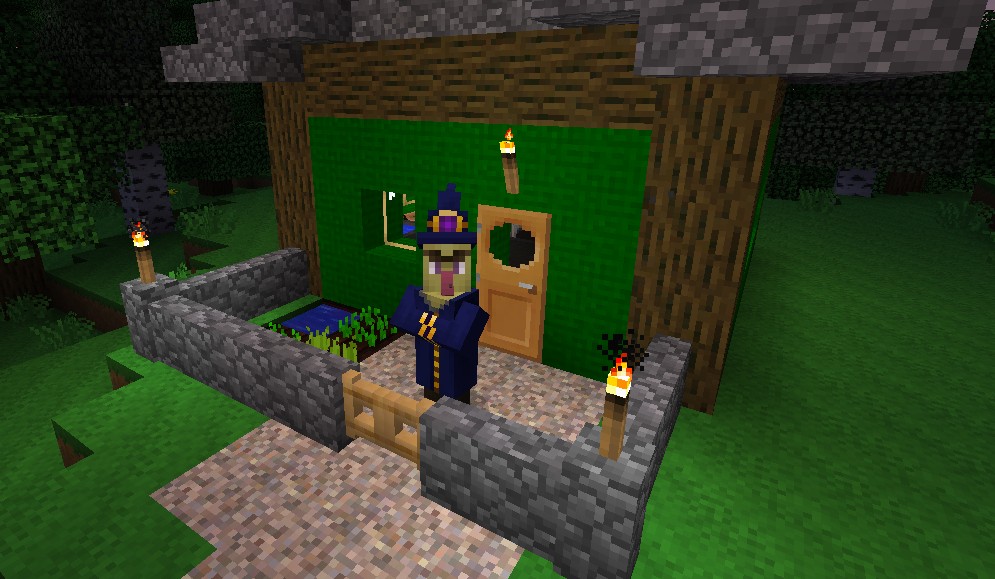
The BudPack brings in some extra color to the game and makes the world a bit more colorful and vibrant!
- Brings more color into the game while staying close to the feel of the default textures!
- Feel 26% more guilty when slaughtering cuter cows and pigs for that delicious meat!
- Experience 16% more horror from spooky enemy textures!
Note: If you want to directly copy or edit any of these textures to another published texture pack, at least include me in the credits. Use of these textures in a strictly personal remix is permissible without any notice since - well, you know - that'd be a personal remix :)
Video review (thanks PremiumCake!):
Additional Details
Latest update: 13th of April 2013
- Fixed beacon texture
- Added fonts for common western characters + some extra characters
| Progress: | |
| Game Version: | Minecraft 1.5 |
| Resolution: | 16x16 |
| |
| Tags: | Colorful, Vibrant, Friendly, Clean, Smooth, 16x, Experimental, Environment, Terrain, GUI, Mobs, Armor, Misc, Items, Simplistic, Art, Particles, Font |
Update #20 : 04/13/2013 1:16:46 pm4/13/13
Update #19 : 04/09/2013 5:04:28 pm4/09/13
Update #18 : 04/01/2013 8:54:11 pm4/01/13
Update #17 : 03/29/2013 6:07:11 pm3/29/13
Update #16 : 10/25/2012 8:02:00 am10/25/12
Update #15 : 10/01/2012 7:37:34 am10/01/12
Update #14 : 08/08/2012 3:56:07 pm8/08/12
*DERP* Optifine 1.3.1 users: you may now play the BudPack as usual. The 1.2.5 version of Optifine could handle my silly configuration files trying to access animations that didn't exist, but the 1.3.1 preview changed that. I feel stupid now *facepalm*
Also, a couple of minor changes too to other textures, water is now a bit more transparent and Nether Brick is a bit brighter too. Enjoy using the pack once more!
Update #13 : 07/31/2012 8:54:10 am7/31/12
After a long period of waiting (and one monitor breaking on me), an update to BudPack! I've tweaked some of the older textures a bit, but most importantly added some of the new 1.3 textures (Plus a custom lava texture - now that took a while :D ). You'll be ready to play when the next official Minecraft update comes around :)
Update #12 : 05/13/2012 6:50:05 am5/13/12
12w19a support! I've been on a self-imposed exile from using my own texture pack and now I took a look at some things. I decided to do a quick update to add the book and quill and also the new cocoa bean pods to support the latest snapshots. Pile of bone meal and smooth stone texture - you're next.
I'm now in the process of starting my graduate's thesis, so I can't guarantee when I'll return to my texture pack, but it seems the guys at Mojang are hard at work renovating the engine, so maybe they'll refrain from adding a lot of new stuff to the game. Good for lazy texture pack makers :D
Thanks for reading this and hopefully you'll enjoy using Budpack :)
Update #11 : 03/31/2012 4:10:06 pm3/31/12
Actually decided to revert the wood back to the tinted versions of the original plank. I've looked at some designs what people have done in Minecraft with the new planks, and they really use different planks next to each other.
Someone tries out BudPack and likes it. Then they go to a server or their creative single player world and "Whoa, these buildings look horrible!" - that would really suck.
This is a quick update to fix that, basically :)
Update #10 : 03/23/2012 11:21:51 am3/23/12
1.2.4 update!
A quick update to fix some new blocks. I thought about going to ultimately lazy way of just tinting the new plank blocks, but then I started thinking: wouldn't it be neater to have some really different kinds of planks to work with?
Regular planks stayed the same. Birch I wanted to be more of a wall-of-an-old-prairie-house type of thing, so I made it into a really bright and way denser than regular plank. Pine is extremely dark for some neat floors or darker walls. Redwood - well, I couldn't really figure out anything special to do with it, so I tinted it and flipped it 90 degrees :D
Sandstones are just a quick replica of the default texture, except that they've been ported to the color scheme I use.
Update #9 : 03/10/2012 7:55:43 pm3/10/12
Art and better MCPatcher compatibility update! A couple of people have had problems with water showing up all white when using MCPatcher. This update hopefully rectifies those issues with all new water animations and a bit better behaving (placeholder) lava animation!
Also, I'm just one painting away from doing all art within the regular game. Kudos to the people who can guess the real paintings behind some of the art :)
Update #8 : 03/07/2012 7:47:51 am3/07/12
Update #7 : 03/05/2012 9:24:29 am3/05/12
BudPack has reached 100% completion! Thanks everyone for comments and suggestions, this pack will continue in development, but maybe a bit more erratically depending on my life, suggestions, things bugging me etc. However, there *will* be development certainly.
Now go enjoy some Minecraft with BudPack!
Update #6 : 03/04/2012 2:12:52 pm3/04/12
Update #5 : 03/04/2012 11:50:52 am3/04/12
Was in a party last night. Reasonable consumption of alcohol was a great success, I was barely hungover in the very early morning. After getting back home I tried a little bit of player skinning again and ended up with a really angry walrus. When I was adjusting the color, there came this nagging feeling that I've seen this guy before. I didn't realize it until after I submitted the skin to PMC: Doom's Imp. It's so obvious now, but I actually wasn't thinking about that while doing all of that shading stuff.
I've also kind of thought about doing the particles (Man, I'm really cutting my to-do list :D). I don't think they're *that* necessary to change. Are people really annoyed even if the particles are the default ones with a given texture pack? Especially when considering that I wasn't trying to do a huge difference to original Minecraft textures. Well, I'm taking the particles off the 100% list. I'm now aiming to do just the most important stuff: visibly different villagers, cats and the three decorative blocks in the official 1.2 update. After those, I'll consider the pack to be 100% done. Art, particles and status icons may get an update of their own, but I don't know when/if that's going to happen.
Anyways, icons are done and I'm now working on the villagers. I should be able to get some of them finished tonight, so I'll probably get an update out within a couple of hours.
Update #4 : 03/02/2012 1:40:14 pm3/02/12
Items are practically done, the only thing left is making the music discs. Essentially, I could just make one disc and copy that and just change the center piece of the disc to indicate different songs. Then, I won't have to touch items.png that much anymore!
I actually got the village golem done, too. That happened pretty much on accident as I only tested the 1.2 preview and it broke the golem texture I used. I changed the texture at first, but then I ended up redrawing the golem.
Just drew the tuxedo cat. The tuxedo cat was actually a bit silly to draw myself, since the cat is pretty much black with only the stomach, chest, face and paws being somewhat colored. Still, one cat down, two to go!
Tried revising the enderman jaw. Got really nothing sensible out of it, so I left it at that. Actually, I don't know if I *really* want to revise it. The jaw only bothered me because I left it at the same shape as the original texture. It does look good enough, so maybe I'll leave it.
Anyways, also revised some player skins today for a change and created one from scratch. Skins are actually much easier to do now since I've gathered the basic knowledge of Minecraft textures and image editing. It would feel really weird going back to Skincraft and the like, GraphicsGale and GIMP are just way more faster and versatile to work with. But the benefit of Skincraft is that it's easy to use for beginners, and you can actually test and see the results immediately. For beforementioned programs, you need some third-party program to view the skins in 3D.
Well, that's for tonight. Tomorrow and Sunday I'm going to be a bit busy, so I'm going to return to the texture pack on Monday at the latest.
Update #3 : 03/01/2012 10:22:58 am3/01/12
Seems like my latest update didn't make it to Planet Minecraft after all. Opera, Chrome and IE (never thought I'd use that again) have all failed to upload the pack to PMC. I've removed the PMC link, use the Dropbox link for the time being.
Update #2 : 03/01/2012 9:40:34 am3/01/12
I just feel stupid sometimes. I thought I was writing stuff into my update log, but I was looking at my update log and writing a comment. Of course, a long wall of text got destroyed in an instant. Oh well ><
Anyways, Minecraft 1.2 is going to be released today. As a precautionary method, I checked out the preview to see if the BudPack still works with 1.2. After all, I was keeping up with the lates snapshots, there shouldn't be any problem!
Except there was.
I had a copy of the original golem skin from the original golem snapshot lying around the texture folder, waiting to be textured and zipped. In the latest version of BudPack, I had this texture zipped with everything else. No probelm there. Well, I don't know if Mojang changed the golem texture a bit or if I noobishly broke the texture myself somehow, but the original golem texture was absolutely broken. The golem was partially transparent in-game with bits and pieces showing here and there etc. A classic case of Texturus Notworkicus.
Well, as an upside to that, not only did I change and update the golem texture, I finally got around redrawing the golem. The golem is now a light blue-ish giant with bolted on plates of armor and a few battlescars.
But one thing I noticed was that unlike other skins in Minecraft, the golem had separate textures for the hands and legs for both left and right side. Usually the hands and legs of other mobs, including the player character, are mirrored - but not so with th golem. I thought about playing with the asymmetricity a bit, but was too lazy. I simply copied the arms and legs to the other side and added some scratches.
But I was thinking - could Mojang apply the same idea to other skins? It would be cool to have completely asymmetrical characters and mobs. Currently you can only have asymmetrical stuff going on with the head and the body, but it would be a great addition to have some asymmetricity with arms and legs too. Robotic arms, leather shoulder pad like Ezio in Assassin's Creed etc. It would also remove the constant headache of getting arms and legs look not weird when mirrored. Some really interesting possibilities would be opened up. But that'd depend on Mojang's priorities and getting an idea how this would affect the game if there are lot's of mobs. Minecraft is already an impressive feat in programming, but it's still pushing the computer to the limit when things get intensive.
Anyways, BudPack is now 1.2 ready with almost all the item icons changed!
Update #1 : 02/29/2012 8:16:25 am2/29/12
Almost half a thousand views, a good number of downloads from those views, a diamond and an offer to join a gaming group after posting my first texture pack. Nice!
Anyways, worked a bit on my texture pack, tweaked some bits and pieces here and there, but most importantly, lots of item icons have been changed. Some of them need to be tweaked a little bit, but I'm mostly happy with the changes.
To do:
- Rest of the actual items
- Particles
- Proper clothing to villagers
- Cat textures
- Village golem texture
- Revise jaw of Enderman
Wow, now that I listed all the most important stuff to do, it doesn't seem that bad! There's still some minor stuff not listed, but that's something I can do probably in a few minutes. Shouldn't be long before the pack is 100% completed!
Join us to post comments.
Comments : 78
12 next »
1 - 50 of 78
12 next »
1 - 50 of 78


Reply
Delete
IamThor
Level 5
Apprentice Dolphin
April 26, 2013, 6:28 pm
Reply
Delete
nobbie
Level 47
Master Pixel Puncher
April 28, 2013, 4:29 am
Reply
Delete
IamThor
Level 5
Apprentice Dolphin
April 30, 2013, 5:02 pm
Reply
Delete
GamerRoyale
Level 1
New Explorer
April 14, 2013, 1:48 pm
Reply
Delete
nobbie
Level 47
Master Pixel Puncher
April 14, 2013, 2:51 pm
Reply
Delete
DeathSkater202
Level 1
New Miner
April 14, 2013, 8:46 am
Reply
Delete
0PBeast
Level 28
Expert Musician
April 13, 2013, 11:43 am
Sub + Diamond + Favourite!
Reply
Delete
nobbie
Level 47
Master Pixel Puncher
April 13, 2013, 11:54 am
Reply
Delete
DeathSkater202
Level 1
New Miner
April 13, 2013, 9:28 am
Subscribe <3
Reply
Delete
nobbie
Level 47
Master Pixel Puncher
April 13, 2013, 9:45 am
Reply
Delete
mannibal1
Level 4
Apprentice Skinner
April 9, 2013, 8:43 pm
+1 Diamond
Reply
Delete
nobbie
Level 47
Master Pixel Puncher
April 10, 2013, 4:47 am
Reply
Delete
mad_swan
Level 1
New Miner
February 16, 2013, 5:35 pm
Comments:
The oak and birch textures seem a little "gridded"
I would be great if you add Not Enough Items support, i.e., everything looks fine except the C+ inventory.
Last but not least, can you upload the 1.2.5 version? Thanks!
Reply
Delete
Danny200013
Level 18
Journeyman Spelunker
November 12, 2012, 11:46 am
Reply
Delete
nobbie
Level 47
Master Pixel Puncher
November 12, 2012, 3:49 pm
Reply
Delete
Danny200013
Level 18
Journeyman Spelunker
November 13, 2012, 10:37 am
| / \ achievement get! |
-------------------------------------
Reply
Delete
pudgemonkey77
Level 1
New Crafter
October 1, 2012, 11:54 am
Reply
Delete
nobbie
Level 47
Master Pixel Puncher
October 2, 2012, 7:59 am
Reply
Delete
Slicpupp23
Level 1
New Miner
August 13, 2012, 11:41 am
Reply
Delete
nobbie
Level 47
Master Pixel Puncher
August 14, 2012, 2:51 am
Reply
Delete
littlekitty7893
Level 6
Apprentice Pony
August 8, 2012, 12:04 pm
Reply
Delete
nobbie
Level 47
Master Pixel Puncher
August 8, 2012, 12:10 pm
Reply
Delete
Larvitarian
Level 27
Expert Pixel Painter
August 8, 2012, 12:03 pm
Reply
Delete
nobbie
Level 47
Master Pixel Puncher
August 8, 2012, 12:08 pm
Reply
Delete
pudgemonkey77
Level 1
New Crafter
July 31, 2012, 5:30 am
Reply
Delete
nobbie
Level 47
Master Pixel Puncher
July 31, 2012, 5:38 am
Oh yeah, about that. Are you on 1.2.5?
1.3 is going to break some of the compatibility with 1.2.5 with a revamped creative mode menu system. Essentially the file that contains the graphics for the menu for all items in 1.2.5 has been repurposed to contain only the graphics for tabs in 1.3.
I don't know why Mojang chose to do that sort of change, but they chose to do that, so yeah :/
Reply
Delete
pudgemonkey77
Level 1
New Crafter
August 2, 2012, 12:29 pm
Reply
Delete
pudgemonkey77
Level 1
New Crafter
July 31, 2012, 5:18 am
Reply
Delete
nobbie
Level 47
Master Pixel Puncher
July 31, 2012, 5:32 am
Reply
Delete
sonic2kk
Level 22
Expert Architect
July 31, 2012, 4:59 am
Reply
Delete
nobbie
Level 47
Master Pixel Puncher
July 31, 2012, 5:03 am
Reply
Delete
teranga
Level 1
New Miner
July 16, 2012, 12:55 am
Reply
Delete
nobbie
Level 47
Master Pixel Puncher
July 16, 2012, 4:48 am
Reply
Delete
Paser3333
Level 10
Journeyman Dolphin
May 30, 2012, 5:17 pm
Reply
Delete
nobbie
Level 47
Master Pixel Puncher
May 31, 2012, 12:10 am
Reply
Delete
MCGO
Level 25
Expert Dragonborn
May 30, 2012, 9:40 am
Reply
Delete
nobbie
Level 47
Master Pixel Puncher
May 30, 2012, 10:55 am
Reply
Delete
EricDaMiner
Level 1
New Miner
March 31, 2012, 11:51 am
Reply
Delete
nobbie
Level 47
Master Pixel Puncher
March 31, 2012, 12:14 pm
Heh, I actually had the texture pack updating screen open around the time when you posted the comment. Talking about telepathy :D
But yeah, the planks are pretty much the same shape now, just different colors :)
Reply
Delete
EricDaMiner
Level 1
New Miner
April 1, 2012, 12:21 am
Reply
Delete
KeirB33
Level 1
New Crafter
March 27, 2012, 6:56 am
Reply
Delete
nobbie
Level 47
Master Pixel Puncher
March 27, 2012, 7:16 am
That's weird. I launched Minecraft and the icons for the armors and tools seem perfectly normal on vanilla 1.2.4. Also tested the armor textures on the character and they worked fine too. Are you using any mods, perhaps?
Reply
Delete
EricDaMiner
Level 1
New Miner
March 24, 2012, 1:58 pm
Reply
Delete
nobbie
Level 47
Master Pixel Puncher
March 24, 2012, 5:14 pm
Actually, they were done that way on purpose :) I wanted to try out a bit of creative variety on the planks instead of just taking the extremely lazy route and just tint the regular plank texture. It didn't dawn to me until after looking at some designs that some plank combinations can look kind of weird - especially checkerboard patterns with all the new planks can look like they're directly out of some nightmare :D
I'm kind of considering changing the planks to just tinted planks. I want to try out some weird and wacky ideas too from time to time, but I'd rather make a texture pack that people like to use. I'll listen to all feedback :)
Reply
Delete
EricDaMiner
Level 1
New Miner
March 24, 2012, 7:33 pm
Reply
Delete
rubytu
Level 28
Expert Dragonborn
March 23, 2012, 8:05 am
You really do make everything more colorful and vibrant!!! Great job, this is really a favorite.
Reply
Delete
nobbie
Level 47
Master Pixel Puncher
March 23, 2012, 8:23 am
They're kind of hard to make look different since they're composed of pretty small boxes, like box for the body has the bottom 16 pixels long, but only 4 pixels wide. It's going to take some creative pixel placing, but I'll see what I can do :)
Reply
Delete
rubytu
Level 28
Expert Dragonborn
March 23, 2012, 10:50 am
Reply
Delete
EricDaMiner
Level 1
New Miner
March 22, 2012, 6:36 pm
Reply
Delete
nobbie
Level 47
Master Pixel Puncher
March 22, 2012, 11:34 pm
Reply
Delete
EricDaMiner
Level 1
New Miner
March 20, 2012, 5:03 am
Reply
Delete
nobbie
Level 47
Master Pixel Puncher
March 20, 2012, 5:32 am
Reply
Delete
tbager1
Level 2
Apprentice Miner
March 16, 2012, 8:25 pm
Reply
Delete
nobbie
Level 47
Master Pixel Puncher
March 17, 2012, 1:21 am
Reply
Delete
tbager1
Level 2
Apprentice Miner
March 16, 2012, 2:03 pm
Reply
Delete
nobbie
Level 47
Master Pixel Puncher
March 16, 2012, 2:29 pm
Reply
Delete
tex12347
Level 25
Expert Creeper Hugger
March 8, 2012, 10:06 am
Reply
Delete
greensnipes
Level 1
New Miner
March 7, 2012, 8:51 pm
Reply
Delete
Seedlessbuns
Level 1
New Miner
March 7, 2012, 1:41 pm
Thanks
Reply
Delete
nobbie
Level 47
Master Pixel Puncher
March 7, 2012, 1:53 pm
That would be awesome! I'll be sure to check out the videos :)
Reply
Delete
RedParadoxin
Level 1
New Miner
March 7, 2012, 8:49 pm
I shall do so.
Reply
Delete
Seedlessbuns
Level 1
New Miner
March 7, 2012, 2:46 pm
Reply
Delete
RedParadoxin
Level 1
New Miner
March 7, 2012, 11:33 am
Reply
Delete
nobbie
Level 47
Master Pixel Puncher
March 7, 2012, 11:35 am
Good to know people enjoy the pack :)
Thanks!
Reply
Delete
befarrar
Level 39
Artisan Pixel Painter
March 7, 2012, 5:42 am
Reply
Delete
nobbie
Level 47
Master Pixel Puncher
March 7, 2012, 5:46 am
Reply
Delete
paulojose1232
Level 1
New Miner
March 5, 2012, 5:00 am
Reply
Delete
nobbie
Level 47
Master Pixel Puncher
March 5, 2012, 5:46 am
Reply
Delete
paulojose1232
Level 1
New Miner
March 5, 2012, 11:10 am
Reply
Delete
nobbie
Level 47
Master Pixel Puncher
March 5, 2012, 11:31 am
Hmm, looks like I accidentally deleted the water texture from terrain.png. I didn't even realize that texture was used. Don't know if 1.0.0 uses it, but I'll upload a new version with the normal water restored. If that doesn't work, I really don't know what could possibly be going on.
Thanks for reporting the bug!
Reply
Delete
DaNoobHerder
Level 1
New Farmer
March 4, 2012, 8:33 am
Reply
Delete
nobbie
Level 47
Master Pixel Puncher
March 4, 2012, 9:34 am
Reply
Delete
jona393c
Level 1
New Miner
March 1, 2012, 6:00 am
nice
Reply
Delete
nobbie
Level 47
Master Pixel Puncher
March 4, 2012, 9:33 am