

71

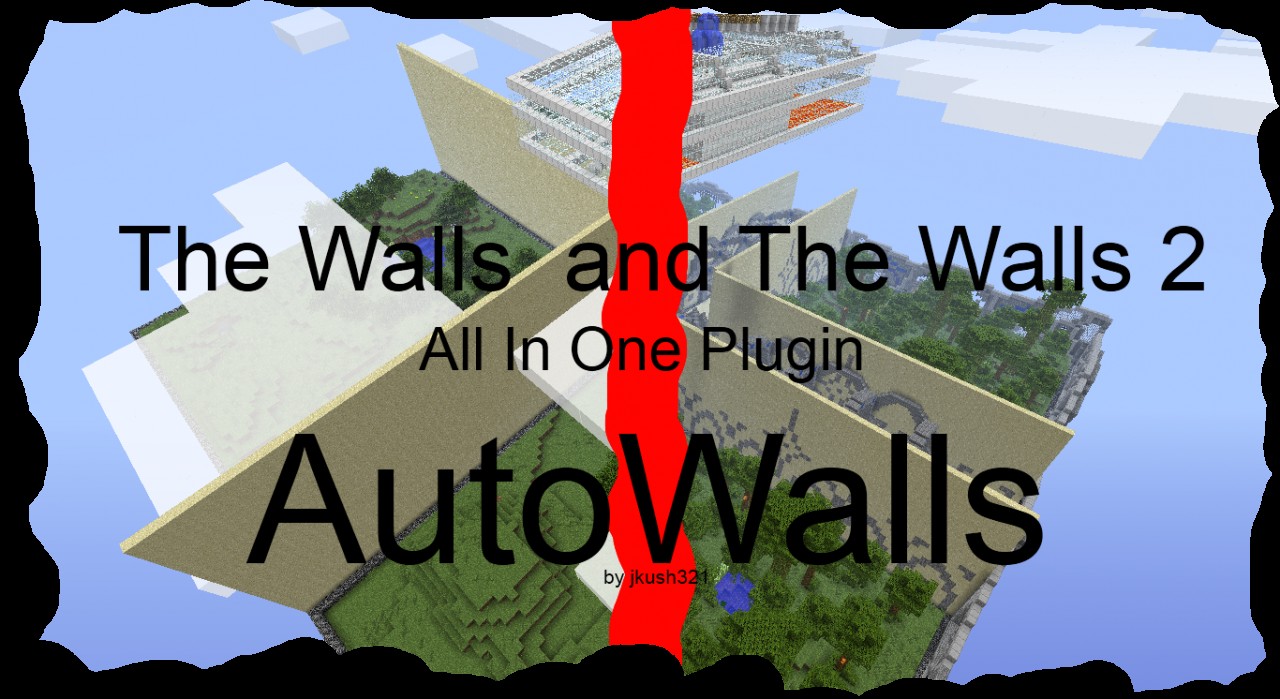
AutoWalls - The #1 Automatic Walls 1 and Walls 2 plugin

71 diamonds

Download

File Mirror
  • 31,367
    Views, 49 today
  • 5,237
    Downloads, 5 today
  • 455
    Comments
  • 32
    Favorites
  • Flag / Report

Get Embed Code

Forum:
HTML:
Link:
avatar jkush321
Level 56 : Grandmaster Wizard
Posted 08/22/12 8:10:54 pm , last updated: 01/25/13 3:38:32 pm
08/22/12
Newly added: Prefixes and Hundreds Of Bug Fixes
The plugin TagAPI is extremely highly recomended

Information

  • This plugin was originally private for InfaWalls Servers
  • READ ALL INSTRUCTIONS BEFORE POSTING ANY HELP COMMENTS
  •  88x31.png  AutoWalls by jkush321 is licensed under a Creative Commons Attribution-ShareAlike 3.0 Unported License.
  • This has certain requirements to run - and you must follow all instructions for a fully working server
  • This is for servers dedicated to the walls, not to go alongside whatever else is happening...

Commands

Arguments contained in < > are optional, arguments contained in [ ] are required

Player Commands
  • /join - joins a team
  • /leave - leaves a team
  • /playing - shows who is playing
  • /time - shows the time until the walls fall
  • /team - shows stats about your team
  • /tp [name] - teleports to a team mate or anyone if you are a spectator
  • /fly - gives spectators flight ability
  • /tc - toggles team chat
  • /tell [name] [message] - private messages a player (specs can not /tell players) - /t also works
  • /me [action] - says you do something (only shows in the specific chat channel you are in
  • /yell [message] - yells something (for priority of 20+)
  • /kit - Chooses a kit or lists the kits
Admin Commands
  • /pri [name] [amount] - gives player priority
  • /tpplayers - teleports all players to you
  • /tpspecs - teleports all spectators to you
  • /tpall - teleports everyone to you
  • /forcestart - force-starts the game (should not be overused)
  • /day - makes it day
  • /night - makes it night
  • /forcedrop - makes walls fall at any time
  • /prefix [player] [prefix] - Prefixes can be any length. You can use & for colors and magic and {pri} if you want to display the player's priority. Ex: /prefix jkush321 &3[&4Dev &e{pri}&3]&2 will display something like:  [Dev 99999]jkush321

Requirements

  • A walls 1 map called "custom1" in server directory
  • A walls 2 map called "custom2" in server directory
  • The custom startup script (start.bat on windows and start.sh for everything else)
  • Your world name must be called walls in server.properties
  • Set allow-nether to false in server.properties
  • Whether you use it or not, you must have the Votifier plugin installed
  • Optional: A plugin such as Orebfuscator to prevent X-Rayers
  • Optiona but extremely highly recommended: A plugin such as NoCheat, NoCheatPlus, or AntiCheat to stop cheaters
  • Optional: A custom spawn area with things such as parkour.
  • Optional but extremely highly recommended: TagAPI and ProtocolLib

Installation

  • Copy contents of zip file to server directory
  • Optional: Orebfuscator or another Anti-Xray plugin
  • NoCheatPlus or another Anti-Cheat plugin
  • Optional (HIGHLY RECCOMENDED) TagAPI to get the colored names working
  • Download The Walls - rename your map to custom1 and put it in server directory
  • Download The Walls 2 - rename your map to custom2 and put it in server directory
  • You should now have custom1 and custom2 folder
  • In your server.properties change level-name to walls
  • In your server.properties change difficulty to 1-3
  • In your server.properties change allow-nether to false
  • In your server.properties make sure allow-flight is false
  • Now it is time to run your start file. If you get no error continue, otherwise comment
  • Close your server and edit plugins/AutoWalls/config.yml with something like Notepad++
  • Set config to your liking but do not change next-map
  • Start the server and enjoy :D
Installation Video Thanks To plus44kills
cTKmJIxUh3U

Special Features

  • A configurable chance of shooting LIGHTNING ARROWS!
  • Sneaking disabled after walls fall.
  • Automatic Wall Dropping - no button needed
  • TeamChat to keep your messages private
  • Spectators can fly
  • Statistics are shown in MoTD (server list message)
  • Kits!
  • Name colors!

Credit


Other

  • If you want to donate my paypail email is [email protected]
  • Click Here To See The Automatic Server List (WIP)

If you like it please Diamond! If you love it please Favorite!

Known bugs - These are fixed, I am also doing some more work before updating, check my progress on the new github page

  • Priority is a bit messed up for logging into the full server
  • Prefixes do not save the config
  • Teleporting is not working among teams.

Additional Details

Progress:
95
Game Version:Minecraft 1.4.6
Tags:Auto, Automatic, Walls, The Walls, The, Walls 2, Plugin, Bukkit, 132, Epic, Votifier, Voting, Maps, Multiworld, Server
Credit:Hypixel's original maps - http://www.planetminecraft.com/project/the-walls---pvp-survival/ and http://www.planetminecraft.com/project/the-walls-2---pvp-survival/ - Find him on YouTube at http://youtube.com/HyPixel | Huge thanks to iTristan for 4 kits!

1.1 R1 : 01/25/2013 3:38:32 pm1/25/13

Fixed tnt breaking walls FOR REAL THIS TIME TRY IT >:O!
Fixed teleporting
Better update messages
Fixed player vote colors
Added [Join] and [Kit] signs which support custom color plugins.
Demo kit now has flint and steel
Added a bunch of kits + an API I created called Item Utils
New kits have custom items, especially spy kit, make sure to see that awesome thing!
Players now join with full hearts and hunger
Changed "§" to ChatColor
Fixed "/leave" spam
Fixed "/forcestart" issues
May have fixed team killing by fire
Spectators should not be able to open dispensers, chests, or furnaces above spawn
Console can now execute "/playing"
Added ColorCycler
Started on Grenades API

Fixed a ton of other problems

1.0 R1 : 12/27/2012 3:33:35 pm12/27/12

Updated to Java 7.
Fixed pistons breaking walls
Fixed tnt breaking walls
Fixed hundreds of bugs

Added Prefixes
Added Configurable teleport delay
Added More detailed update message

Beta 0.9 R2 : 11/11/2012 2:38:09 pm11/11/12

Fixed ban not working
Fixed whitelist not working
Added configuration for the messages about receiving priority

Beta 0.9 R1 - The Colorful Kits Alpha : 11/10/2012 11:01:34 am11/10/12

Added name colors (just have TagAPI installed)
Added basic kits (more custom ones are on their way)
Made the outdated message only send to admins
Fixed other small bugs

Formatting : 10/07/2012 5:03:24 pm10/07/12

Made it look nicer

AutoWalls CTF : 09/13/2012 8:37:28 pm9/13/12

Its coming :D slowly but surely coming

Beta 0.8 R2 : 09/08/2012 9:34:46 am9/08/12

Fixed a bug in spout servers
Fixed a bug in non-spout servers
Added config for voting link

Beta 0.8 R1 : 09/04/2012 6:05:49 pm9/04/12

Added awesome spout support
Added new join and leave messages
Added configurable game length
Added config for team teleporting

For Spout make sure you read the startup messages and have the right version

Post Update : 08/29/2012 7:40:11 pm8/29/12

Added a bit more detail and added more to special features section

Beta 0.7 R1 : 08/28/2012 4:37:42 pm8/28/12

Fixed bug in /yell
Added a timer before players can /join with config to set the time
Added uneditable sign graves
Fixed death messages showing during vote and before game
Added support for custom kick messages if server full
Added /forceend - ends the game (starts map vote if enabled)
Changed ArrayLists to CopyOnWrite ArrayLists (Fix for huge bug at game end)

Beta 0.6 R1 : 08/27/2012 3:53:29 pm8/27/12

Food eating can be disabled after walls fall
Fixed sneak disabling
Added /forcedrop - drops walls at any time
Fixed walls not falling in walls 2 map

Beta 0.5 R2 : 08/26/2012 8:28:34 pm8/26/12

Fixed 2 bugs in /yell

Beta 0.5 R1 : 08/26/2012 8:20:56 pm8/26/12

Fixed item pickup after game ends
Added commas to /playing
Added /yell [message] - for players with priority of 20+
Added sneak blocking after walls fall, along with config for it

Beta 0.4 R3 : 08/25/2012 9:22:00 pm8/25/12

Fixed walls not falling on walls2 map
Removed a failed feature from server list

Beta 0.4 R2 : 08/25/2012 11:11:25 am8/25/12

Fixed a major bug in MoTD statistics

Beta 0.4 R1 : 08/25/2012 10:57:04 am8/25/12

Fixed a bug in version display in server list
Added /day
Added /night
Added weather prevention
MoTD in ServerList now shows game statistics

Beta 0.3 R1 : 08/24/2012 7:50:17 pm8/24/12

Voting can be disabled in config
Added /forcestart
Fixed winners keeping items
Fixed a bug in the website

Server List Moved : 08/24/2012 5:39:03 pm8/24/12

Moved to a better faster host, also improved some things

Server List Changes : 08/24/2012 2:52:43 pm8/24/12

Fixed a bug in server list
Looks more appealing
Now displays current version at top

Server List Updated Again : 08/24/2012 9:33:31 am8/24/12

Added a port and version to keep track of more things

Server List Updated : 08/24/2012 8:57:19 am8/24/12

Server list (WIP) looks a bit nicer, but more stuff is coming

Just Before Release : 08/23/2012 4:22:50 pm8/23/12

+Added the AutoAnnouncer with some config
-Removed an old failed feature from InfaWalls
+Added a way for custom1 to be copied to custom in the startup script
+Added 2 new startup scripts for *nix and Windows

Beta Release 0.1 R1 : 08/23/2012 4:22:46 pm8/23/12

+Added a heart beat
+Added server list in very early stages

Join us to post comments.

Comments : 455

1 - 50 of 455

spartanmcnetwork
Level 30
Artisan Miner
May 22, 2013, 3:15 pm

Can you fix the bug where people can put water over the height limit and use it to get over the walls?

TheMC-Hippie
Level 1
New Miner
May 19, 2013, 2:34 am

Hey jkush. I am I-love-TheWalls. had to get a new account. But I need help with the votifier. How do I make it so when someone vote, they get acces to a kit. Or it could be 1 priority. Or anything like that. I have no idea how to do this. So please help...

jkush321
Level 56
Grandmaster Wizard
May 19, 2013, 7:26 am

There's a great votifier listener called GAListener. You just have to set it up to use "/pri <name> amount" in the command section. There are lots of votifier tutorials online.

spartanmcnetwork
Level 30
Artisan Miner
May 2, 2013, 11:26 am

Remember to update TagAPI to use autowalls with 1.5.2!

spartanmcnetwork
Level 30
Artisan Miner
April 5, 2013, 5:32 am

Download link does not work :(

JAG100
Level 11
Journeyman Miner
April 1, 2013, 10:06 pm

Getting various errors spamming my console:

23:05:46 [SEVERE]       at com.jkush321.autowalls.Heartbeat.run(Heartbeat.java:3
23:05:46 [SEVERE]       at java.lang.Thread.run(Unknown Source)

Is this related to the plugin trying to ping an external server that's unavailable?

JohnnyTk64
Level 47
Master Pyro
April 6, 2013, 2:05 pm

Yes O_o

noxturno
Level 4
Apprentice Miner
March 30, 2013, 12:19 am

well let me refresh my question how can I make this on a linux server ? any tips? the run.sh doesnt work.

noxturno
Level 4
Apprentice Miner
March 20, 2013, 8:22 pm

how would I use the .sh with multicraft? I am on a linux server, got this error when I try to run the sh
===AutoWalls Startup Script V 1.0 By Jkush321===
: not found:
start.sh: 34: Syntax error: end of file unexpected (expecting "then")

jkush321
Level 56
Grandmaster Wizard
March 27, 2013, 6:01 pm

As far as I know it doesn't work with multicraft.

noxturno
Level 4
Apprentice Miner
March 20, 2013, 7:47 pm

any way i can use this plugin to create something like projec ares servers? I got a small server that I do pvp battles but is a hard to keepit going since I have to restart the world manualy so this plugin would do that but without the walls.

jkush321
Level 56
Grandmaster Wizard
March 27, 2013, 6:01 pm

No.

LucaPaolo
Level 7
Apprentice Skinner
March 19, 2013, 12:08 pm

Hey! Great plugin i love it! But please can you post a list of the kits and whats in them. even if there just id's and you copy and paste it from the code. Thanks so much!

jkush321
Level 56
Grandmaster Wizard
March 19, 2013, 3:00 pm

If you are fine with code: https://github.com/jkush321/AutoWalls/tree/master/src/com/jkush321/autowalls/kits

I-love-thewalls
Level 5
Apprentice Warrior
March 19, 2013, 9:36 am

Can you post this plugin on

Bukkit.org

It would be much easier there.

Then people can see when it gets updated to what minecraft version too :)

apple_nightmare
Level 1
New Miner
March 17, 2013, 12:23 pm

i did every thing but no one can join why?


AfterPixel
Level 1
New Miner
March 12, 2013, 8:24 am

The server does not require the custom startup script, it just displays if the maps are loaded correctly

Craftmaster2929
Level 21
Expert Narwhal
March 13, 2013, 5:33 pm

It also copies the map chosen each game into another world folder so the maps reset...

100_dollars
Level 1
New Miner
March 4, 2013, 1:12 pm

When the game ends and we vote on the next map its always walls 1 even if everyone votes for 2 and when it kicks us off it does not reset the map

Zendikar
Level 1
New Miner
March 10, 2013, 4:08 pm

I have the same issue, but I haven't figured out how to fix it. Mind telling me how you did it?

jkush321
Level 56
Grandmaster Wizard
March 5, 2013, 7:27 am

Something is set up wrong...

100_dollars
Level 1
New Miner
March 5, 2013, 12:48 pm

I figured out the problem but i was wondering if there is a command to see what items each kit has

jkush321
Level 56
Grandmaster Wizard
March 5, 2013, 1:23 pm

No, would be a good addition though.

100_dollars
Level 1
New Miner
March 7, 2013, 1:33 pm

Yeah and maybe a way to customize kits. Maybe modify/delete/add kits. I would like to add some of my own stuff. Like a paper cut kit that has a paper with sharpness 3 lol would it be possible to add this? maybe a folder in the directory where you can customize it

jkush321
Level 56
Grandmaster Wizard
March 7, 2013, 2:13 pm

Nice idea, I am just not sure how to implement it.

Twinklez
Level 50
Grandmaster Modder
March 8, 2013, 8:09 am

Yeah, it would be hard. Since you can't actually EDIT class files. You would need to decompile it.

Unless you create a custom CFG, which might be extremely difficult.

jkush321
Level 56
Grandmaster Wizard
March 8, 2013, 8:42 am

Custom config is my plan, maybe I can make a custom items api plugin...

Twinklez
Level 50
Grandmaster Modder
March 8, 2013, 10:05 am

It's going to be really hard though.

100_dollars
Level 1
New Miner
March 8, 2013, 8:36 pm

One more question how do you set a players prefix from the config

JAG100
Level 11
Journeyman Miner
March 4, 2013, 8:54 am

Hi Jkush!  Our players really enjoy your plugin!  Thank you so much.  Quick question, there doesn't appear to be an elegant way to shut down the server based on how your batch file is designed.  Is there a workable solution for this as I'm concerned about corruption from not being able to properly shut down the dedicated instance of Bukkit I'm using for this plugin.  It's probably something very basic.  Thank you in advance for your consideration.

jkush321
Level 56
Grandmaster Wizard
March 4, 2013, 10:47 am

The batch file doesn't shut it down, the plugin elegantly shuts down bukkit.
No need to worry about corruption, and because of the way it is designed you will always have map backups.

JAG100
Level 11
Journeyman Miner
March 9, 2013, 7:04 pm

Thank you for your response.  How does the plugin shut down Bukkit?  I didn't see a console command for that.  In short, what is the recommended way to shut down the dedicated server that I have running this plugin?  If I type "stop" it obviously reloads.  One can simply close the command prompt window but I know that sometimes corrupts because I've had to reload in the maps due to subsequent startup errors.  If there was an ADMIN command that would shut down Bukkit properly that would be great!

jkush321
Level 56
Grandmaster Wizard
March 10, 2013, 4:15 pm

Nothing to worry about.. its just Bukkit.shutdown();

JAG100
Level 11
Journeyman Miner
March 10, 2013, 4:58 pm

I'm awfully sorry jkush321 I'm not sure what you mean by Bukkit.shutdown(); I can't type "Stop" because that will just cause your batch script to shutdown and immediately startup again.  Is there a command I can type at the console to shut it down and avoid the immediate restart?  I tried "shutdown" and "bukkit.shutdown" but those don't work as commands.  Are you suggesting I modify the batch file or use an in game command to shut down?  Sorry but I'm just confused by what you mean. 

jkush321
Level 56
Grandmaster Wizard
March 10, 2013, 5:11 pm

I thought you meant something else, sorry. If you are in windows you have to close it and on linux its Control Z. There is no elegant way to do it in that sense.

JAG100
Level 11
Journeyman Miner
March 10, 2013, 10:40 pm

Ok, and I have to keep fixing the map because it doesn't like to be shut abruptly.  Also, I was hoping to setup some kind of time based shut down of each of my servers and this particular one running AutoWalls will be problematic if I try to shut it down with a plugin.  Would you consider something custom to fix this if I were willing to compensate you?  Please email me at [email protected]

JohnnyTk64
Level 47
Master Pyro
March 3, 2013, 10:16 am

Bug: If you splash yourself with invisibility potions, use /kill, and rejoin you will have infinite invisibility for the game

jkush321
Level 56
Grandmaster Wizard
March 3, 2013, 12:12 pm

I would imagine that is a Craftbukkit bug since death should remove potion effects...

JohnnyTk64
Level 47
Master Pyro
March 3, 2013, 3:53 pm

Ok O_o

ecloev123
Level 1
New Miner
March 1, 2013, 3:31 pm

hey 2 questions can i make it auto start without voting and Can i make it so i dont get kickedafter game?

Tyzoe98
Level 1
New Miner
February 27, 2013, 7:29 am

It might be nice to add a /vote after nobody else joins for 5 mins.


The "/vote" would vote to start the game no matter how many people are on

Twinklez
Level 50
Grandmaster Modder
February 27, 2013, 2:27 pm

Minimum 2. You can't play alone :P

Tyzoe98
Level 1
New Miner
February 28, 2013, 7:10 am

Does that mean u added a /vote command.


Because, its not working

Twinklez
Level 50
Grandmaster Modder
February 28, 2013, 6:19 pm

You can do /forcestart

Tyzoe98
Level 1
New Miner
March 4, 2013, 1:38 pm

oh thnx i will make sure that everyone that can join will join b4 starting

JohnnyTk64
Level 47
Master Pyro
February 20, 2013, 8:12 am

Do you think that you could use WorldEdit to remove the walls, instead of just letting them fall? O_o

jkush321
Level 56
Grandmaster Wizard
February 20, 2013, 12:33 pm

Why.. and why the O_o

JohnnyTk64
Level 47
Master Pyro
February 20, 2013, 12:36 pm

WorldEdit causes less lag and I just like using O_o


O_o

jkush321
Level 56
Grandmaster Wizard
February 20, 2013, 2:25 pm

It would be easier to just do it with the plugin similar to WorldEdit without depending on it O_o

Twinklez
Level 50
Grandmaster Modder
February 21, 2013, 3:06 pm

OPs can break the walls D:

jkush321
Level 56
Grandmaster Wizard
February 22, 2013, 12:38 pm

Ops are ops...

JohnnyTk64
Level 47
Master Pyro
February 20, 2013, 4:36 pm

Can you do it? O_o

TheMC-Hippie
Level 1
New Miner
May 19, 2013, 2:36 am

Removing the walls with worldedit is a good idea. But then we as owner of our servers, have to use a tool to select the region if the walls each game. Unless jkush wants to code his plugin more...

Twinklez
Level 50
Grandmaster Modder
February 14, 2013, 2:19 pm

17:11:34 [SEVERE] Could not load 'pluginsAutoWalls_1.1_r1.jar' in folder 'plugi
ns'
org.bukkit.plugin.InvalidPluginException: java.lang.UnsupportedClassVersionError
: com/jkush321/autowalls/AutoWalls : Unsupported major.minor version 51.0
Easy plugin loader crap, you don't need to know.
Caused by: java.lang.UnsupportedClassVersionError: com/jkush321/autowalls/AutoWa
lls : Unsupported major.minor version 51.0
Define class stuff, and more easy plugin loader.

jkush321
Level 56
Grandmaster Wizard
February 14, 2013, 2:20 pm

Ok well it is a java 7 problem so you are right just double check your installation.

Twinklez
Level 50
Grandmaster Modder
February 14, 2013, 2:39 pm

For some reason, I think PMC glitched. 1/2 of my post is gone for so reason and every thing is bolded and italic-ed

jkush321
Level 56
Grandmaster Wizard
February 14, 2013, 2:57 pm

Same thing is happening to me... I think your post was mod edited as for everything else I don't know.

Twinklez
Level 50
Grandmaster Modder
February 14, 2013, 4:03 pm

So let me get this straight, I'm not sure how your mod works because it's my first time using it.


I'm guessing the game automatically starts when there's a minimum of 4 people? or does it need 16 to start?


Also, can players decide whether to play The Walls, or The Walls 2?

jkush321
Level 56
Grandmaster Wizard
February 15, 2013, 5:27 am

Depending on your team-size in the config, there would be a minimum of that * 4 players. You can also /forcestart.


At the end of the game they can vote for walls 1 or 2.

Twinklez
Level 50
Grandmaster Modder
February 15, 2013, 11:02 am

It's sorta buggy, because when the game starts it says Relog. Then when I relog it says no games found.

jkush321
Level 56
Grandmaster Wizard
February 15, 2013, 12:22 pm

Are you sure your using the right plugin, can you list every plugin installed on the server?

Twinklez
Level 50
Grandmaster Modder
February 15, 2013, 1:00 pm

AntiCheat, AntiXray, AutoWalls, ClearLag, Essentials, GroupManager, WorldEdit, WorldGuard, xAuth, TagAPI.


oh crap, I forgot to add Voitifier X_X

jkush321
Level 56
Grandmaster Wizard
February 15, 2013, 1:45 pm

 Votifier isnt required anymore...

Twinklez
Level 50
Grandmaster Modder
February 16, 2013, 6:29 pm

I'm still not sure how this plugin actually functions..

Twinklez
Level 50
Grandmaster Modder
February 15, 2013, 2:51 pm

ok, what do u think the problem is then?

jkush321
Level 56
Grandmaster Wizard
February 17, 2013, 4:39 am

Jump onto walls.infacraft.net

Twinklez
Level 50
Grandmaster Modder
February 19, 2013, 1:47 pm

I have 2 more questions.


1) How do you make players join red, then blue, then green, the orange? Because as your system it joins all red (4 spots) then moves on to green.


2) The Walls 2 is glitched. It won't make the walls fall. Only The Walls works. The second one doesn't D: Is there a fix?

jkush321
Level 56
Grandmaster Wizard
February 19, 2013, 2:43 pm

1. You can not change the order of the cycling at this time.


2.  I don't know what the problem is, as far as I know no one else has had this problem... there is only a certain amount of redstone you can remove, did you remove the ones directly underneath?

Twinklez
Level 50
Grandmaster Modder
February 19, 2013, 3:07 pm

Okay, I retested it and it works, but now I have a few problems.

OPs in The Walls game CAN break the walls.
Sometimes if you log out and log back in you do this shaking.
[The screen shakes up and down non stop until you relog]

The worst:
The server sometimes crashes with this:
Errors at:
com.net.jkush321.autowalls.dropWalls(); 
[WallDropper.class]
com.net.jkush321.autowalls.run();
[WallDropper.class]

Some blabbering error on WallDropper because it seems that Java can not run WallDropper sometimes.
I have got this error twice. Do you think it's because of RAM usage is to high?


Twinklez
Level 50
Grandmaster Modder
February 18, 2013, 3:30 pm

Is it possible to disable killing of player when doing /leave ?

jkush321
Level 56
Grandmaster Wizard
February 19, 2013, 2:42 pm

Not at the moment.

volderman
Level 1
New Miner
February 13, 2013, 5:01 pm

its a windows 7 computer made by GateWay. and ive portfowarded walls for the port 25575 and still no one can join i appreciate the help though

Twinklez
Level 50
Grandmaster Modder
February 19, 2013, 3:40 pm

Port. address for Minecraft is 25565 not 25575.

1 - 50 of 455