

- 15
- 3
- 124

522
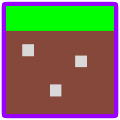
The Important part of this entire article is to NEVER use regular paint that you find with in your accessories folder(PC). This is because paint can't handle the transparent textures and all of the results will come out like this... Or in some other color...When I refer to Paint.net in this article... it is the free program you can get for free at their site.
To be honest I prefer Paint.net more. I had Paint.net first so I never felt the need to use GIMP. If you have a good word or two for Gimp go ahead and put it in the comments... ill probably put it up here in the text later... I'm sorry for those using photoshop, you're just TOO serious. OR too skilled. My preference has somewhat shifted back to GIMP however because it's what Sneeze7 uses for his skins and that inspires me to do the same... plus the Opacity tool for the pencil is only available for GIMP. If you would like a tutorial on skinning with GIMP go here.
These programs that we use to make our minecraft related textures are great because they're free and can get almost any job done quickly or with extremely great quality. The best part is that we often only have to deal with 16x16 or less. I know that many people like to deal with HD textures but I just wouldn't have the patience for that. That would take hours for me just to make a dirt block or snow. The programs we use are full of different and useful tools. I could marry the "blend tool" for its usefulness in my texture packs and skins. Anti Aliasing Is my greatest enemy. And the pencil is my most-used tool.
Just to let you all know, My sole purpose of this blog was to show what happens when you use paint to handle transparent textures. Hopefully everyone walks away from this with knowledge.
Thanx for viewing this blog. I Love Ya' Faces!
Here is my Main Reason for this...You'll see:
http://www.planetminecraft.com/blog/someone-help-me-165849/
To be honest I prefer Paint.net more. I had Paint.net first so I never felt the need to use GIMP. If you have a good word or two for Gimp go ahead and put it in the comments... ill probably put it up here in the text later... I'm sorry for those using photoshop, you're just TOO serious. OR too skilled. My preference has somewhat shifted back to GIMP however because it's what Sneeze7 uses for his skins and that inspires me to do the same... plus the Opacity tool for the pencil is only available for GIMP. If you would like a tutorial on skinning with GIMP go here.
These programs that we use to make our minecraft related textures are great because they're free and can get almost any job done quickly or with extremely great quality. The best part is that we often only have to deal with 16x16 or less. I know that many people like to deal with HD textures but I just wouldn't have the patience for that. That would take hours for me just to make a dirt block or snow. The programs we use are full of different and useful tools. I could marry the "blend tool" for its usefulness in my texture packs and skins. Anti Aliasing Is my greatest enemy. And the pencil is my most-used tool.
Just to let you all know, My sole purpose of this blog was to show what happens when you use paint to handle transparent textures. Hopefully everyone walks away from this with knowledge.
Thanx for viewing this blog. I Love Ya' Faces!
Here is my Main Reason for this...You'll see:
http://www.planetminecraft.com/blog/someone-help-me-165849/
2 Update Logs
Update #2 : by MrFang 01/21/2012 4:45:08 pmJanuary 21, 2012 @ 9:45 pm UTC
Updated the Description to contain My Experience with GIMP
LOAD MORE LOGS
More like this
 Best Programs to use to make a Texture PackArticle Blog
 insaynefournines
•6/16/12 10:28
26.2k 3x 1122
insaynefournines
•6/16/12 10:28
26.2k 3x 1122

-
-
 animestar
 gabethebabe02
 hober64
 blakeman909
318209
6


 Adamic39



 Nayak Creations

 Neephestos
Have something to say?
it is easy to use :D