
• • 12/6/24 5:00 pm • 2 logs
- 1.7k views • 0 today
- save_alt 60 downloads
- Compatibility
- Minecraft 1.20
- to version
- Minecraft 1.21
- Changes include
- Advancements
- Functions
- Loot Tables


27
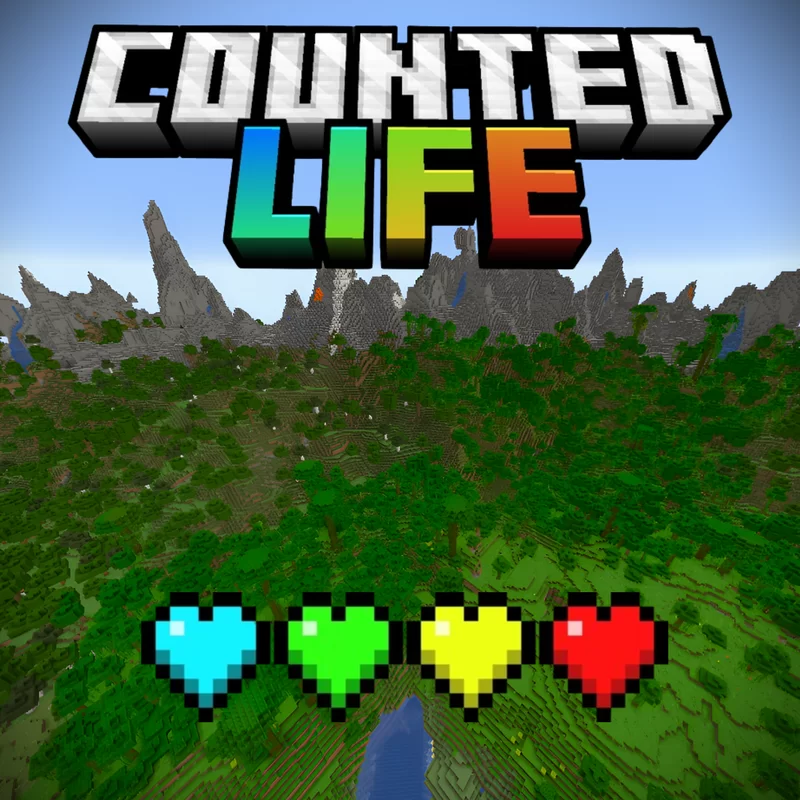
Minecraft, but you have only 24 hours to play.
Not enough? Try killing other players or bosses!
But be careful, if you die, you'll lose time!
As your time left decreases, your name will change color.
Green, then Yellow, and finally Red.
Reds can kill everyone
Yellows can kill greens and blues
Greens can kill blues
And Blues can kill other blues
But... What's a blue?
If you manage to have more than 20h after the first 4h of gameplay, you'll become a blue
Mine ores, get advancements or invite some friends to increase the world size!
It will start at 88 chunks (~1400 blocks)
Each new player adds 200 blocks
When mining, you'll obtain Border expanders. They'll instantly increase the world size once they entered your inventory (they'll disappear afterwards)
After every achievement, it will increase 5, 25 or 100 blocks depending the sape of the advancement
What are you waiting for? Download it and try it yourself!
Yes, this datapack is inspired by the life series
Not enough? Try killing other players or bosses!
But be careful, if you die, you'll lose time!
Gain some time!
Defeating a Warden will buy you 3h
A Wither 2h and 30min
An Ender Dragon 2h
And each Elder Guardian will buy you 30min
Killing players will buy you an extra hour... unless that player is a blue name
As a Red, you'll gain 1h after each kill or 2h if it was a blue name
As a Yellow, 1h per green or 1.5h per blue
As a Green, 1.5h per blue
And Blues will gain 1h for each kill
A Wither 2h and 30min
An Ender Dragon 2h
And each Elder Guardian will buy you 30min
Killing players will buy you an extra hour... unless that player is a blue name
As a Red, you'll gain 1h after each kill or 2h if it was a blue name
As a Yellow, 1h per green or 1.5h per blue
As a Green, 1.5h per blue
And Blues will gain 1h for each kill
As your time left decreases, your name will change color.
Green, then Yellow, and finally Red.
Reds can kill everyone
Yellows can kill greens and blues
Greens can kill blues
And Blues can kill other blues
But... What's a blue?
If you manage to have more than 20h after the first 4h of gameplay, you'll become a blue
Mine ores, get advancements or invite some friends to increase the world size!
It will start at 88 chunks (~1400 blocks)
Each new player adds 200 blocks
When mining, you'll obtain Border expanders. They'll instantly increase the world size once they entered your inventory (they'll disappear afterwards)
After every achievement, it will increase 5, 25 or 100 blocks depending the sape of the advancement
What are you waiting for? Download it and try it yourself!
Yes, this datapack is inspired by the life series
2 Update Logs
Beta 0.2 : by Warfrecraft 12/06/2024 5:00:00 pmDecember 6, 2024 @ 10:00 pm UTC
World size will depend on amount of players, ores mined and achievements
- Addad border increasers
- Pressing Tab will show you how many hour you have left
- Under other players name you'll see their time played
LOAD MORE LOGS
More like this

 Minecraft, but... Cobblestone drops OP Loot! 1.20!Minecraft 1.20 Minecraft, but Data Pack
 BlazeDavies08
•7/1/23 7:05
13.9k 6.5k 2x 1915
BlazeDavies08
•7/1/23 7:05
13.9k 6.5k 2x 1915 Yeti Mob for Java EditionMinecraft 1.20 Mob Data Pack
 Stevelocks100
•9/4/24 11:58
3.4k 377 3x 145
Stevelocks100
•9/4/24 11:58
3.4k 377 3x 145 Crystal Life - A 3-lives Multiplayer Challenge DatapackMinecraft 1.20 Challenge Data Pack
 tjb3171
•12/11/23 1:37
923 25 1x 354
tjb3171
•12/11/23 1:37
923 25 1x 354 Sniffer's LifeMinecraft 1.21 Farming and Food Data Pack
 The_Maker_CR
•3/25/26 2:52
355 29 7x 3811
The_Maker_CR
•3/25/26 2:52
355 29 7x 3811
 vichobal
6474548
119



![Soul Altar [ Happy Ghast Datapack ] Minecraft Data Pack](https://static.planetminecraft.com/files/image/minecraft/data-pack/2025/589/18896839-copia_s.jpg)


 User6365008G
 SonictheSkinner



 TIBR
TIBR
Have something to say?
To change a player's time, you'll need to work with ticks. And the score time actually represents the time played. So, to set the time, subtract the number of hours you want from 24 and multiply it by 72000. Example:
/scoreboard players set notch time 864000
This wold set Notch's time to 12h, since 24-12 = 12, and 12×72000 = 864000