







1 - 25 of 176,911
 Domino's Pizza Slice Slayer Slime from Dungeons IISlime Mob SkinVanilla Resolution
 Bulletproofbro
•10/9/26 2:14
7 11
Bulletproofbro
•10/9/26 2:14
7 11 Twisted Chicken from Dungeons IIChicken HD 2x Mob SkinHD 2x ResolutionBulletproofbro
•10/9/26 2:12
8 12
Twisted Chicken from Dungeons IIChicken HD 2x Mob SkinHD 2x ResolutionBulletproofbro
•10/9/26 2:12
8 12- ADVERTISEMENT


-

 Trader Panda (Original Textures)Panda Mob SkinVanilla Resolution
 Emanuel2011
•10/7/26 5:35
34 6 175
Emanuel2011
•10/7/26 5:35
34 6 175

 Rainimator Zombie VillagerZombie Villager Mob SkinVanilla Resolution
 JazzaMarsky
•10/8/26 8:23
7 311
JazzaMarsky
•10/8/26 8:23
7 311


-
Suggested Members for Mob Skins




- ADVERTISEMENT


 Doctor Xeno Houston wingfield (doctor stone, America)Allay HD 2x Mob SkinHD 2x Resolution
 Thecyborgwhoisapython
•10/8/26 9:14
72
Thecyborgwhoisapython
•10/8/26 9:14
72-

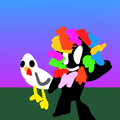
 Classic Armadillo TextureArmadillo Mob SkinVanilla Resolution
 SwimBasil608509
•10/8/26 8:55
10 21
SwimBasil608509
•10/8/26 8:55
10 21


-

 JustRoses
 SwatzyTheTrex
 XxAshLycanxX739
 Tallu
Tallu TheHoplessBanana
 Tony 10
 TheLiter
 bolt
bolt Creeper Professor
 BryceFilms
Minecraft Skins for Mobs
Mob skins change the look of animals, monsters and some common objects in the game. Minecraft supports mob skins on Java Edition and Bedrock Edition for Windows 10 & Pocket Edition. Similar to player skins, the creative community has come up with amazing, realistic, cartoon, scary and wild ideas. Mobs have very different models from one another allowing pixel artists even greater freedom to transform the visual appearance. You never know what you're going to find to customize your game.
Downloading Mob Skins
Download and installing mob skins has a different process than player skins. Mob skins are installed as resource packs. So if you know how to install a Minecraft resource pack, then you already know how to install a mob skin! When you find your favorite mob skin, click the "Download Minecraft Mob Skin Pack". Drag and drop the .zip pack into your Minecraft /resourcepack/ folder to install it. Here's a guide to downloading and installing Mob Skin packs.
How to create Minecraft Mob Skins
You can create mob skins with our Minecraft Skin Editor! In our editor, click File > New skin... Then select the model for your desired mob. Once you're happy with your custom Mob skin texture, publish it to download the mini mob skin pack and for the community to enjoy!
