


• • 9/6/19 3:08 pm • 3 logs
- 5.7k views • 0 today
- save_alt 1.2k downloads
- Game Version
- Minecraft 1.12.2
- Progress
- 15% complete
Added CreditCreated with Mcreator by TheMaxymuzZ


1
Dark Forces Mod
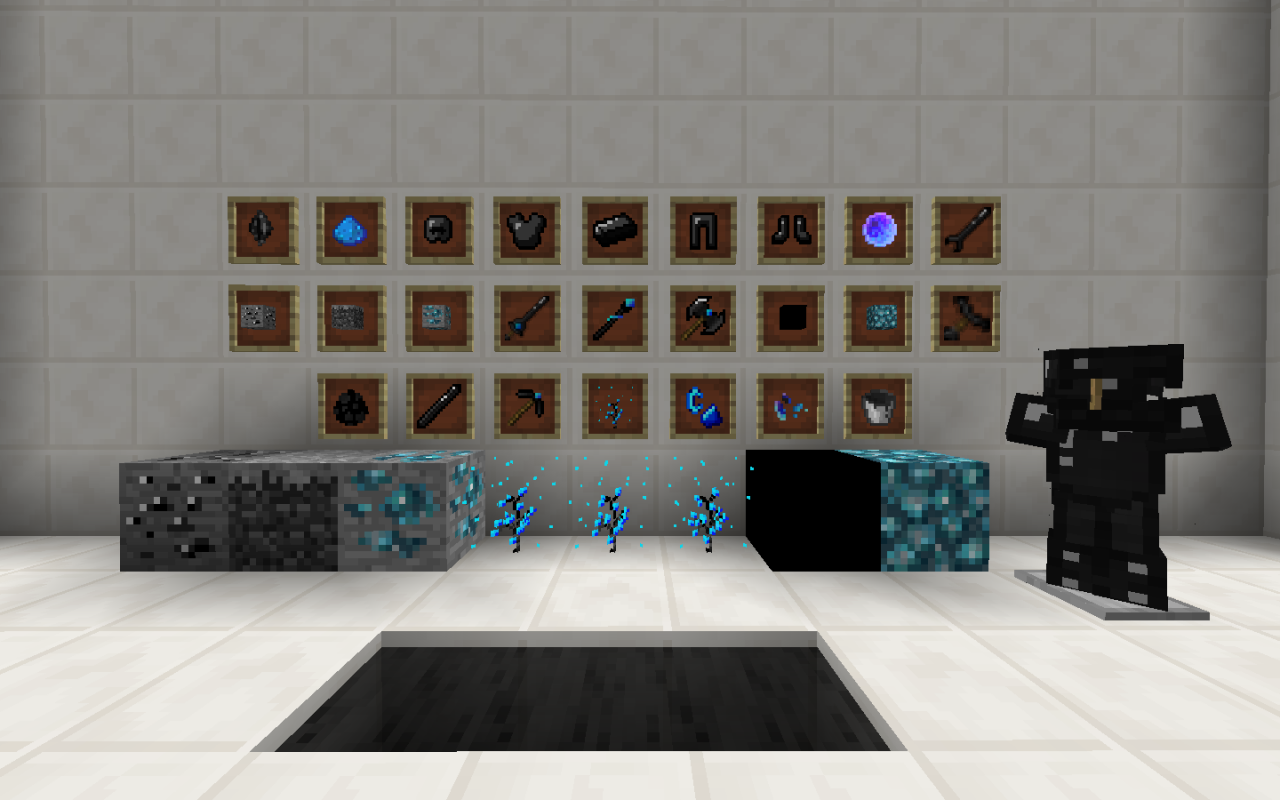
Shadaws invade your world, thereby discovering new materials and minerals very useful. Creating new tools and weapons you will discover a new world full of darkness
Add:
- Shadow dimension
- Items
- Tool and Weapons
- Enemies
- Ores
Install:
- Unzip archive
- Before you can install a mod, you need to find your minecraft folder.
- On Windows: do Start / Run / %appdata%, or type %appdata% into the location field of the Windows Explorer; then open Minecraft.
- On Mac: click on the desktop, press Command+Shift+G, type ~/Library and press enter; then open 'Application Support' and finally 'minecraft'.
- On Linux: in a terminal window, type "xdg-open ~/.minecraft"... or if you like working at the commandline, "cd ~/.minecraft".
Attention: DEVELOPMENT / ALPHA version .New things will be added continuously
Category: Dimensions and biomes
Release type: In development
Latest supported Minecraft version: 1.12.2
3 Update Logs
Alpha update 1.0a3 : by TheMaxymuzZ 09/06/2019 3:08:21 pmSeptember 6, 2019 @ 7:08 pm UTC
- Improved crafting
- New texture for "Shadow axe"
- Mineral spawning balanced
- New tools and weapons: "Shadow pickaxe" and "Shadow scepter"
- New plant "Soul reborn"
- New items: "Soul fragment" and "Dark rod"
- Shadow's armor and Shadow sword damage balanced
LOAD MORE LOGS
More like this

 Dinozervi
 lebergg
 ratainen
 isaacsvensson
 cRiminaLCR
4393665
7












 PlunderPixels
Have something to say?