




12
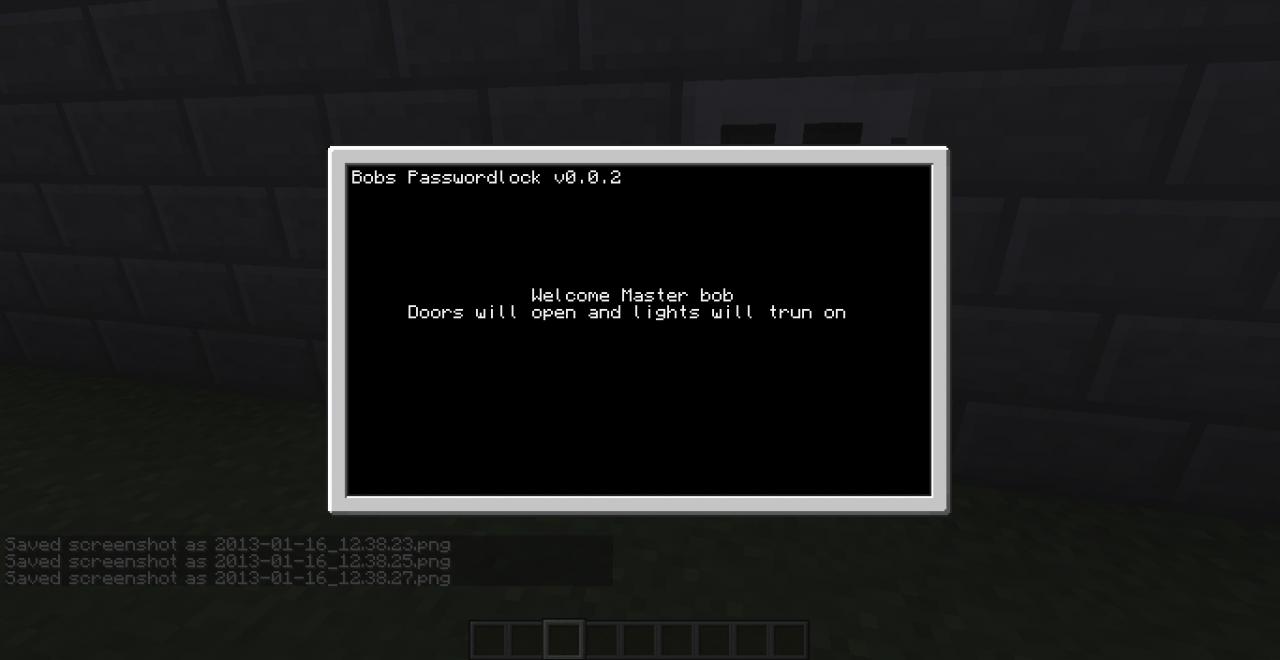
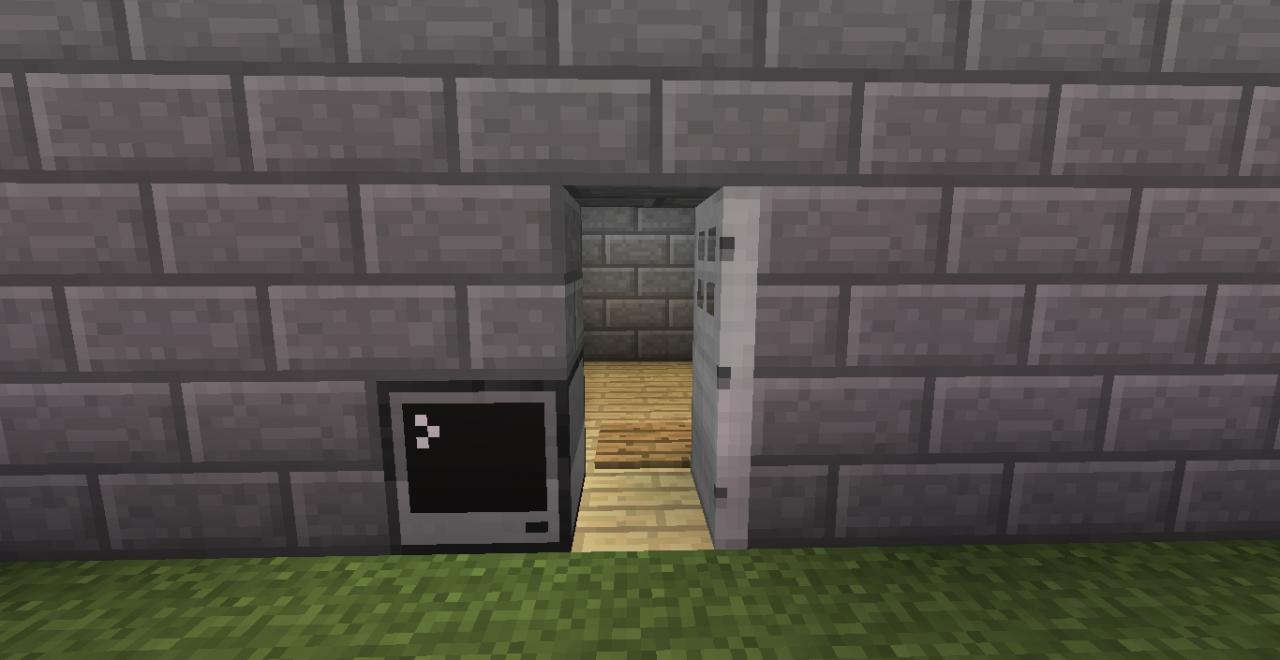
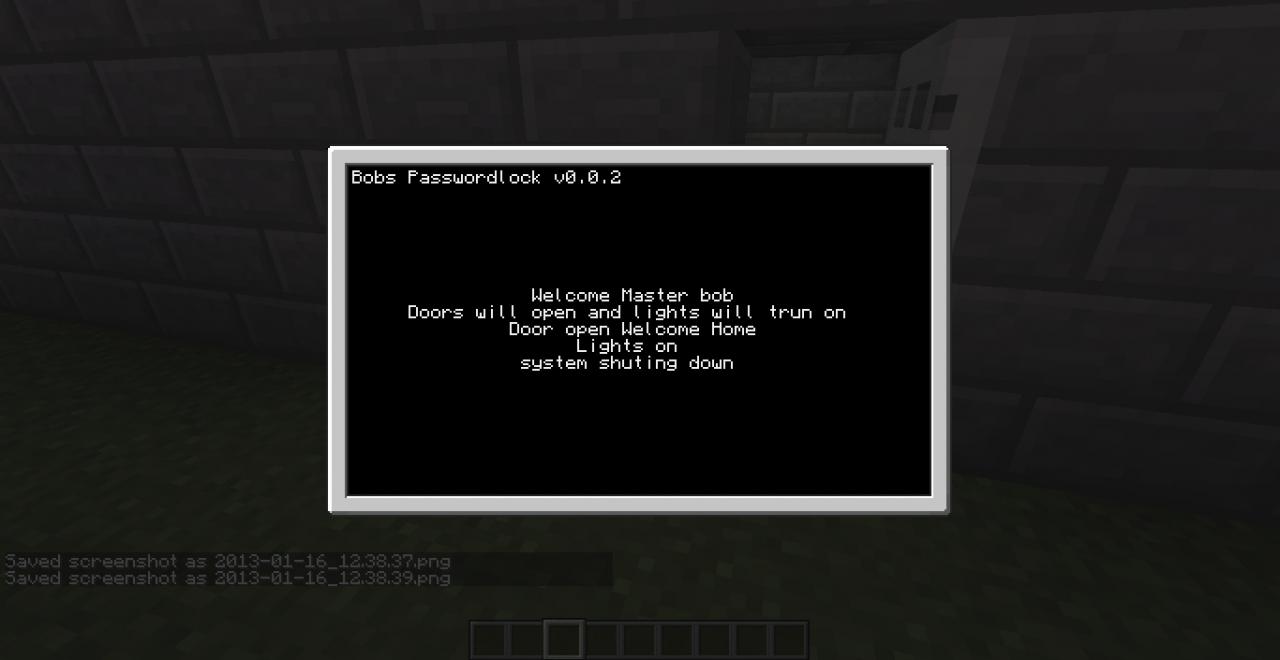
Hello here is a system that you can lock doors and stuff with computer craft! Have a look at the screen shots!
features
Disabled ctrl T
can change password
says hi to you when you put in password :)
shuts down system after user is in side
Can change redstone output
The best way to install this is making a program in computer craft just like this
edit startup
and then go to your save folder for your world and in that is a folder called computercraft find your computers ID and past this code into that file and then boot up your computer and it will work after you have set up your door and what redstone output you want
every thing that starts with -- is a comment
Have fun!:)
Any problems PM Bobscreations or email Bobthe90th bobthe90th@outlook.com
Web: bobthe90th.zazum.nl/bobs-creations/
server: 198.24.139.17825594
serverweb: bobs-creations.enjin.com/
-- Made By Bobthe90th
local function centerText(text)
local x,y = term.getSize()
local x2,y2 = term.getCursorPos()
term.setCursorPos(math.ceil((x / 2) - (text:len() / 2)), y2)
print(text)
end
-- Made By Bobthe90th
local function wcenterText(text)
local x,y = term.getSize()
local x2,y2 = term.getCursorPos()
term.setCursorPos(math.ceil((x / 2) - (text:len() / 2)), y2)
write(text)
end
local function senterText(text)
local x,y = term.getSize()
local x2,y2 = term.getCursorPos()
term.setCursorPos(math.ceil((x / 2) - (text:len() / 2)), y2)
textutils.slowPrint(text)
end
-- Made By Bobthe90th
function os.pullEvent()
local event, back = os.pullEventRaw()
if event == "terminate" then
term.clear()
term.setCursorPos(1,1)
print("Bobs Passwordlock v0.0.2")
term.setCursorPos(1,8)
rs.setOutput("back",true) -- This is a warning to tell you some one has used ctrl T on your door change redstone to any side (if your not using a warning for ctrl T remove this line!
senterText("This is Bobs Passwordlock v0.0.2")
senterText("You should of known that he would disable 'ctrl T'")
sleep(3)
senterText("Will now shut compuer down")
sleep(2)
os.shutdown()
end
return event, back
end
-- Made By Bobthe90th
term.clear()
term.setCursorPos(1,1)
print("Bobs Passwordlock v0.0.2")
term.setCursorPos(1,8)
centerText("Welcome to Bobs Passwordlock v0.0.2")
centerText("Made By Bobthe90th")
wcenterText(" Name:")
name = read()
wcenterText("Password: ")
password = read("*")
if password == "password" then --"password" is the password you can change this to what ever you want.
term.clear()
term.setCursorPos(1,1)
print("Bobs Passwordlock v0.0.2")
term.setCursorPos(1,8)
senterText("Welcome Master "..name.."")
senterText("Doors will open and lights will trun on")
sleep(2)
rs.setOutput("front",false) -- set to true for front redstone
rs.setOutput("back",false) -- set to true for back redstone
rs.setOutput("left",false) -- set to true for left redstone
rs.setOutput("right",true) -- set to true for right redstone (right is defualt so doors touching the ride side open)
rs.setOutput("top",false) -- set to true for top redstone
rs.setOutput("bottom",false) -- set to true for bottom redstone
-- I DOnt know how many out puts you want so i put them all in :)
senterText("Door open Welcome Home") -- can change message in (" ")
senterText("Lights on") -- can change message in (" ")
sleep(10)
senterText("system shuting down")
sleep(3)
os.shutdown()
else
term.clear()
term.setCursorPos(1,1)
print("Bobs Passwordlock v0.0.2")
term.setCursorPos(1,8)
senterText("Wrong Pass Word") -- can change message in (" ")
senterText("Are you the owner of the door "..name.."?") -- can change message in (" ") "..name.." brings out players name from title screen
sleep(1)
senterText("Computer now restarting")
sleep(4)
os.reboot()
end
-- Made By Bobthe90th
features
Disabled ctrl T
can change password
says hi to you when you put in password :)
shuts down system after user is in side
Can change redstone output
Installing
The best way to install this is making a program in computer craft just like this
edit startup
and then go to your save folder for your world and in that is a folder called computercraft find your computers ID and past this code into that file and then boot up your computer and it will work after you have set up your door and what redstone output you want
every thing that starts with -- is a comment
Have fun!:)
Any problems PM Bobscreations or email Bobthe90th bobthe90th@outlook.com
Web: bobthe90th.zazum.nl/bobs-creations/
server: 198.24.139.17825594
serverweb: bobs-creations.enjin.com/
code
-- Made By Bobthe90th
local function centerText(text)
local x,y = term.getSize()
local x2,y2 = term.getCursorPos()
term.setCursorPos(math.ceil((x / 2) - (text:len() / 2)), y2)
print(text)
end
-- Made By Bobthe90th
local function wcenterText(text)
local x,y = term.getSize()
local x2,y2 = term.getCursorPos()
term.setCursorPos(math.ceil((x / 2) - (text:len() / 2)), y2)
write(text)
end
local function senterText(text)
local x,y = term.getSize()
local x2,y2 = term.getCursorPos()
term.setCursorPos(math.ceil((x / 2) - (text:len() / 2)), y2)
textutils.slowPrint(text)
end
-- Made By Bobthe90th
function os.pullEvent()
local event, back = os.pullEventRaw()
if event == "terminate" then
term.clear()
term.setCursorPos(1,1)
print("Bobs Passwordlock v0.0.2")
term.setCursorPos(1,8)
rs.setOutput("back",true) -- This is a warning to tell you some one has used ctrl T on your door change redstone to any side (if your not using a warning for ctrl T remove this line!
senterText("This is Bobs Passwordlock v0.0.2")
senterText("You should of known that he would disable 'ctrl T'")
sleep(3)
senterText("Will now shut compuer down")
sleep(2)
os.shutdown()
end
return event, back
end
-- Made By Bobthe90th
term.clear()
term.setCursorPos(1,1)
print("Bobs Passwordlock v0.0.2")
term.setCursorPos(1,8)
centerText("Welcome to Bobs Passwordlock v0.0.2")
centerText("Made By Bobthe90th")
wcenterText(" Name:")
name = read()
wcenterText("Password: ")
password = read("*")
if password == "password" then --"password" is the password you can change this to what ever you want.
term.clear()
term.setCursorPos(1,1)
print("Bobs Passwordlock v0.0.2")
term.setCursorPos(1,8)
senterText("Welcome Master "..name.."")
senterText("Doors will open and lights will trun on")
sleep(2)
rs.setOutput("front",false) -- set to true for front redstone
rs.setOutput("back",false) -- set to true for back redstone
rs.setOutput("left",false) -- set to true for left redstone
rs.setOutput("right",true) -- set to true for right redstone (right is defualt so doors touching the ride side open)
rs.setOutput("top",false) -- set to true for top redstone
rs.setOutput("bottom",false) -- set to true for bottom redstone
-- I DOnt know how many out puts you want so i put them all in :)
senterText("Door open Welcome Home") -- can change message in (" ")
senterText("Lights on") -- can change message in (" ")
sleep(10)
senterText("system shuting down")
sleep(3)
os.shutdown()
else
term.clear()
term.setCursorPos(1,1)
print("Bobs Passwordlock v0.0.2")
term.setCursorPos(1,8)
senterText("Wrong Pass Word") -- can change message in (" ")
senterText("Are you the owner of the door "..name.."?") -- can change message in (" ") "..name.." brings out players name from title screen
sleep(1)
senterText("Computer now restarting")
sleep(4)
os.reboot()
end
-- Made By Bobthe90th
2 Update Logs
Update #2 : by Bobs_Creations 01/21/2013 2:34:55 amJanuary 21, 2013 @ 7:34 am UTC
- Past Bin Link added
LOAD MORE LOGS
More like this

 Lock door with own 3-digit code finish!Redstone Device Map
 Ennek
10/28/11 3:45
• posted 10/24/11 3:52
1.4k 51 8x 631
Ennek
10/28/11 3:45
• posted 10/24/11 3:52
1.4k 51 8x 631


 turgeon97
 ajs21
ajs21 TheLateGekyume
 SouDeir
1818176
2




 cendinalmi



 MrNin
MrNin

![DM-04 and DM-16 drum machines. [1.12.2] Minecraft Map & Project](https://static.planetminecraft.com/files/image/minecraft/project/2026/689/20196361-ad_s.jpg)

Have something to say?