
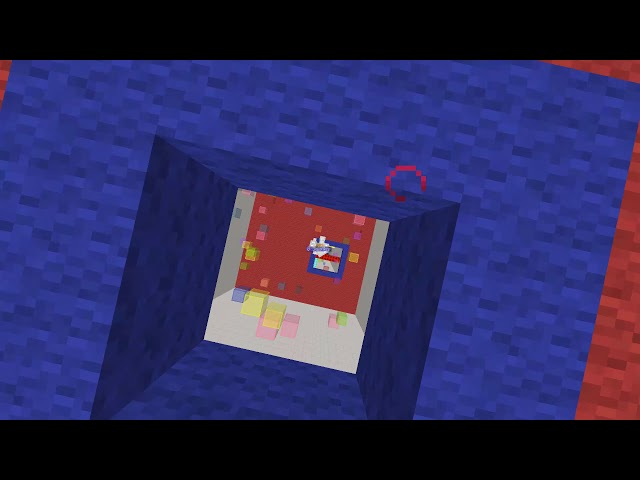





3
Challenge map (8 levels)
|
|
|
|
|
|
How to play this map (Windows):
1 | Download this map |
2 | Click the PvP-levels-map folder |
3 | Open .minecraft folder (by pressing Windows+R and typing %appdata%) |
4 | Put the PvP folder into the saves folder (in .minecraft) |
5 | Play and enjoy the "PvP"-map! |
16 Update Logs
[Update #8] : by M0onwolf 07/26/2021 12:09:50 pmJuly 26, 2021 @ 4:09 pm UTC
+New layout on PlanetMinecraft
+Corrected a few (disgusting) mistakes in english langauage in the discription.
+Why tf are you even reading this, bro? Go out and have fun in real life.
... big map quality improvements following soon.
+Corrected a few (disgusting) mistakes in english langauage in the discription.
+Why tf are you even reading this, bro? Go out and have fun in real life.
... big map quality improvements following soon.
LOAD MORE LOGS
More like this

 1.8.9 dropper mapChallenge / Adventure Map
 wonker67079
1/2/25 10:52
• posted 6/13/23 11:29
4.6k 879 4x 122
wonker67079
1/2/25 10:52
• posted 6/13/23 11:29
4.6k 879 4x 122
 Losing Levels (1.8 Adventuremap)Challenge / Adventure Map
 OnlineLion
•4/14/14 8:59
481 22 2x 332
OnlineLion
•4/14/14 8:59
481 22 2x 332
 RP gmail
 ChairmanZeddy
4439847
2



 Konatalzumi

 agent94055
![Coup of Ages[1.21.8][WIP] Minecraft Map & Project](https://static.planetminecraft.com/files/image/minecraft/project/2026/829/20164791_s.jpg)
 LGSC team
 WolkoDoesContent
 ZeroniaServer
 Platon2012
 Dr_Syntax
Have something to say?
1: Download this map
2:Click at the PvP-levels-map folder
3: Open .minecraft folder(by pressing Windows+R and typing in %appdata%)
4:Put the PvP folder into the saves folder (in .minecraft)
5:Play and enjoy the "PvP"-map!