




• 12/10/14 9:48 pm
- 1.4k views • 0 today
- save_alt 155 downloads
- Progress
- 100% complete


1
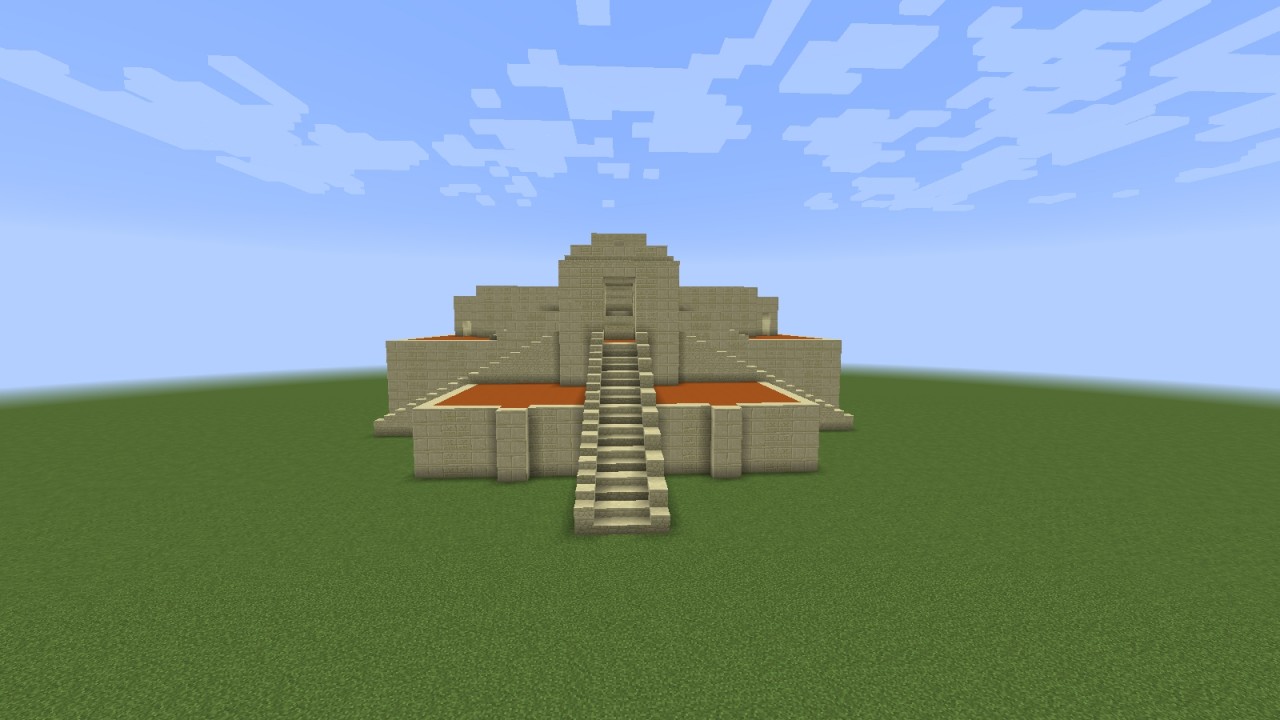
I made this ziggurat in Minecraft 1.8 in only 6 hours!
HOW TO DOWLOAD:
-Download the schematic
-Open MCEdit
-Select the "Import tool"
-Select the schematic
-Place it wherever you want it
-Have FUN
OR
-Downlad the world
-Open Minecraft
-Select "Edit Profile" in Minecraft Launcher
-Select "Open Game Dir"
-Move world to saves folder
-Start Minecraft
-Have more FUN
HOW TO DOWLOAD:
-Download the schematic
-Open MCEdit
-Select the "Import tool"
-Select the schematic
-Place it wherever you want it
-Have FUN
OR
-Downlad the world
-Open Minecraft
-Select "Edit Profile" in Minecraft Launcher
-Select "Open Game Dir"
-Move world to saves folder
-Start Minecraft
-Have more FUN
More like this

 Eretyleth
 EasySpiff
 MasterOfDynus
 MinecraftGuy_000
 Skarin
3169566
2









 VovaPr1me
 MazaVili
 GuardianYT
![Mystery Shack [Full interior] Minecraft Map & Project](https://static.planetminecraft.com/files/image/minecraft/project/2026/841/20199670_s.jpg)
 pentuhfanboy
 Twenty-second
Have something to say?