


Published Jun 23rd, 2020, 6/23/20 10:06 am
- 328 views • 1 today
- 5 downloads • 0 today

362
OK SO IM DOING THIS AGAIN BECAUSE MY STYLE IS EVER CHANGING. Every time my style changes significantly, I like to remake this OC. As of right now, this is my only OC that gets updated every time my style changes. Let me take you on the tour of my styles evolution.

July 16th 2018 - Almost 2 years ago and one of my first skins on PMC. Sunset was the contest example for the summer palette contest, one of the ugliest palettes. The skin looks bad because of a few reasons, but I won't dive into it. The stripes on her shirt were meant to be like a judge or referee, as it was for a contest. She has 2 bracelets, which allowed me to use every color on the palette. I also gave her small buns on the back, as well as 2 pigtails in the front.

July 31st 2018 - Made sometime after the original, this one focused on using me newer hair shading style, along with some other small skinning techniques I picked up. At this point I was still pretty OCD about how I had the shading was, which lead to some very clean gradients that didn't look too appealing. I also made the stripes bigger so they didn't stick out as much. They still blended a lot with the shorts though.

June 20th 2019 - Big time leap here, I've been skinning for around a year before making this one, so it was quit decent. My main problem I had with it was the hair palette, the colors just didn't work, the shading itself was pretty good, but it still looked bad. I also gave her ears. The entire skin is less saturated, which makes it more bearable.

December 31st 2019 - Not too long ago, but still long enough. I don't know why I changed the patterns on the side of the hair, but I made a few changes to the hair. First, I combined the ponytails and the buns, making 2 small things on the back, and 2 hair things on the front. I changed the color of the hair to be less pink and more magenta, like the original. There's also a hair clip now. I also made the shorts extremely noticeable by using the layer. The sleeves were made longer, the bracelets changed location, and I also added leggings under the shorts. One of the big changes was the outfit though. I changed it to have a single stripe, with a little bit of changes here and there. I also added a 16 on the back, for the day the skin was first posted.

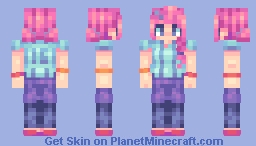
Today - Quite a while has passed, but not too many changes were made. I went back to having the 2 stripes, made the sleeves a bit shorter, and made the shorts blend in more and have a more natural shape. The hair had a huge change in color and shading. I left a small reminder of the last skin by keeping the small square bit on one stripe, but that's it. I changed some colors here and there, made the shoes a bit better, and made some changes to the bracelets.
July 16th 2018 - Almost 2 years ago and one of my first skins on PMC. Sunset was the contest example for the summer palette contest, one of the ugliest palettes. The skin looks bad because of a few reasons, but I won't dive into it. The stripes on her shirt were meant to be like a judge or referee, as it was for a contest. She has 2 bracelets, which allowed me to use every color on the palette. I also gave her small buns on the back, as well as 2 pigtails in the front.
July 31st 2018 - Made sometime after the original, this one focused on using me newer hair shading style, along with some other small skinning techniques I picked up. At this point I was still pretty OCD about how I had the shading was, which lead to some very clean gradients that didn't look too appealing. I also made the stripes bigger so they didn't stick out as much. They still blended a lot with the shorts though.
June 20th 2019 - Big time leap here, I've been skinning for around a year before making this one, so it was quit decent. My main problem I had with it was the hair palette, the colors just didn't work, the shading itself was pretty good, but it still looked bad. I also gave her ears. The entire skin is less saturated, which makes it more bearable.
December 31st 2019 - Not too long ago, but still long enough. I don't know why I changed the patterns on the side of the hair, but I made a few changes to the hair. First, I combined the ponytails and the buns, making 2 small things on the back, and 2 hair things on the front. I changed the color of the hair to be less pink and more magenta, like the original. There's also a hair clip now. I also made the shorts extremely noticeable by using the layer. The sleeves were made longer, the bracelets changed location, and I also added leggings under the shorts. One of the big changes was the outfit though. I changed it to have a single stripe, with a little bit of changes here and there. I also added a 16 on the back, for the day the skin was first posted.
Today - Quite a while has passed, but not too many changes were made. I went back to having the 2 stripes, made the sleeves a bit shorter, and made the shorts blend in more and have a more natural shape. The hair had a huge change in color and shading. I left a small reminder of the last skin by keeping the small square bit on one stripe, but that's it. I changed some colors here and there, made the shoes a bit better, and made some changes to the bracelets.
| Gender | Female |
| Format | Java |
| Model | Alex |
| Tags |
Curated in their collections
4640333
5













 Saturn Marz



Have something to say?
1.Make your palettes before the skin, that way you can focus less on the colors of shading and more of how the shading shapes out.
2.Don't be afraid to break some OCD, feel free to put light colors next to dark colors because it doesn't have a smooth gradient.
3.Once you get better at shading, increase the colors in a ramp, this is the best tip I give to experienced skinners that have greatly shaded skins, but still are missing something. I reccomend going with 4-5 color ramps for now, but once you get more confident about shading feel free to use 6-7 color ramps. This just means the amount of unique colors you use. The bigger the ramp, the more detailed it will look, but the harder it is to pull off.