

• 10/31/11 8:00 am
- 126 views • 0 today
- save_alt 6 downloads
- Model
- Steve
Added Creditmarcin1147

24
Instructions Windows (Only for Single Player) :
Rename the skin to "char"
Go to "minecraft.jar" and open in Winrar or 7zip (%appdata% -> .minecraft -> bin -> "minecraft.jar"
Drag the skin to "mob" folder
Close "minecraft.jar"
Enjoy it !
Rename the skin to "char"
Go to "minecraft.jar" and open in Winrar or 7zip (%appdata% -> .minecraft -> bin -> "minecraft.jar"
Drag the skin to "mob" folder
Close "minecraft.jar"
Enjoy it !
More like this


299449
5




 MrRocket6000
 ThatYoutubeHater

![Orphan of Kos [GPBL S1W1] Minecraft Skin](https://static.planetminecraft.com/files/resource_media/preview/alex-slim-arms-planetminecraft-com-20167747-minecraft-skin.jpg)
 Cranio
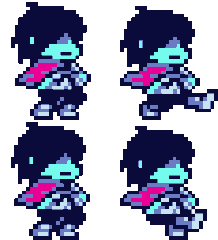 Narutod
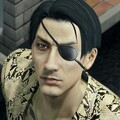 Kiryutojo

 WORLD__NIGHT
Have something to say?