


• 4/3/25 7:20 pm
- 1.6k views • 1 today
- save_alt 241 downloads
- Game Version
- Minecraft 1.21.1
- Resolution
- 16x
- Progress
- 100% complete
- Changes include
- Misc


0
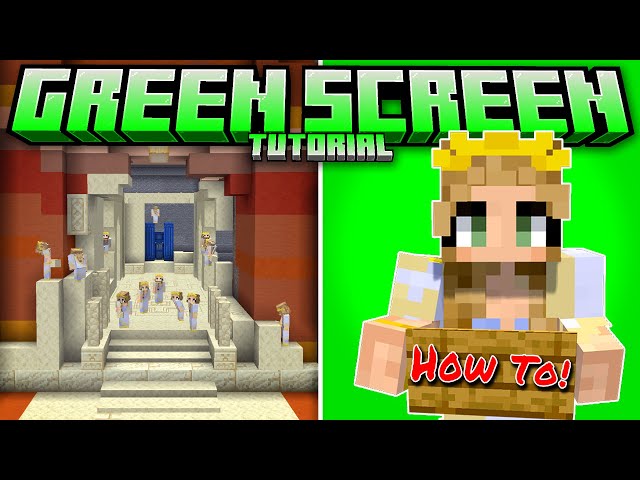
A tool for easy Green screen in Survival Minecraft!
YES! you read that correct this can be achieved in survival Minecraft Java edition.
These are all separate installations to allow you to interchange at will and use which ever one works for you and your build.
Simply add individual zip files to your resource pack folder.
Please note this is not a saving grace and there are some technical skills required to use these to their full potential.
A tutorial on how I utilise these tools can be found on my YouTube page.
I recommended you use the resource pack with Gamma Utils as adjusting Minecraft lighting will achieve better results
turning off lighting updates and smooth lighting with remove all shadows completely if you desire. If you are using connected textures the froglights and glass should work.
These resource packs change all three frog lights as well as Purple, Blue and Lime Green Concrete to a solid colour code for better results with chroma Keying your footage in your preferred editing software.
It also includes completely clear glass and Invisible water as assets to help you set up your screen.
(Invisible water does not work in first person)
For best results Make sure your footage is recorded in the highest possible resolution your PC can handle I use
resolution control+ inside Minecraft to increase anti aliasing and smooth out the lines and remove as much visual distortion
as possible.
*NOTE* For perfect green screen camera stability is a must! Replay mod or Flashback required, camera movement in the recording can cause you problems later down the line if you want movement record higher quality and apply as the last step in the editing process unless you want to spend your life rendering frame by frame.
-------------------------------------------------------
WHY! Two methods! concrete and Froglights?
- Depending on your building blocks, the biome or environment and your personal Minecraft skin will depend on what screen
colour will work for you. Using the Froglights will eliminate any shadows when placing blocks next to or on top of them making
it easier than the concrete method and resulting on not needing a glass floor if you remove particles. You will need the glass layer if you use concrete
(See below method notes).
The main reason for multiple methods is if part of your build requires one of the original textures you will still have options to use as your screen and can remove or add each pack to your specific needs.
WHY! Wouldn't I just do this in creative instead of survival?
- depending on what you want to create depends on where you use these, I go into this in detail in my YouTube video on how I use this pack
but the run down is its easier to line up shots angles in replay mod. Could I copy the camera path to line it up exactly? probably although
at the time of making this I don't know how to do that. The other reason you may want to do this in survival is if you are on a server and have
plans with other individuals. Again it is specific to how ever you want to use it.
-------------------------------------------------------
CONCRETE METHOD
Using the Concrete blocks Lime, Blue and Purple!
caution shadows will appear if not set up correctly this makes the area larger than it needs to be but is also a usable option. I would use this option if you needed to create a larger screen early game.
*Notes*
- create a minimum 1 gap block between each screen as to not cast shadows. In between that gap you can use frog
lights or lighting blocks one layer deeper than the floor to help light up the area.
- Make sure you over build the back screen by 3 blocks when creating sides keeping a minimum distance of 1 block away
and one block deeper on all sides.
- Using a gamma mod at its brightest scale 16000% is vital with this method. Do not use any lighting blocks that emit particles
unless you have them turned off.
- Any foreground vanilla blocks can be stairs if you are using this next to a ground screen this helps eliminate
any lighting shadows as stairs are not full blocks and wont cast shadows.
- Any Floor concrete screens need to be placed a block lower and completely covered with Clear glass as the floor,
you can then walk and place blocks on this layer.
- I suggest using the Green and Blue screens as your primary screen as a purple screen is a special case. Do not use unless
your Minecraft skin is like Daviscalledfred where he has both green and blue Chroma key colours inside his Minecraft skin.
-------------------------------------------------------
WHAT'S WHAT! COLOUR CODES
Verdant = Green Screen
Colour Code R=0 G=255 B=0
#00ff00
Ochre = Blue Screen
Colour Code R=0 G=0 B=255
#0000ff
Pearlescent = Purple Screen (special case use, do not use as primary screen unless your Minecraft skin is like Daviscalledfred)
Colour Code R=157 B=0 G=255
#9d00ff
FOR THE LOVE OF YOUR SANITY!!! Plan out your scene and your build section by section I really do recommend watching my
YouTube video for some handy tips and tricks you will spend 90% of your time in the planning and rendering stages trust me!
Anyway have fun, enjoy the pack and let me know if this Is in the future and we need updating! Also feel free to tag me in your creations!
Happy creating everyone - Gecka
YES! you read that correct this can be achieved in survival Minecraft Java edition.
These are all separate installations to allow you to interchange at will and use which ever one works for you and your build.
Simply add individual zip files to your resource pack folder.
Please note this is not a saving grace and there are some technical skills required to use these to their full potential.
A tutorial on how I utilise these tools can be found on my YouTube page.
I recommended you use the resource pack with Gamma Utils as adjusting Minecraft lighting will achieve better results
turning off lighting updates and smooth lighting with remove all shadows completely if you desire. If you are using connected textures the froglights and glass should work.
These resource packs change all three frog lights as well as Purple, Blue and Lime Green Concrete to a solid colour code for better results with chroma Keying your footage in your preferred editing software.
It also includes completely clear glass and Invisible water as assets to help you set up your screen.
(Invisible water does not work in first person)
For best results Make sure your footage is recorded in the highest possible resolution your PC can handle I use
resolution control+ inside Minecraft to increase anti aliasing and smooth out the lines and remove as much visual distortion
as possible.
*NOTE* For perfect green screen camera stability is a must! Replay mod or Flashback required, camera movement in the recording can cause you problems later down the line if you want movement record higher quality and apply as the last step in the editing process unless you want to spend your life rendering frame by frame.
-------------------------------------------------------
WHY! Two methods! concrete and Froglights?
- Depending on your building blocks, the biome or environment and your personal Minecraft skin will depend on what screen
colour will work for you. Using the Froglights will eliminate any shadows when placing blocks next to or on top of them making
it easier than the concrete method and resulting on not needing a glass floor if you remove particles. You will need the glass layer if you use concrete
(See below method notes).
The main reason for multiple methods is if part of your build requires one of the original textures you will still have options to use as your screen and can remove or add each pack to your specific needs.
WHY! Wouldn't I just do this in creative instead of survival?
- depending on what you want to create depends on where you use these, I go into this in detail in my YouTube video on how I use this pack
but the run down is its easier to line up shots angles in replay mod. Could I copy the camera path to line it up exactly? probably although
at the time of making this I don't know how to do that. The other reason you may want to do this in survival is if you are on a server and have
plans with other individuals. Again it is specific to how ever you want to use it.
-------------------------------------------------------
CONCRETE METHOD
Using the Concrete blocks Lime, Blue and Purple!
caution shadows will appear if not set up correctly this makes the area larger than it needs to be but is also a usable option. I would use this option if you needed to create a larger screen early game.
*Notes*
- create a minimum 1 gap block between each screen as to not cast shadows. In between that gap you can use frog
lights or lighting blocks one layer deeper than the floor to help light up the area.
- Make sure you over build the back screen by 3 blocks when creating sides keeping a minimum distance of 1 block away
and one block deeper on all sides.
- Using a gamma mod at its brightest scale 16000% is vital with this method. Do not use any lighting blocks that emit particles
unless you have them turned off.
- Any foreground vanilla blocks can be stairs if you are using this next to a ground screen this helps eliminate
any lighting shadows as stairs are not full blocks and wont cast shadows.
- Any Floor concrete screens need to be placed a block lower and completely covered with Clear glass as the floor,
you can then walk and place blocks on this layer.
- I suggest using the Green and Blue screens as your primary screen as a purple screen is a special case. Do not use unless
your Minecraft skin is like Daviscalledfred where he has both green and blue Chroma key colours inside his Minecraft skin.
-------------------------------------------------------
WHAT'S WHAT! COLOUR CODES
Verdant = Green Screen
Colour Code R=0 G=255 B=0
#00ff00
Ochre = Blue Screen
Colour Code R=0 G=0 B=255
#0000ff
Pearlescent = Purple Screen (special case use, do not use as primary screen unless your Minecraft skin is like Daviscalledfred)
Colour Code R=157 B=0 G=255
#9d00ff
FOR THE LOVE OF YOUR SANITY!!! Plan out your scene and your build section by section I really do recommend watching my
YouTube video for some handy tips and tricks you will spend 90% of your time in the planning and rendering stages trust me!
Anyway have fun, enjoy the pack and let me know if this Is in the future and we need updating! Also feel free to tag me in your creations!
Happy creating everyone - Gecka
More like this
 Green Screen Paintings16x Minecraft 1.17.1 Other Texture Pack
 Cubeoidal
•9/4/21 3:34
2.8k 376x 2128
Cubeoidal
•9/4/21 3:34
2.8k 376x 2128 Chroma Key Concrete16x Minecraft 1.17.1 Simplistic Texture Pack
 CS_80
•11/22/21 8:34
2.3k 349x 431
CS_80
•11/22/21 8:34
2.3k 349x 431 Green Screen16x Minecraft 1.17.1 Experimental Texture Pack
 big_fan_big_mac
•9/7/21 2:51
2.2k 399x 143
big_fan_big_mac
•9/7/21 2:51
2.2k 399x 143 green screen character creator background16x Minecraft Bedrock Other Texture Pack
 minidrwho
•6/5/22 8:00
2.4k 117x 7107
minidrwho
•6/5/22 8:00
2.4k 117x 7107 greenscreen16x Minecraft Bedrock Experimental Texture Pack
 kartograf
•11/21/21 7:22
1.5k 154x 251
kartograf
•11/21/21 7:22
1.5k 154x 251
6577919
4
 GoldWinter39277
 TexGaymer






 misterperson22

 Studio CSF
 TheBot03
 quinnsaturn
Have something to say?