

- 1
- 0
- 2

981
Before I had Cutemurphy's Weekly Blog, and I just couldn't do one every week so I'm changing to Cutemurphy's view. It will always be about minecraft or PMC. I do Cutemurphy's view just when I feel like it. So I could do one in a month, or tomorrow. This one is about Avatars! Avatars are mostly what draw people to you, and your name.
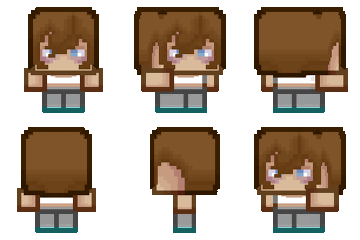
like: doesn't really make people say let's look at their channel.
This: looks epic you would want to look at someone with that avatar.
just plain one doesn't really work. The avatar should kinda represent something you like. you could either request a avatar there are tons of avatar shops, or make one yourself. Another way to find a avatar is go to someone who has tons of subs like disco, and then get one of their avatars. Another thing is make your avatar match your name. like if your name is dinowcookie it should something have a dinow or/and a cookie.The only resolution you have for the avatar is .png, .gif, and .gpj.I wouldn't leave your avatar plain. If you don't want your avatar to represent your name then I would suggest putting your name in the avatar.
How to put on your avatar
After you pick your avatar go to my account, and then there should be something that says change avatar click it. then there will be your avatar, and by it a paper and pencil click it. then it will say choose file, and you look for your file click save on the same tab that says choose file. Where your former avatar is will appear your new on. after that above will be a button that says save click it, and then tada! If this helped, or you liked it please diamond. See you next time on Cutemurphy's view!
-CuteMurphy
like:
doesn't really make people say let's look at their channel.This:
looks epic you would want to look at someone with that avatar.just plain one doesn't really work. The avatar should kinda represent something you like. you could either request a avatar there are tons of avatar shops, or make one yourself. Another way to find a avatar is go to someone who has tons of subs like disco, and then get one of their avatars. Another thing is make your avatar match your name. like if your name is dinowcookie it should something have a dinow or/and a cookie.The only resolution you have for the avatar is .png, .gif, and .gpj.I wouldn't leave your avatar plain. If you don't want your avatar to represent your name then I would suggest putting your name in the avatar.
How to put on your avatar
After you pick your avatar go to my account, and then there should be something that says change avatar click it. then there will be your avatar, and by it a paper and pencil click it. then it will say choose file, and you look for your file click save on the same tab that says choose file. Where your former avatar is will appear your new on. after that above will be a button that says save click it, and then tada! If this helped, or you liked it please diamond. See you next time on Cutemurphy's view!
-CuteMurphy
2 Update Logs
Update #2 : by CuteMurphy 07/29/2012 7:10:08 pmJuly 29, 2012 @ 11:10 pm UTC
Made official title Picture
LOAD MORE LOGS
More like this


 Diamonddozen


1205731
6

![Interview: MayaCookieGirl [#1] Minecraft Blog](https://static.planetminecraft.com/files/resource_media/screenshot/1529/interviewwithmaya9166786_thumb.jpg)






 builder745041
 chairtable


 Ww2guru73
 MaximusPrime23
 Neephestos
Have something to say?