

• 3/2/18 9:04 am
- 495 views • 0 today
- 1
- 1

5
Sample:
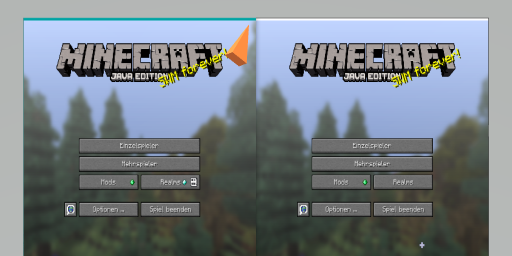
A quick search give me no results about c0
During debug my mod's i play, code & desing at the same time.
Or playing together, SplitScreen,... BlaBla
(By the way visit my sneak peek mod )
The Titlebar disturbs....really!
Instead insert a mod :) (less is always better)
The built-in Lightweight Java Game Library provide a feature already.
You can specify a JVM property, before you launch MineCraft.
-Dorg.lwjgl.opengl.Window.undecorated=true
Now ur JVM-props should be something like this:
Sample:

Finish....launch Minecraft!
Dev notes:
A quick search give me no results about c0
During debug my mod's i play, code & desing at the same time.
Or playing together, SplitScreen,... BlaBla
(By the way visit my sneak peek mod )
The Titlebar disturbs....really!
Instead insert a mod :) (less is always better)
The built-in Lightweight Java Game Library provide a feature already.
You can specify a JVM property, before you launch MineCraft.
-Dorg.lwjgl.opengl.Window.undecorated=true
Now ur JVM-props should be something like this:
Sample:
Finish....launch Minecraft!
Dev notes:
Spoiler - click to reveal
Or by setting it in your code :)
System.setProperty(" org.lwjgl.opengl.Window.undecorated", "true");
Visit: https://www.lwjgl.org
System.setProperty(" org.lwjgl.opengl.Window.undecorated", "true");
Visit: https://www.lwjgl.org
More like this

 Picman4
 27mosquitoes
4098664
6





 TIBR
TIBR

 Cannon Man
 ZenosyneS
Have something to say?