
• 8/8/12 3:06 pm
- 694 views • 0 today
- 3
- 0
- 4

7
hey guys please leave comments and diamonds on my all my posts thnx and enjoy :).
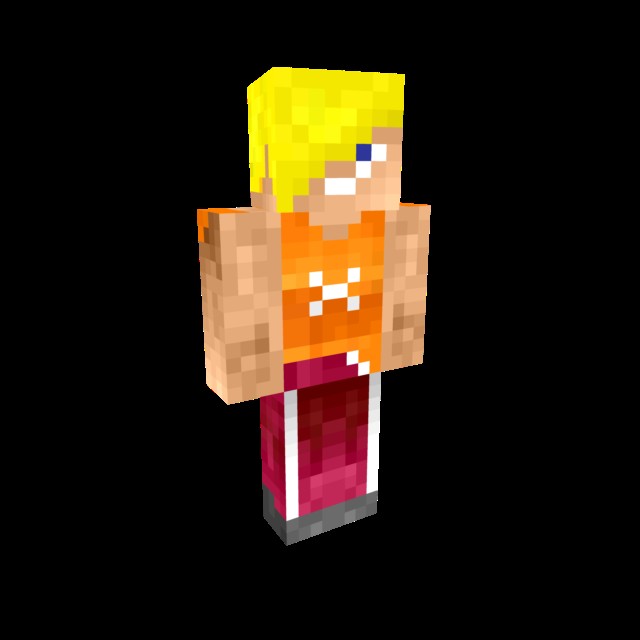
Welcome to my tutorial on how to make pro skins! some programs you may need
. paint shop pro
. windows paint (comes with most computers)
First off what you need to do is get a template skin which could be Steve or some thing else
makepixelart.com/peoplepods/files/images/36160.original.png
I have given you a link to a template skin, now copy the image and paste it in your windows paint
program. Now make your skin but you may notice that the skin looks shabby and dull, now open up your
Paint Shop pro program and copy the image of your skin and paste it in your paint shop pro program as a
new image. Now as you can see all the tools of paint shop pro look on the left and try to find the lighten
and darken tool. now at the top left of paint shop pro there should be a shape selection click that and
equip the smallest square you can find. now you can lighten and darken you skin to make it look Pro!
Now go tool file and hit export then click png. now save the skin to any file you like and upload it on
Planet Minecraft. once done send a picture of your skin to me and ill rate it, If your worthy ill give you a
diamond!
Welcome to my tutorial on how to make pro skins! some programs you may need
. paint shop pro
. windows paint (comes with most computers)
First off what you need to do is get a template skin which could be Steve or some thing else
makepixelart.com/peoplepods/files/images/36160.original.png
I have given you a link to a template skin, now copy the image and paste it in your windows paint
program. Now make your skin but you may notice that the skin looks shabby and dull, now open up your
Paint Shop pro program and copy the image of your skin and paste it in your paint shop pro program as a
new image. Now as you can see all the tools of paint shop pro look on the left and try to find the lighten
and darken tool. now at the top left of paint shop pro there should be a shape selection click that and
equip the smallest square you can find. now you can lighten and darken you skin to make it look Pro!
Now go tool file and hit export then click png. now save the skin to any file you like and upload it on
Planet Minecraft. once done send a picture of your skin to me and ill rate it, If your worthy ill give you a
diamond!
More like this

 NotSoSarah2003
 Ramman321
 CrazyHecticLife
 Yosh-er1213
 piggynoob
1133738
6









 ItzBlaaze
 KaaXdev
 bonkpixil
 AJ051813
 Captain Kai

Have something to say?