


• 7/12/12 2:05 pm
- 4k views • 0 today
Added CreditSkinEdit
- 22
- 16
- 22

633
How I Shade!:


This is VERY IMPORTANT TO NOW!!!
Color Templete:

Keep one of these around :D.
What I'll be making...

It's always nice to have a reference photo!
The Face
1. Out line the top and bottom and make the face.
2. Use the shading technique In the beginning!
3. If you follow these steps this is what the face should look like
The Hair
1.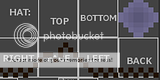 Out line with the darkest color you'll use
2.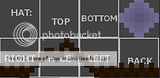 Use the shading technique.
3. Result!
Top head:
1. Use shading technique.
2. Result!
Bottom Head
1.
2. Use technique.
3. Result!
Finished Head

Front Body:
1. Use shading technique.
2. Result!
Left & Right Body:
1. make it darker on the side.
Body Finished:
 Left out a few things but you get the idea.
 It was harder form me to do the legs since the shoe and the pants were black.
 Remember the left leg should be dark.
 Finished Pants!
 Make those shoes shine :D
 Outline where it will be dark.
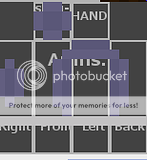 Shade It!
 Result!
 Add hands
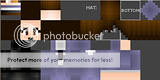


I made this for my little apprentices
LeeRoseMary
AIDA101
Since I'm way to bossy in person! Which they hate me bossing them around! So can't physically be there helping them they hate that.
Skin:
Haruhi
This is VERY IMPORTANT TO NOW!!!
Color Templete:
Keep one of these around :D.
What I'll be making...
It's always nice to have a reference photo!
The Head
The Face
1.
Out line the top and bottom and make the face.2.
Use the shading technique In the beginning!3.
If you follow these steps this is what the face should look likeThe Hair
1.
Out line with the darkest color you'll use2.
Use the shading technique.3.
Result!Top head:
1.
Use shading technique.2.
Result!Bottom Head
1.
2.
Use technique.3.
Result!Finished Head
Body
Front Body:
1.
Use shading technique.2.
Result!Left & Right Body:
1.
make it darker on the side.Body Finished:
Left out a few things but you get the idea.Legs
It was harder form me to do the legs since the shoe and the pants were black. Remember the left leg should be dark. Finished Pants! Make those shoes shine :DArms
Outline where it will be dark. Shade It! Result! Add handsThe Final Product
I made this for my little apprentices
LeeRoseMary
AIDA101
Since I'm way to bossy in person! Which they hate me bossing them around! So can't physically be there helping them they hate that.
Skin:
Haruhi
2 Update Logs
Update #2 : by xxbuggjuicexx 07/12/2012 2:16:15 pmJuly 12, 2012 @ 6:16 pm UTC
added 3D skin photo
LOAD MORE LOGS
More like this

 taterman88
 Mr_Eraser
![[Tutorial] Making Camouflage Skins Minecraft Blog](https://static.planetminecraft.com/files/resource_media/screenshot/1219/camouflage-grass_minecraft_skin-241289_2202431_thumb.jpg)
 SliKz
SliKz
 ZappyGru
 In__active
1134579
6



 Amonn
Amonn daimez





 HyperCat
 GBpchan
Have something to say?