



• • 4/22/21 8:21 pm • 2 logs
- 15.9k views • 0 today
- save_alt 1.2k downloads
- Compatibility
- Minecraft 1.13
- to version
- Minecraft 1.16
- Changes include
- Functions
282
Camera View Datapack
![Camera View [DATAPACK] Minecraft Data Pack](https://img.shields.io/endpoint?url=https%3A%2F%2Fraw.githubusercontent.com%2Flegopitstop%2Fwebsite-files%2Fmain%2Fshields.io%2Fpatreon.json)
![Camera View [DATAPACK] Minecraft Data Pack](https://img.shields.io/endpoint?url=https%3A%2F%2Fraw.githubusercontent.com%2Flegopitstop%2Fwebsite-files%2Fmain%2Fshields.io%2Flicense.json)
![Camera View [DATAPACK] Minecraft Data Pack](https://img.shields.io/discord/479902284810027008)
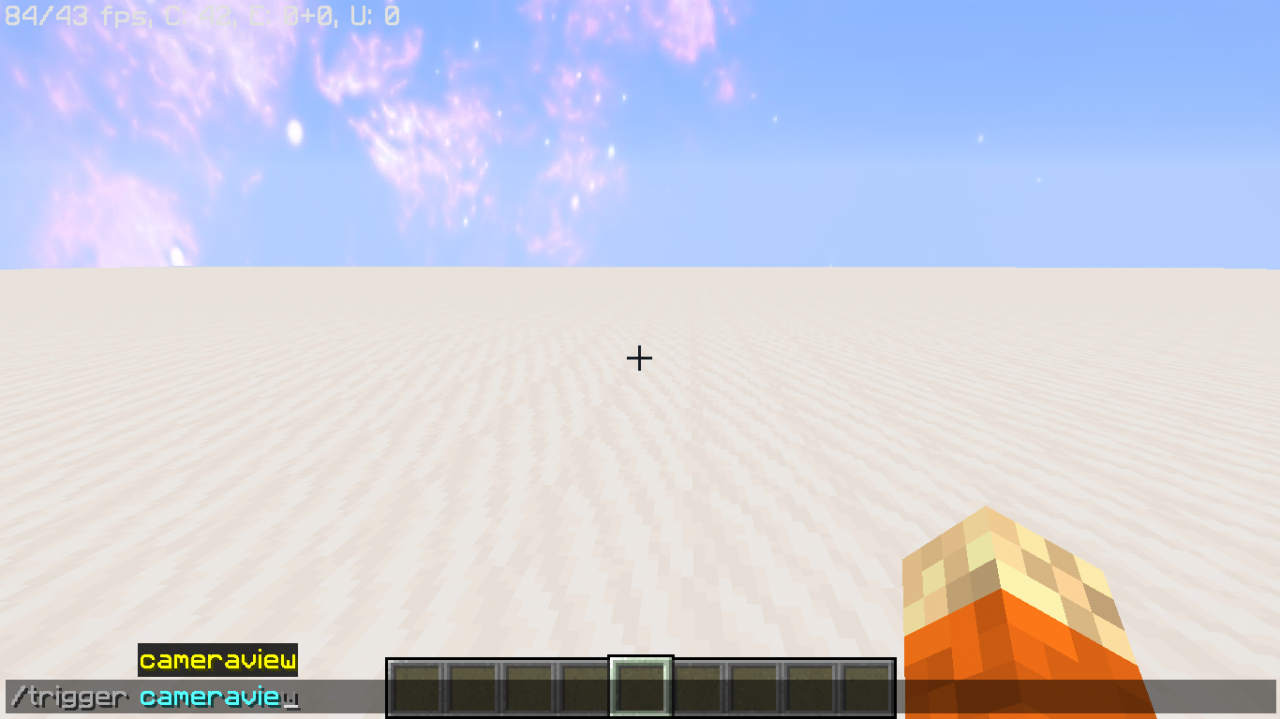
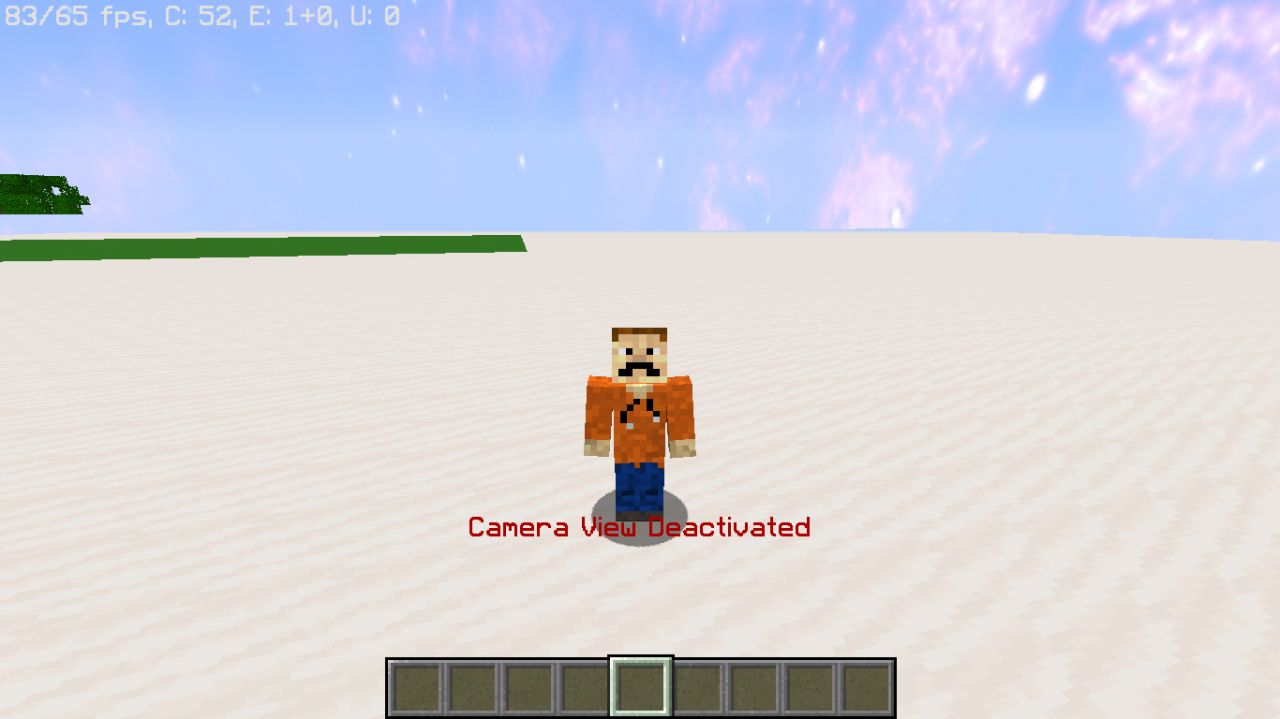
Don't have a camera account? Then use this pack to go into spectator mode. By running the trigger command it will save your game mode and location. Then it will put you into spectator mode. run the trigger command again to go back to the original location and back to your game mode. It will work for all four game modes (adventure, creative, spectator, and survival). Up to 5 players can be in camera view at a time.
Feature List:
- Easy to use.
- Saves your game mode
- Saves your location
- Has a config to customize your experience.
- Optional night vision toggle
- Up to 5 players can be in camera view at a time.
- Works in all dimensions
- Mods can see what players have toggled camera view.
- Customize language
Trigger Command:
/trigger cameraviewConfig UI Command:
Config settings include: toggle particles, change particle color, toggle night vision, add mods./function cameraview:configCustomize Lang
You can change the lang of the datapack by changing the text in the function cameraview:lang (see location below). Once you made your changes do /reload to update the lang.data/cameraview/functions/lang.mcfunctionLegopitstop's Common License


2 Update Logs
Update #2 : by legopitstop 04/22/2021 8:21:46 pmApril 23, 2021 @ 12:21 am UTC
# CHANGELOG v1.3.0
## General
- Multiplayer tested and working. Limit of 5 players in camera mode at a time.- added `LPSMOD` tag. it will notify the mod what player toggled camera view.
- Gamemode save now uses tags on the player instead of using a scoreboard.
- If a new player joins it will automatically allow the player to use the trigger camera view.
- The saved location will now use `minecraft:area_effect_cloud`'s instead of `minecraft:armor_stand`'s, Once 1.17 is out will be changed to use the `minecraft:marker` entity.
- added uninstall function which will clean up the world and disable the pack.- You can change the lang of the datapack by changing the text in the function `cameraview:lang` located `data/cameraview/functions/lang.mcfunction`. Once you made your changes do `/reload` to update the lang.
- Added a y limit to the camera view. Allowed space is Y: -16 -> Y: 160, This will be adjusted once 1.17/1.18 comes out. going out-of-bounds will automatically disable camera view
- Added config `/function cameraview:config`
- Show Actionbar - When true it will tell the player via actionbar if camera view is enabled or disabled. default: true
- Camera view Particles - When true it will show particles where the player toggled camera view. default: true
- Particle Color - Change the color of the particle. default: red
- Night Vision - When true players in camera view will get night vision. default: false
LOAD MORE LOGS
More like this
![Buffet Survival [DATAPACK] Minecraft Data Pack](https://static.planetminecraft.com/files/resource_media/screenshot/1909/2019-03-03-18-3-1551661711_thumb.jpg) Buffet Survival [DATAPACK]Minecraft 1.13 - 1.16 Quality of Life Data Pack
Buffet Survival [DATAPACK]Minecraft 1.13 - 1.16 Quality of Life Data Pack legopitstop
7/16/20 4:39
• posted 3/3/19 8:10
14.1k 296 4x 62017
legopitstop
7/16/20 4:39
• posted 3/3/19 8:10
14.1k 296 4x 62017![Botanic Pots [DATAPACK] Minecraft Data Pack](https://static.planetminecraft.com/files/image/minecraft/data-pack/2023/495/17297483-botanicpots_s.jpg) Botanic Pots [DATAPACK]Minecraft 1.20 - 1.21 Quality of Life Data Packlegopitstop
6/19/23 3:47
• posted 6/14/23 1:59
10k 960 5x 35747
Botanic Pots [DATAPACK]Minecraft 1.20 - 1.21 Quality of Life Data Packlegopitstop
6/19/23 3:47
• posted 6/14/23 1:59
10k 960 5x 35747 Dynamic Surroundings DatapackMinecraft 1.16 Quality of Life Data Pack
 MagmaSlime_123
•2/15/21 5:42
6k 635x 11813
MagmaSlime_123
•2/15/21 5:42
6k 635x 11813 ConfispawnMinecraft 1.13 - 1.21 Quality of Life Data Pack
 theblackswitch
•1/15/24 1:16
3.7k 230 5x 232
theblackswitch
•1/15/24 1:16
3.7k 230 5x 232 Stackable Potions DatapackMinecraft 1.21 Quality of Life Data Pack
 VentaCraft
•12/27/25 1:37
1.6k 498 1x 21010
VentaCraft
•12/27/25 1:37
1.6k 498 1x 21010
4428122
119

![Random Teleport [DATAPACK] Minecraft Data Pack](https://static.planetminecraft.com/files/image/minecraft/data-pack/2023/474/17364988-banner_s.jpg)
![Record API [DATAPACK] Minecraft Data Pack](https://static.planetminecraft.com/files/image/minecraft/data-pack/2023/239/17297486-record_s.jpg)
![Barked [DATAPACK] Minecraft Data Pack](https://static.planetminecraft.com/files/image/minecraft/data-pack/2024/890/17704124-barked_s.jpg)
![Bandages [DATAPACK] Minecraft Data Pack](https://static.planetminecraft.com/files/image/minecraft/data-pack/2024/276/17704123-bandage_s.jpg)
![Craftable Chainmail [DATAPACK] Minecraft Data Pack](https://static.planetminecraft.com/files/image/minecraft/data-pack/2024/578/17704128-craftablechainmail_s.jpg)

 CookieMalk
 iNarumiGen




 AhmedTurysta


Have something to say?