


• • 10/3/25 10:58 am • 6 logs
- 2.2k views • 1 today
- save_alt 103 downloads
- Compatibility
- Minecraft 1.21
- Changes include
- 35
- 25
- 3


Required Resource Pack

236
This is a datapack I created in 4 days for the 2025 datapack jam. I had no other ideas, so here ya go.
You can craft the Dog Tool using 6 iron on the left and right sides, 2 rotten flesh in the middle top and bottom, and one nametag in the center.
You can use this tool while standing near any dog to double its attack and health stats.
The tool can be used infinitely, and is horribly imbalanced, but I can't be bothered to balance it.
Oh, and there's a resource pack that adds the custom texture that I spent 5 seconds making.
Compatibility:

Credit:
This guide was super helpful, as this is the first time I've ever added a custom item:
https://github.com/Simplexity-Development/Custom_Model_Data_Guide
You can craft the Dog Tool using 6 iron on the left and right sides, 2 rotten flesh in the middle top and bottom, and one nametag in the center.
You can use this tool while standing near any dog to double its attack and health stats.
The tool can be used infinitely, and is horribly imbalanced, but I can't be bothered to balance it.
Oh, and there's a resource pack that adds the custom texture that I spent 5 seconds making.
Compatibility:
Credit:
This guide was super helpful, as this is the first time I've ever added a custom item:
https://github.com/Simplexity-Development/Custom_Model_Data_Guide
6 Update Logs
1.6.0 : by Kraggle09 10/03/2025 10:58:35 amOctober 3, 2025 @ 2:58 pm UTC
- Updated pack.mcmeta to work with older versions
- The pack should at least partially work in 1.21+
- Note: Any advancements that have been modified by Mojang since the version you are playing in will not work
- For example, wax on and wax off will not work due to looking for invalid blocks (new copper blocks in 1.21.9) in any version before 1.21.9.
- I've also added a compatibility guide to the description.
LOAD MORE LOGS
More like this
 Dog Backpacks! Carry your dog in a backpack :> (Read description please)Minecraft 1.16 - 1.18 Tool Data Pack
 7NIGHTMARE
•4/27/22 5:58
5.8k 417 3x 1149
7NIGHTMARE
•4/27/22 5:58
5.8k 417 3x 1149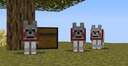


 CraftingPlus+Minecraft 1.16 - 1.17 Crafting Recipe Data Pack
 Airplaneboy14
•11/14/21 2:25
1k 22x 122
Airplaneboy14
•11/14/21 2:25
1k 22x 122
 elidhan
 Wesselburger26
6646168
119










 Ryski
Ryski


 Loupieur
 SLT World
Have something to say?
you shouldn't repete similar selector, especially in tick.mcfunction execute as @a[scores={UsedCarrotOnStick=1} ] instead create a function and put all your commands in it (this is pseudocode not real code), also use predicate instead of checking the item's data in the function
execute as @a[scores={UsedCarrotOnStick=1} ] run function {
. if predicate ... run ...
. scoreboard set 0
}
this is 100% useless: execute as @s run
instead of @e[sort=nearest,limit=1] you should use @n also you may end up in cases where 2 times this isn't the same entity so function
These are advices so you can make better datapacks
Edit: The changes have now been implemented (alongside a couple others)
in tick.mcfunction you have
execute as @a[scores={UsedCarrotOnStick=1}] if items entity @s weapon.mainhand minecraft:carrot_on_a_stick[minecraft:custom_data={dogplus:dog_tool}] run function dogplus:dogboost1
and the
scoreboard players set @s UsedCarrotOnStick 0
is inside dogboost1.mcfunction
which means that if I click with a carrot on a stick without {dogplus:dog_tool} the scoreboard will stay at 1 (or more) which can cause some wierd problems
solution
tick.mcfunction
execute as @a[scores={UsedCarrotOnStick=1}] run function dogplus:dogboost0
dogboost0.mcfunction
execute if items entity @s weapon.mainhand minecraft:carrot_on_a_stick[minecraft:custom_data={dogplus:dog_tool}] run function dogplus:dogboost1
scoreboard players set @s UsedCarrotOnStick 0
dogboost1.mcfunction
execute at @s run execute as @n[type=wolf,distance=..10] run function dogplus:dogboost2
this can then be refactored to only have 2 functions again
tick.mcfunction
execute as @a[scores={UsedCarrotOnStick=1}] run function dogplus:dogboost1
dogboost1.mcfunction
execute if items entity @s weapon.mainhand minecraft:carrot_on_a_stick[minecraft:custom_data={dogplus:dog_tool}] at @s as @n[type=wolf,distance=..10] run function dogplus:dogboost2
scoreboard players set @s UsedCarrotOnStick 0