
• • 6/1/21 2:13 pm • 1 logs
- 21.7k views • 1 today
- save_alt 4.1k downloads
- Compatibility
- Minecraft 1.16
- Changes include
- Functions
- 41
- 49
- 32

Required Resource Pack
1,849
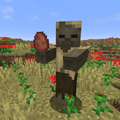
This datapack let you turn your dog into a little werewolf. feed your dog an Enchanted Golden Apple and your dog will turn into a little werewolf. Instead of biting now your dog are able to hold a sword and deal more damage. However, because now he walks on two legs. his movement will slightly lower than normal dogs.
Thankyou Dan so much for playing it:
www.youtube.com/watch?v=eRXIb4diWvk&t=4s
(Pls don't make more than one...)
Thankyou Dan so much for playing it:
www.youtube.com/watch?v=eRXIb4diWvk&t=4s
(Pls don't make more than one...)
1 Update Logs
Update #1 : by Kindred408 06/01/2021 2:13:32 pmJune 1, 2021 @ 6:13 pm UTC
Bug Fix
More like this
 Slightly Buffed DogMinecraft 1.16 - 1.17 Mob Data Pack
 Kindred408
1/1/22 12:57
• posted 4/2/21 6:35
160.1k 56.6k 66x 1108105
Kindred408
1/1/22 12:57
• posted 4/2/21 6:35
160.1k 56.6k 66x 1108105 Become A Dog!! (Optifine Required)Minecraft 1.16 Mob Data Pack
 Stantoncomet
11/25/20 10:11
• posted 11/14/20 6:52
3.6k 248 1x 132
Stantoncomet
11/25/20 10:11
• posted 11/14/20 6:52
3.6k 248 1x 132 Super Enchanted Golden AppleMinecraft 1.13 - 1.19 Farming and Food Data Pack
 Zaluuk
•5/13/23 6:30
2.1k 155x 31
Zaluuk
•5/13/23 6:30
2.1k 155x 31
 Apple To Golden AppleMinecraft 1.13 - 1.21 Crafting Recipe Data Pack
 AppleGUO
•9/2/24 4:44
269 23 3x 322
AppleGUO
•9/2/24 4:44
269 23 3x 322
 The_Troller3420
5142855
119











 PizzaEight
Have something to say?
1. can you play it in 1.17
2. if not can you update it so it is?
1.is it works on java
2.where to put the little werewolf file
3.the pack file of course in the resource pack
2. After creating a world, or during creation, you can open the data pack folder within the world save. During creation, there is a button that takes you directly to a temporary data pack folder for that world. This is the easiest way to get to it.
This is where you will place the Data Pack.
3. Resource Packs have a folder in the main Minecraft installation folder. This is easily accessed in game from the button in the Options tab on your main screen.
There should be no need to unzip either file.