


• 9/11/19 6:59 pm
- 7.1k views • 0 today
- save_alt 765 downloads
- Compatibility
- Minecraft 1.16
- Changes include


14
# English
Instructions:
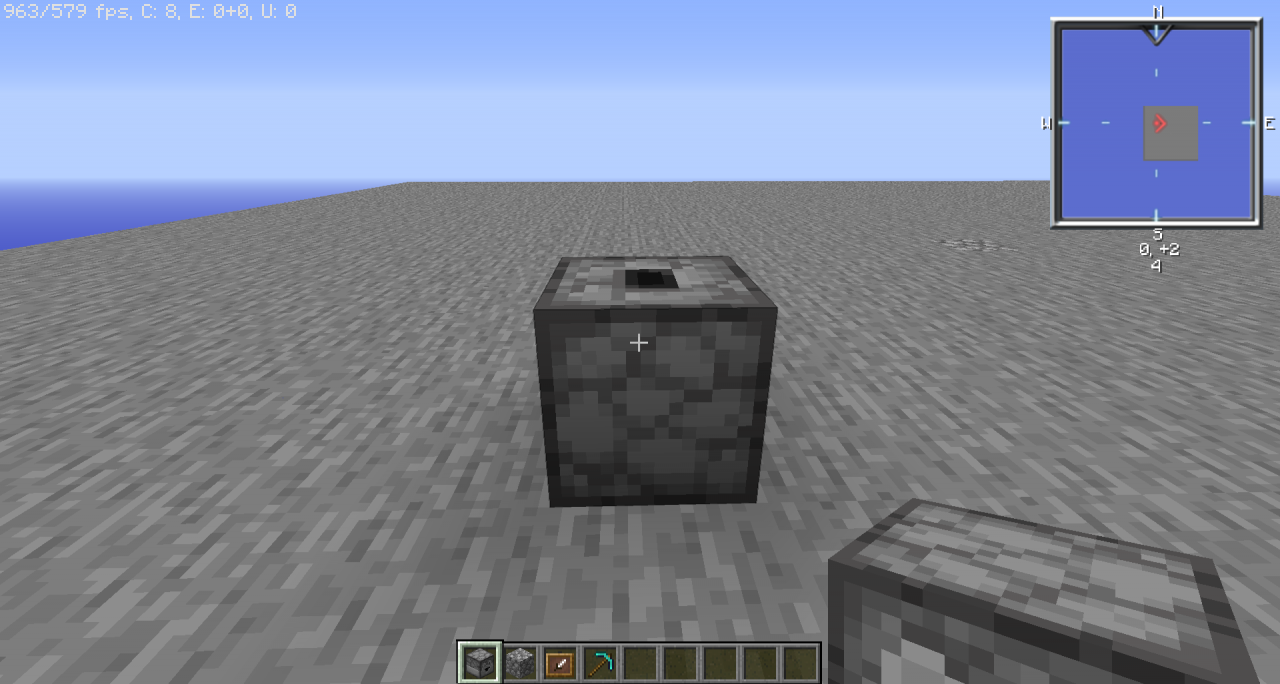
put a dropper facing up, on the dropper a cobblestone, on one side of the dropper an item_frame, and on the item_frame a diamond_pickaxe, and voila!
You will have a cobblestone generator!
# Español
Instrucciones:
pon un dropper mirando hacia arriba, sobre el dropper un cobblestone, en un lado del dropper un item_frame, y en el item_frame un diamond_pickaxe, y listo!
Tu tendras un generador de cobblestone!
Instructions:
put a dropper facing up, on the dropper a cobblestone, on one side of the dropper an item_frame, and on the item_frame a diamond_pickaxe, and voila!
You will have a cobblestone generator!
# Español
Instrucciones:
pon un dropper mirando hacia arriba, sobre el dropper un cobblestone, en un lado del dropper un item_frame, y en el item_frame un diamond_pickaxe, y listo!
Tu tendras un generador de cobblestone!
More like this
 Cobblestone GeneratorMinecraft 1.17 - 1.18 Farming and Food Data Pack
 CraftingMeister8
•1/9/22 12:24
5.5k 504 11x 232
CraftingMeister8
•1/9/22 12:24
5.5k 504 11x 232
4399075
119





 Noctuspotkus


Have something to say?
but it would not be true
there are automatic chicken farms, there are automatic iron farms, but there are no automatic pig farms
sorry!
but if you still want it, I do it
Unable to use, put the folders in the right place, but in the world said / reload and pressed F3 + T, but nothing appeared in the list / datapack, could you help me ?!F3 + T is to reload the texture pack or the resource pack, not to reload the data pack.
You must write /datapack <name datapack> entable
You excuse my English, I speak Spanish
F3 + T é recarregar o pacote de textura ou o pacote de recursos, não recarregar o pacote de dados.
Você deve escrever / datapack <nome do datapack> ativável
XD