
1
Help, couldn't download 1.8!
Couldn't download http://s3.amazonaws.com/Minecraft.Downl ... .8/1.8.jar for job 'Version & Libraries'
java.lang.RuntimeException: E-tag did not match downloaded MD5 (ETag was 8663a10cecc10eaa683a927ef5371852, downloaded 185b169013d76678edce8c48efda075f)
This is the error from console, so what does it mean? what do I have to do with my java runtime?
And don't tell me to download jar and json file something because It is the same
java.lang.RuntimeException: E-tag did not match downloaded MD5 (ETag was 8663a10cecc10eaa683a927ef5371852, downloaded 185b169013d76678edce8c48efda075f)
This is the error from console, so what does it mean? what do I have to do with my java runtime?
And don't tell me to download jar and json file something because It is the same
13

The MD5 tag of the 1.8 jar didn't match the one you have stored locally, so it blocked the download.
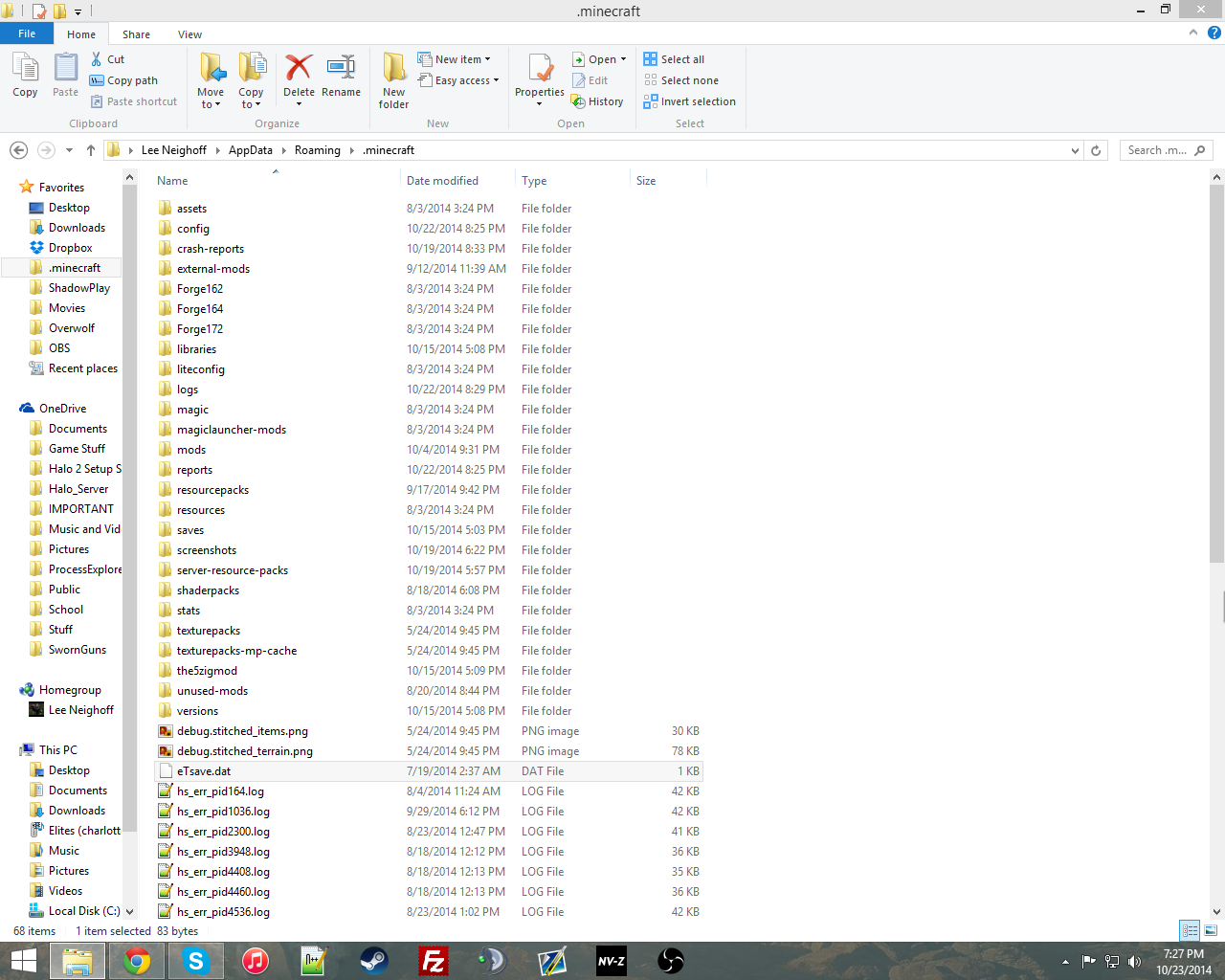
Looking around in my .minecraft folder, I found a file called eTsave.dat. That could be the e-tag's data file, so try deleting that.
Looking around in my .minecraft folder, I found a file called eTsave.dat. That could be the e-tag's data file, so try deleting that.

Bump, help please
Wait which file is it in? I haven't found it and I haven't found it using search, can you tell me more?
Well I appreciate all the help but finally someone understand what I wanted to know
Well I appreciate all the help but finally someone understand what I wanted to know
If I had to take a guess, I'd say it's this file.
Ok I see you use window but as stated above I'm using a mac dp you know a mac equivalent?
Also to be clear: anyone know what eTag and MD5 is about?
Also to be clear: anyone know what eTag and MD5 is about?
Just run the game, go to the resource packs menu, click Open Resource Pack Folder, and go up a folder.
MD5 is a checksum that is used to ensure that the data was not altered while in transit. eTag is probably something similar, but don't quote me on that.
MD5 is a checksum that is used to ensure that the data was not altered while in transit. eTag is probably something similar, but don't quote me on that.
Or does anyone know a java offline installer that I can download?
Also I'm using mac and I don't know if I had anti virus.
Do I need to uninstall current java or just install a new one?
Can someone look in the code please?
Do I need to uninstall current java or just install a new one?
Can someone look in the code please?

This may help... https://bugs.mojang.com/browse/MC

Make sure Java is up to date and try again. If it still doesn't work, try disabling your anti-virus to download the update. I had some weird problems with my anti-virus preventing updates a while back, though I wouldn't think you'd get a Java error if that was the problem here.

It SHOULD update your game when you hit play
I don't know whats wrong
I don't know whats wrong
What about java? what's it problem?

Backup your worlds (stick them on your desktop or outside the .minecraft folder) and then try deleting everything in your .minecraft folder and starting from scratch.
