Everytime I join a server I get kicked, saying this: http://prntscr.com/8d9pw5
I've tried to restart my pc, didn't work. I've tried to restart my router, didn't work.
So what's the cause, and how do I solve it?
I've tried to restart my pc, didn't work. I've tried to restart my router, didn't work.
So what's the cause, and how do I solve it?
5

How to make an exception for minecraft in your Firewall.
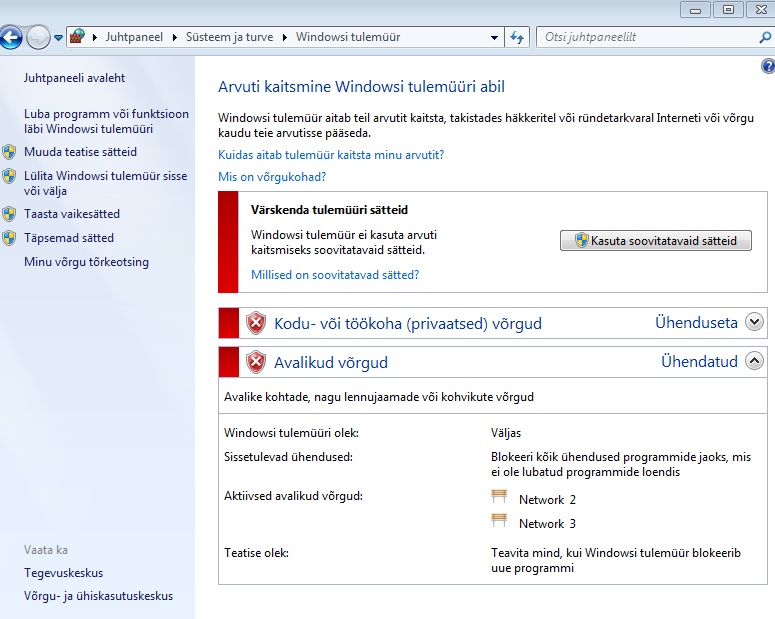
1: Control Panel -> Windows Firewall
2: Left side : Allow app or feature through Windows Firewall.
3: In that window look for Minecraft in the list and make sure that private and public are selected. If MC is not on the list, click allow another program, locate Minecraft.exe and make sure the 2 buttons are selected.
Go back to the Firewall main screen
1: Left side: Advanced settings.
new window pops up.
2: Click inbound rules.
3: Right side "New Rule"
4:Go through the program allowing a Program -> specific program and locate Minecraft.exe/MinecraftLauncher.exe
5: Allow connection, and select Domain Private and Public.
Repeat process for outbound rule.
If it doesnt help let me know. It might be your router settings.
1: Control Panel -> Windows Firewall
2: Left side : Allow app or feature through Windows Firewall.
3: In that window look for Minecraft in the list and make sure that private and public are selected. If MC is not on the list, click allow another program, locate Minecraft.exe and make sure the 2 buttons are selected.
Go back to the Firewall main screen
1: Left side: Advanced settings.
new window pops up.
2: Click inbound rules.
3: Right side "New Rule"
4:Go through the program allowing a Program -> specific program and locate Minecraft.exe/MinecraftLauncher.exe
5: Allow connection, and select Domain Private and Public.
Repeat process for outbound rule.
If it doesnt help let me know. It might be your router settings.

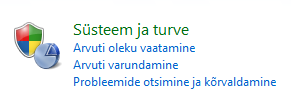 just ignore the Language. press The Green one. and then The earth with Wall.
idk what you do next. from here. https://i.gyazo.com/f225ea823483ecc90ae ... f83e54.png
or it could be a virus.

I think in anti-virus settings or computer settings.

Could be, although how do I disable firewall?
Idk maybe a firewall is "blocking" your minecraft?
;p
;p