
I am trying to connect to a LAN world that my sister started, however i cant. i have tried putting the IP address and the 5 numbers which i get after my sister clicks Open to LAN. we are both connected to the same wifi. i have also tried searching up how to fix it yet nothing has helped me. i have tried allowing java pass the windows firewall on my computer, i have tried entering mine and hers IP address besides the 5 digit code, and a lot more.i have also tried opening a LAN worlds from my pc for her to join but it will not work. is there a certain way to set it up because i thought all i have to do is be connected to the same wifi enter ip next to port number and have her click open to lan. if there is any way you could help me please let me know. sorry for any inconvenience.
this is what it shows when i try to connect to her LAN world.
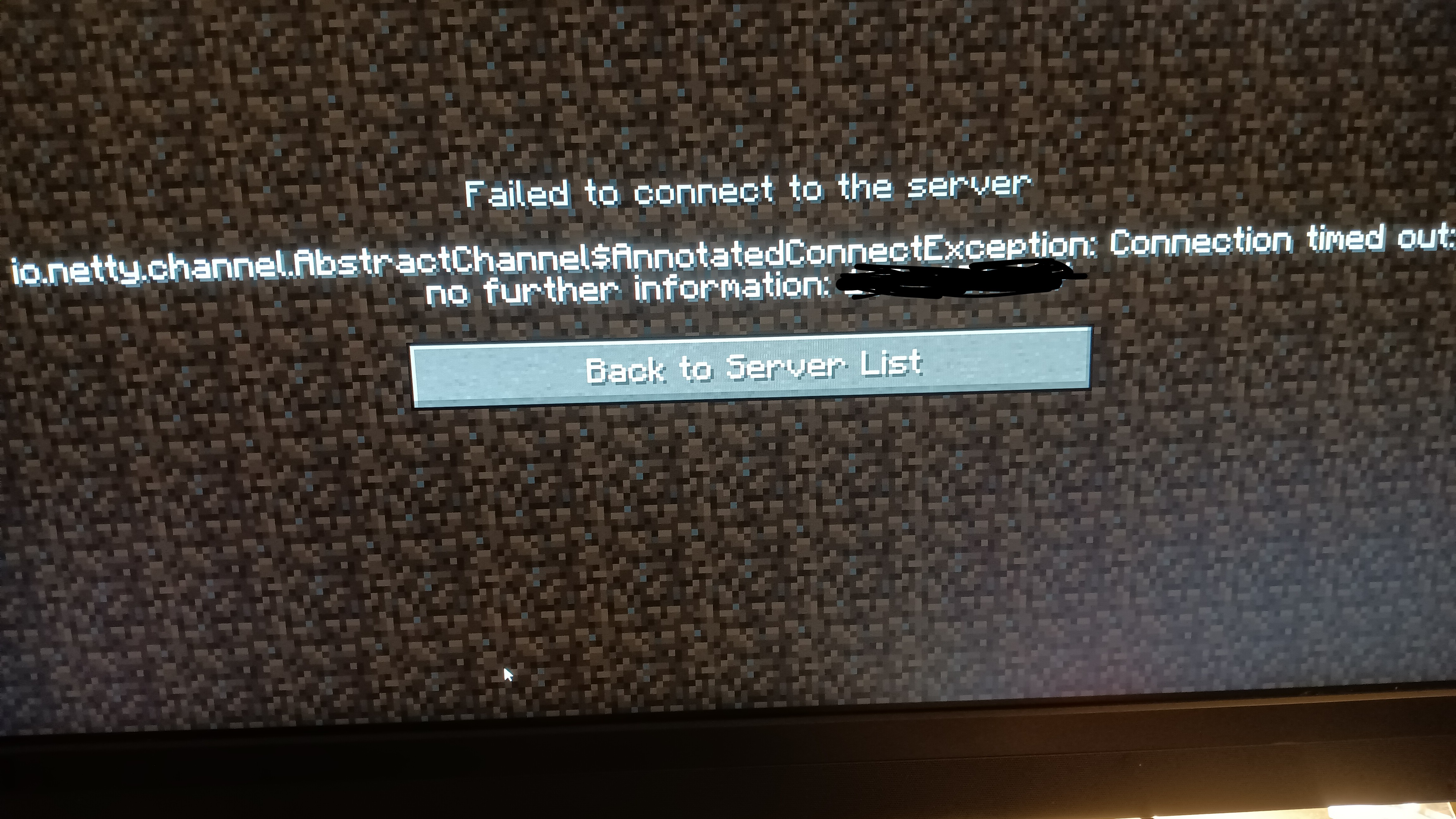
this is what it shows when i try to connect to her LAN world.
7

I had the exact error message! i tired a bunch of stuff butt what fixed it was allowing "OpenJDK Platform Binary" on my firewall. Just for to windows defender firewall, allow apps, then scroll to what I typed.

Are you able to windows file share?
I have seen this on win10 earlier updates-firewall-genuine and updated?
If all things above good- things to try:
This wifi, is it isp modem generated, or your own- in our case here it mattered and do the machines have a static ip?
I am thinking a try to forward 25565 to static ips on the offending machines. Perhaps editing the hosts file.
c
I have seen this on win10 earlier updates-firewall-genuine and updated?
If all things above good- things to try:
This wifi, is it isp modem generated, or your own- in our case here it mattered and do the machines have a static ip?
I am thinking a try to forward 25565 to static ips on the offending machines. Perhaps editing the hosts file.
c

If there is a firewall block, then its occuring on your sisters machine, not yours. You are trying to connect to her, so her machine needs to have the firewall rules changed to allow java through the firewall. If this doesn't work, try temporarily switching your sisters firewall off completely, then re-start her game for you to join.
You will know if this is the problem, because as suggested below, you should be able to see the game in your machines multiplayer list. If you do not see the game in the multiplayer list, then something else is blocking java - possibly a viruschecker program- but th problem will still be on your sisters machine, not yours.
As an experiment, you could try starting a game on your machine and opening it to lan to see if your sister can join.
You will know if this is the problem, because as suggested below, you should be able to see the game in your machines multiplayer list. If you do not see the game in the multiplayer list, then something else is blocking java - possibly a viruschecker program- but th problem will still be on your sisters machine, not yours.
As an experiment, you could try starting a game on your machine and opening it to lan to see if your sister can join.
you dont have to put in an ip, Once you have opened the world to lan, You should just be able to scroll down in the multiplayer list and join the world from there, If that dosent work, Your OS may not be allowing minecraft to connect to your home wifi, I suggest searching up how to disable the windows firewall for minecraft and / or how to enable LAN connect for minecraft

In some cases you do need the local ip and port due to a bug where MC doesnt populate the LAN list with lan games

once opened to LAN i did not see the world, i will try searching those two things you said and ill let you know if they work or not for me. thank you though :D
Update: i tried both of those for both of our computers and it didnt work :(
Update: i tried both of those for both of our computers and it didnt work :(
Hey sorry im responding insanely late but if you are still using this issue it may just be worth it to upload your world to a server hosting service like aternos to host a server!
