
 Mines211
I'm trying to make it so you can trim weapons (i.e. Netherite Axes) following the tutorial from this website: https://datapack.wiki/guide/adding-new-features/smithing-trims
I followed the steps to the letter, but every time I load the pack, I get this message:
Unable to bake item model: 'minecraft:netherite_axe'
java.lang.IllegalStateException: Multiple atlases used in model, expected minecraft:textures/atlas/items.png, but also got minecraft:textures/atlas/blocks.png
So the axe has no texture, trimmed or otherwise. I've been stuck on this for the last two hours, and I really need help to get this fixed.
I followed the steps to the letter, but every time I load the pack, I get this message:
Unable to bake item model: 'minecraft:netherite_axe'
java.lang.IllegalStateException: Multiple atlases used in model, expected minecraft:textures/atlas/items.png, but also got minecraft:textures/atlas/blocks.png
So the axe has no texture, trimmed or otherwise. I've been stuck on this for the last two hours, and I really need help to get this fixed.
8

You correctly created 5 brand-new custom trim materials for this datapack —
But for the axe,
something worth checking on your end before you load this: Your axe_trim.png source texture (combat_expansion/textures/trims/items/axe_trim.png) — make sure it's a grayscale/template-style texture like vanilla's helmet_trim.png etc., since the palette permutation system recolors it per-material. If it's already a colored texture (like netherite_axe_trimmed.png looks like it might be), the tinting will look wrong.
www.mediafire.com/file/8mmfnvsrrh9gyi9/CombatExpansion_WIP_fixed.zip/file
blaze, breeze, prismarine, echo, and star (I can see them in CombatExpansionDP/data/combat_expansion/trim_material/, and your atlas's paletted_permutations in items.json only generates textures for those 5 names). Your armor pieces (helmets, boots, etc.) all correctly reference these 5 materials — e.g. iron_helmet_blaze_trim.jsonBut for the axe,
netherite_axe.json instead lists the 11 base trim materials (quartz, iron, netherite, redstone, copper, gold, emerald, diamond, lapis, amethyst, resin) — materials that don't exist in your pack at all. And the one axe model you did create, netherite_axe_quartz_trim.json, points to this texture combat_expansion:trims/items/axe_trim_quartzthat was never generated by your atlas, since your atlas only ever produces axe_trim_blaze, axe_trim_breeze, axe_trim_prismarine, axe_trim_echo, axe_trim_starsomething worth checking on your end before you load this: Your axe_trim.png source texture (combat_expansion/textures/trims/items/axe_trim.png) — make sure it's a grayscale/template-style texture like vanilla's helmet_trim.png etc., since the palette permutation system recolors it per-material. If it's already a colored texture (like netherite_axe_trimmed.png looks like it might be), the tinting will look wrong.
www.mediafire.com/file/8mmfnvsrrh9gyi9/CombatExpansion_WIP_fixed.zip/file
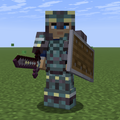
I made a few tweaks to my code based on your feedback. I don't remember exactly what I did (maybe being more specific with namespaces; minecraft vs mine), but it worked! Thanks for your help!
(Next thing I need to figure out how to make it work with the changes in 26.3 snapshot 1)
(Next thing I need to figure out how to make it work with the changes in 26.3 snapshot 1)
I'll look into everything you pointed out in this. Thanks!

👍 that was helpful
From this error alone I can't make up the problem, would you be able to send me the .zip you currently use?
If you are seeking for examples, check these out:
If you are seeking for examples, check these out:
Can I send it via DM, or would you prefer me to put it here?
EDIT: I decided to put the link to my .zip here:
https://mega.nz/file/GYsHGCRS#Aj8e9UAKNBH03n55PfhWs3orszxzxBLslonE2x2-ZRU
EDIT: I decided to put the link to my .zip here:
https://mega.nz/file/GYsHGCRS#Aj8e9UAKNBH03n55PfhWs3orszxzxBLslonE2x2-ZRU
I'll check it out tomorrow.
I fixed the pack with these things:
- Fixed Netherite Axe trims showing as pink/black missing textures.
- Fixed axe trim models loading textures from the wrong atlas.
- Added working vanilla trim material support for Netherite Axes.
- Fixed custom item model links for Bacon Bomb and several custom weapons.
- Just optimized the pack better
Download it here: Combat Expansion Fixed
- Fixed Netherite Axe trims showing as pink/black missing textures.
- Fixed axe trim models loading textures from the wrong atlas.
- Added working vanilla trim material support for Netherite Axes.
- Fixed custom item model links for Bacon Bomb and several custom weapons.
- Just optimized the pack better
Download it here: Combat Expansion Fixed
