
1
WorldEdit Help!!!
When I try to Copy a cylinder tower, I make the positions in opposite corners of the rectangle, but it only selects half of the tower! D: Any help?
12

Mods these days have so many errors I am afraid to install them D:

You make a mod without bugs. Unless its a 3 item big "mod" You will get glitches and bugs. Its normal. Repord them to the mod dev. and he should be able to fix them the problem is that mostly no one reports it...

Ikr, I cant wait for the next MC version, so i dont have 7 different game versions that are all 1.6... I guess I could force update.
I am using it with SInglePlayerCommands, could that be the problem?

Install WorldEdit CUI (the link in my last post) and try again - If you still get the same result, it could be that the world edit limit is set - In that case, unless you're the server owner (Or know the owner) there's not much you can do.
Well... I installed lightloader, used that version, using magiclaucher, and i already have statuseffecthud, mcpatcher, and optifine installed. They work fine, but when i used the Lightloader world edit cui with the lightloader version, it froze on the loading world screen. Using the forge version, the other mods dissapeared, and the worldedit cui may or may not have worked. T_T
Thanks for responding, but that's what I did, which is what I don't understand.

One at the bottom corner and one at the top corner.

i wish i had worledit...

The little boxes are your selection points. One on top. One on bottom
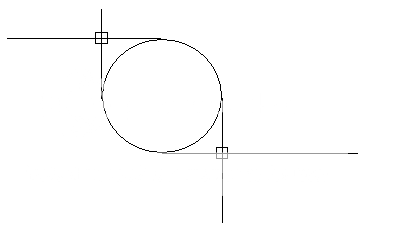
Totally what he said, and if you want to be able to make sure you have it selected, use this.

Build a tall dirt 1 block tower same height as the towner at the other side and select the dirt block at the top, it will cover all of it. If you don't understand, I will draw a diagram for you.
