
1
IP: server.mcbans.com
McBans Minecraft Survival Server:
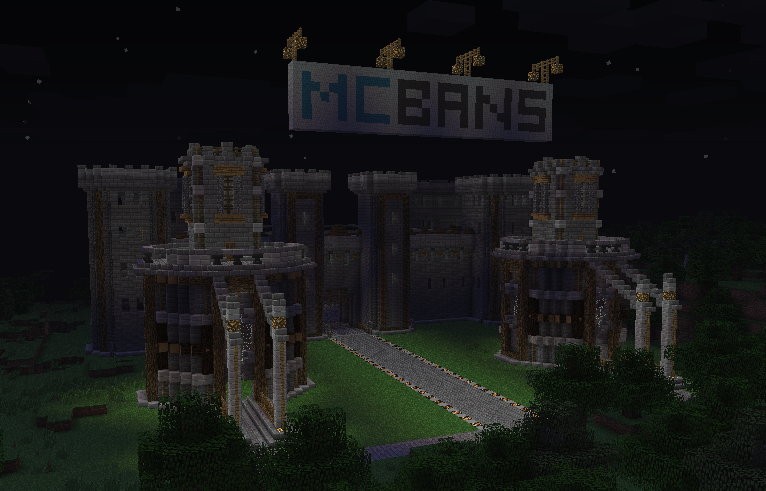
The McBans Minecraft Server is now officially back up and running and under new management (Run By: MCBans Staff member SP_S6). The server has gone from Creative to Survival to give Players a more memorable time and game play within the McBans Server Community.
Getting Started:
To begin load your Minecraft Launcher, next go to the Multi Player area and select add new. Now enter into the description: McBans, then where it says IP, Enter: server.mcbans.com
Now that your on the server you will spawn at the default location: Server Spawn Area.
Cords: x: -7.50000, y: 65.000, z: -287.50000. This is the default spawn location for the server. Now follow the sign to the tutorial to become a Player and get build rights on the server. (HINT: It’s Easy!)
McBans Minecraft Server Rules:
No Griefing
No Stealing
No Mods & or Hacks
No Spamming nor Advertising
Do Not Disrespect other players & or Server Staff
Do Not Ask Staff for favours (Note: [Mod] do not have the GM command)
No excessive cursing, or trolling
The use of racist slurs & or sexist slurs are not permitted
Do Not Ask for Promotions (e.g. Can I be staff?)
Do not use CAPS excessively
Basic Commands and Plugins:
Basic Info:
LWC is a Plugin that helps users to protect and secure allowed blocks and or items.
LWC, Commands:
Chests & Doors, Commands:
/cprivate – This will create a private door / chest & or block accessible only by the creator.
/cpublic – This will create a public door / chest & or block accessible by the entire server community.
Block Types Protected By LWC:
Chests
Furnaces
Dispensers
Signs
Wooden Doors
Iron Doors
Fence Gates
More Commands:
/cremove – This will remove all protection form a block / door & or item.
/cmodify – This command allows you to add and remove other Players from the server community giving or revoking there access to your block. (e.g. /cmodify notch, this would allow notch access to your block. And /comodify –notch would revoke his access to your block.
/cpassword - This allows you to password a block. (e.g. /cpassword 1234 would create a password, then you just need to right click on the block you wish to password. Then to remove a password use /cremove and right click the block.)
Basic Economy Commands:
/money - checks how much money you have
/money pay <user> <amount> - send money to a player
McBans Server Staff:
[MCBans Staff]
SP_S6 – Server Manager / MCBans Staff
[Admin]
Bluecheese911
[Mod]
Aussiemines
Ohiomeister
JHMonsterEnergy
Frankrd3
[Trusted]
If you are a Trusted player your name will be in GOLD.
Command List:
/hat
/jump
/nick
/ptime
Set up to 5 homes
Use coloured text in signs
/workbench
Toggle mob spawning in own region
This Rank is given in return for your support and donation of $4.00 USD. The raised money goes toward the server costs and server upkeep. The Rank is applied automatically and you are de ranked automatically at the end of the 1 month period and will need to repurchase each month in order to continue to receive the benefits of been Trusted.
You have the ability to donate in game by using /buy 4 and following the links and instructions or by visiting the Online Server Shop here.
So what are you waiting for get Trusted today to start using the benefits and full set of features and permissions.
4

There have been a large number of changed made to the server which can be found here.. http://forums.mcbans.com/threads/new-changes.1428/
Factions was replaced with Towny... many cool new changes have taken place
We now run factions also!
I have changed our ecomony plugin to Iconomy for user friendliness
