



• 1/27/12 1:35 am
- 10.5k views • 0 today
- save_alt 1k downloads
- Game Version
- Minecraft 1.1
- Progress
- 100% complete
Added CreditMe, Soulcloset, +Over9000XP


10
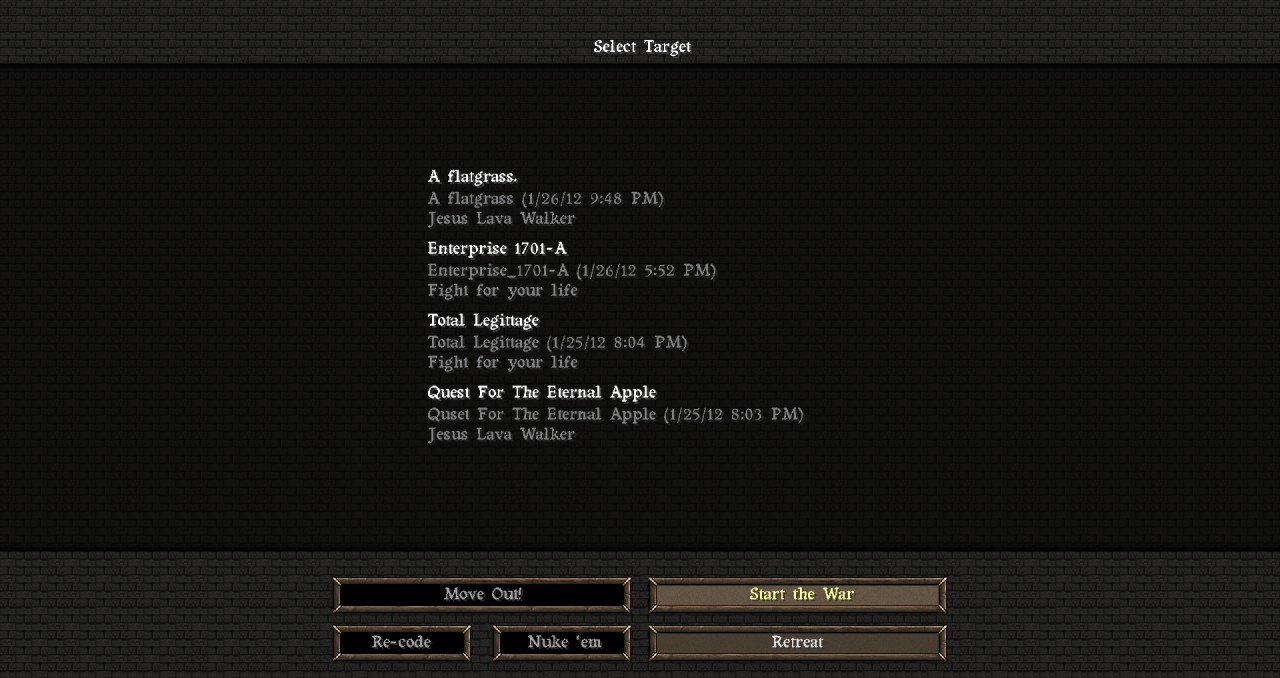
I decided to make a cool language pack. So....here it is.
How to install!:
1. Download the .zip file.
2. Take out the folder "Army Code Language"
3. Use 7-zip, Winzip, or Winrar to access your minecraft.jar file.
4.Go to folder "lang".
5. Drag in the mod file "af_ZA" in to the folder. (if it says that name is taken, replace it.)
6. Done!
IMPORTANT!!!
The language will be "Afrikaans" in the language selection.
I would have to do coding to make a new one, and I hate coding.
ALSO PRETTY EPIC!!!
I use my "New Splashes!" Mod in the screenshot of the main menu, so get that here:http://www.planetminecraft.com/mod/new-splashes-much-funnier/
How to install!:
1. Download the .zip file.
2. Take out the folder "Army Code Language"
3. Use 7-zip, Winzip, or Winrar to access your minecraft.jar file.
4.Go to folder "lang".
5. Drag in the mod file "af_ZA" in to the folder. (if it says that name is taken, replace it.)
6. Done!
IMPORTANT!!!
The language will be "Afrikaans" in the language selection.
I would have to do coding to make a new one, and I hate coding.
ALSO PRETTY EPIC!!!
I use my "New Splashes!" Mod in the screenshot of the main menu, so get that here:http://www.planetminecraft.com/mod/new-splashes-much-funnier/
520492
7









Have something to say?