
• • 12/28/20 5:35 am • 1 logs
- 2.3k views • 1 today
- save_alt 116 downloads
- Game Version
- Minecraft 1.14
- Progress
- 100% complete

3
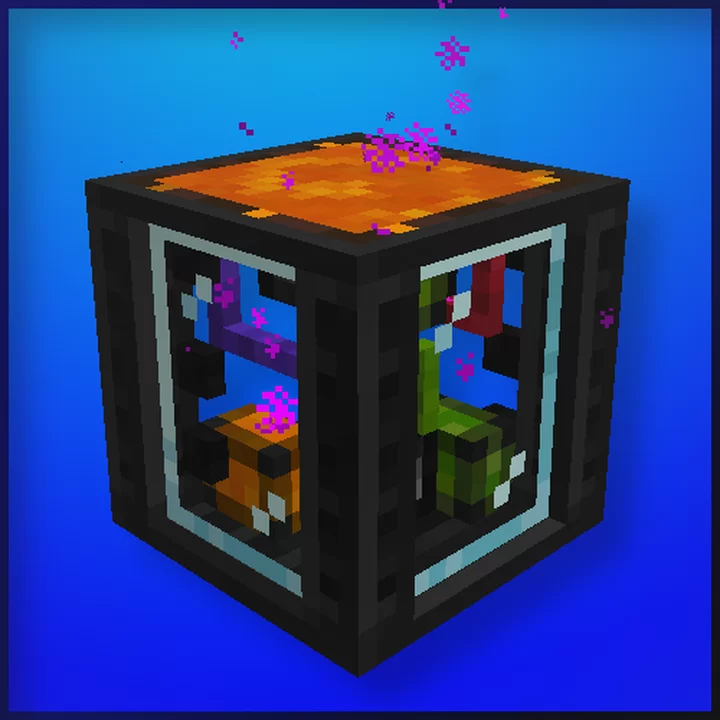
You can enter the coordinates in the x y z field, save and press Teleport or walk over the block.
There is also a coordinatepaper that allows you to right click on a solid block to save the coordinates and right click to transfer them to the teleporter.
You can also choose which direction to look in once you've teleported yourself.
The teleporter does not need electricity.
Since you can teleport anywhere, this is dangerous as you can teleport under the map or into a block.
There is also a coordinatepaper that allows you to right click on a solid block to save the coordinates and right click to transfer them to the teleporter.
You can also choose which direction to look in once you've teleported yourself.
The teleporter does not need electricity.
Since you can teleport anywhere, this is dangerous as you can teleport under the map or into a block.
1 Update Logs
Better GUI : by XenonMax 12/28/2020 5:35:05 amDecember 28, 2020 @ 10:35 am UTC
Better GUI
More like this
 Teleport Wand!!!Minecraft 1.18.1 New Content Mod
 McBubbles0o
7/20/25 2:56
• posted 7/24/22 9:47
3.7k 553 1x 155
McBubbles0o
7/20/25 2:56
• posted 7/24/22 9:47
3.7k 553 1x 155


 Sirastix
 jster
jster Xaelor
4892758
7






 Georgef551
 agent94055



 KateGirlSK
 DerexXD

 SuperWarioModTeam
 Magersers
Have something to say?
I'm sorry that I am answering now