Mods Functional

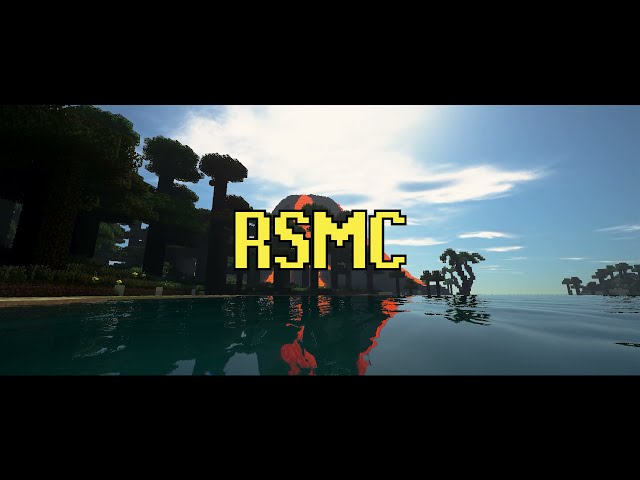
RSMC: The Third Age (RuneScape in MineCraft)

  • 14.1k views 2 today
  • save_alt 138 downloads
Game Version
Minecraft 1.18
Progress
100% complete
Added CreditMOD was Created by a fellow named JPerk. I'm … info
  • 31
  • 32
  • 7
Rageouss
Lvl 27Expert Modder
8
In collaboration with

Bringing RuneScape to Minecraft, one block at a time!

A massive mod which adds the same RuneScape RPG-Skills, HUNDREDS of Items, Custom Scripting, and so much more.

FEATURES

  • 24 Skills to level up.
  • Works in Single Player and Servers.
  • Working in-game economy that includes the Great Exchange that allows you to Buy/Sell items and it also works while players are online or offline.
  • In-Game Trading GUI between players.
  • Bosses: Barrow Brothers, Godwars (Soon), and more coming.
  • MOBS: Abyssal, Demons, Dragons and much more.
  • Treasure Trails
  • Mini-Games: Barrows, Godwars Dungeon (Soon) and, many more to come.


The Possibilities are truly endless and there is so much more in the works.

Getting Started
Starting New

To get started, you will need to craft an Artisan table.
  1. Cut any "Vanilla Minecraft Tree".
  2. Create Planks from whatever Logs you were able to cut as you would in Vanilla Minecraft.
  3. Now Craft a "Vanilla Minecraft Workbench" using the Planks you made.
  4. Then take your "Vanilla Minecraft Workbench" and 8 additional planks to create a Artisan Table.
  5. The Recipe can be found in the Skill Guide along with every other Recipe needed for RSMC. To access the "Skill Guide" hit the Skills” hotkey (Default: R) and then Crafting>
  6. In the Crafting GUI put the "Vanilla Minecraft Workbench" in the center and surround it with 8 Planks and BAM!
  7. Congratulations, You have made an Artisan Table
How do I open the Skills Menu?
  • Press the R Key (Default)
  • Now pick ANY Skill and it will open its in-game guide; this will be your best resource for information about recipes, actions, and general information about some skills.
  • You can Click any Skill to gather more Information. For Example let's pick the "Smithing Skills" and you want to see how to create "Steel Bars". All you have to do is hold LeftShift while hovering over the Steel Bars and it will show you the recipe "Ore" required.
  • This is something that works for every Skill in the game. Holding Shift will show you the correct crafting recipe for stuff like smithing and etc
How do I use Spell Book?


How do I use Spells Hotbar?


How do I cast Spells

  • Press Shift+V to open your Spell Book

  • Now you can select up to 9 Spells to be bound to the Spell Toolbar. Hover the Mouse over whatever spell you want and click 1-9.

  • Select 1 of 9 Spells or however many you have unlocked and it can be cast 2 different ways as long as you have the correct Runes required for the Spell in your Inventory or Hotbar.
  • Option 1: With Spell Selected hit the "V" Keybind and it will cast using whatever spells required Runes.
  • Option 2: Holding a Staff in your hand can cast your selected Spell. If you are using a particular staff for example an Air Staff. Now if you cast ANY spell that requires an Air Rune it will not use any of your Air Runes in your inventory. Since it's a "Air Staff" it serves the same purpose as an Air Rune.
How do I use Spells Hotbar?
  • By holding Left "ALT" (Default Keybind).
  • You can either use the 1-9 Keybinds or Scroll Wheel to select a Skill
How do I use Prayer?
  • By holding Shift+B
How to Enable PVP?
  • Press P to enable or disable your PvP flag (applies for multiplayer).
Does Hunger still Matter?
  • Hunger is no longer a factor; instead, your Agility skill (as well as carried weight) will determine how fast your stamina drains and replenishes from sprinting.


Requirements

RSMC currently runs on Java 1.18.2
When setting up Java Minecraft Launcher or MultiMC chose Version 1.18.2
RSMC is updated to work on Forge Version: forge-1.18.2-40.2.0
RSMC Currently Requires 1 MOD to work


Additional Links


Will always be the first place NEW updates are released.
Will have the latest updates as soon as one is uploaded to GitHub
Will always be updated as much as Possible
Will consist of Trailers, Tutorials, Content Teases, and Major Update Releases.
Wil consist of updates, questions, polls, and etc.


Developer and Contributors

Developer
Created RSMC and is Main DeveloperJPerk
Artist
Dragon and Demon Models
By Skelemation
Artist
3D Ore Models from Ore Overhaul Resource PackNeonLure and Themasterright20025

29 Update Logs

RSMC: The Third Age (RuneScape in Minecraft) **Release** RSMC-0.23.13 : by Rageouss 04/03/2026 7:44:43 amApril 3 @ 11:44 am UTC

🚀 Features

  • Added additionalBlocks property for construction
  • Removed Charming Table
  • Added Charming Spells
  • Added several Milestones
  • Additional additiions/changes.

🔨 Fixes

  • Fixed NPE for plugin values not being the expected game object
  • Fixed Barrows Brothers Mini-Game Reward chest min/max
  • Added blocks and items to tags
  • Updated registry names to remove redundant text
  • Skill Guide improvements
  • Sorting no longer uses the average of the requirements
  • Added overwrite flag to plugins
  • Added skill description to codec
  • Additional BUG Fixes.

💬 Other

  • Tested Fixes

REUIREMENTS

  • Geckolib
  • Java 17
  • Forge 40.2.0
LOAD MORE LOGS

More like this

  Have something to say?

Idiok 9117
07/19/2025 7:11 pm
He/They • Level 24 : Expert Dragon Cupcake
can you show me the process you put in drawing the logo >:3
1
Rageouss
10/05/2025 9:47 pm
Level 27 : Expert Modder
I used Grok haha
2
Idiok 9117
10/06/2025 12:08 am
He/They • Level 24 : Expert Dragon Cupcake
i didn't even know that guy could do more than describe tweets 🔥🔥
1
TheArcadius
10/12/2024 3:45 pm
Level 1 : New Miner
history
Can you post an installation video?
1
Rageouss
10/29/2024 12:01 pm
Level 27 : Expert Modder
Yeah if you join the discord there is a section with it,
1
Tyranas
10/10/2023 1:00 pm
Level 41 : Master Zombie
history
Very nice, can't wait til people do the og armor trimming scams. Good incorporation into MC
2
Rageouss
10/16/2023 11:14 pm
Level 27 : Expert Modder
I’m glad you like it. If you have any questions, feedback, or feature request please Join the Discord.
1

Welcome