


• 10/9/26 1:25 pm
- 10 views
- save_alt 0 downloads
- Game Version
- Minecraft 26.3 snapshot
- Progress
- 100% complete

19
2.0 is out, and it's pretty much a new mod :D
I rewrote everything from scratch. It doesn't need third party libraries anymore, it runs on NeoForge too and goes all the way up to 26.3.
There's a new emote wheel with 3D previews, emotes you do together with a friend, a lot more emotes, and you can make your own but with more features than before. Check it out!


Lets players express themselves using emotes!
A mod that adds emotes to Minecraft, and tries to make them feel like they belong in the game instead of looking like a stiff model being moved around.
We all did it at some point, crouching up and down at a friend because there is nothing else to say hi with. Now you can actually wave, bow, sit down or high five them, and they see it too.

This section only shows the main things, not everything the mod has. For the rest, please refer to the wiki page.
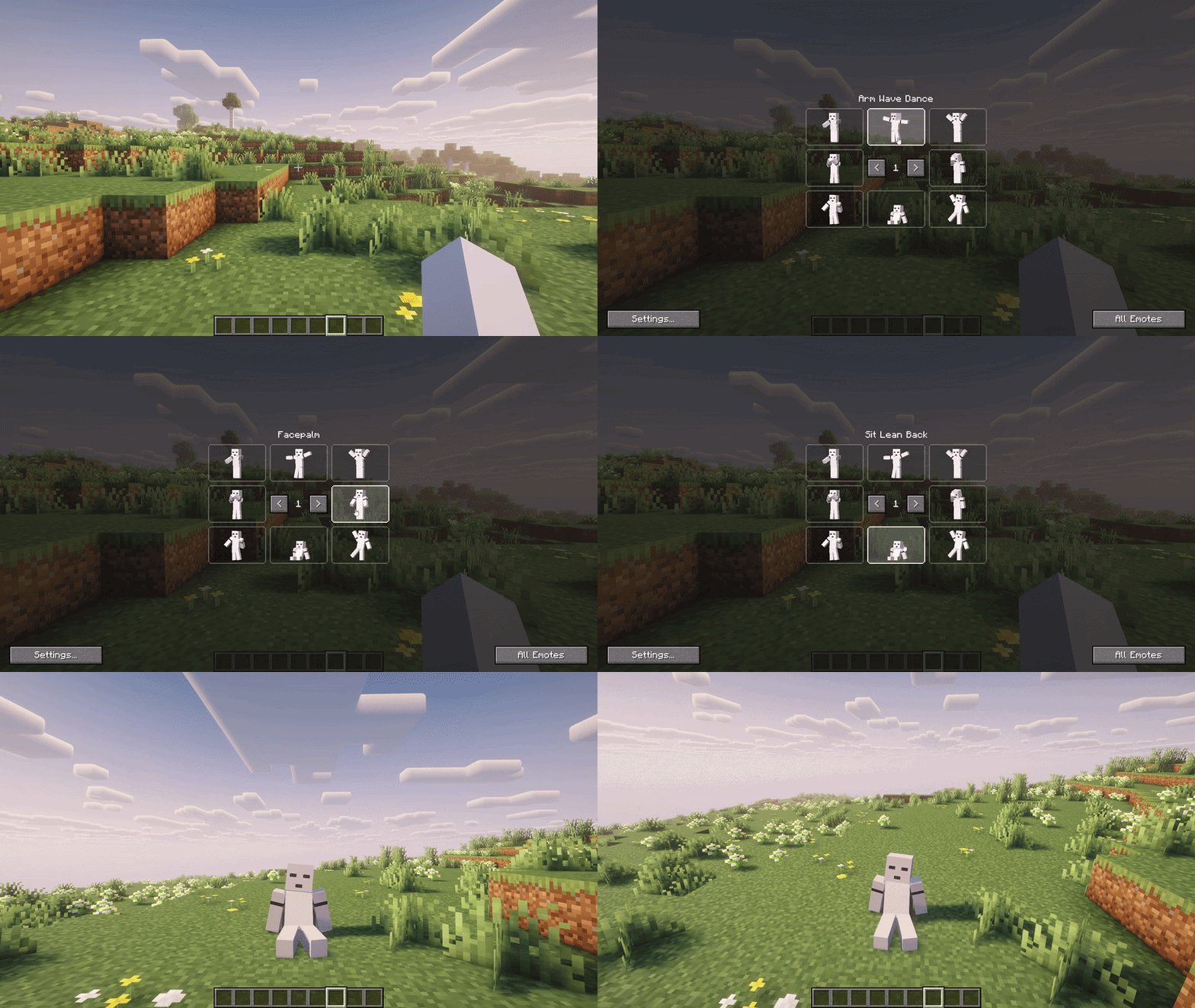
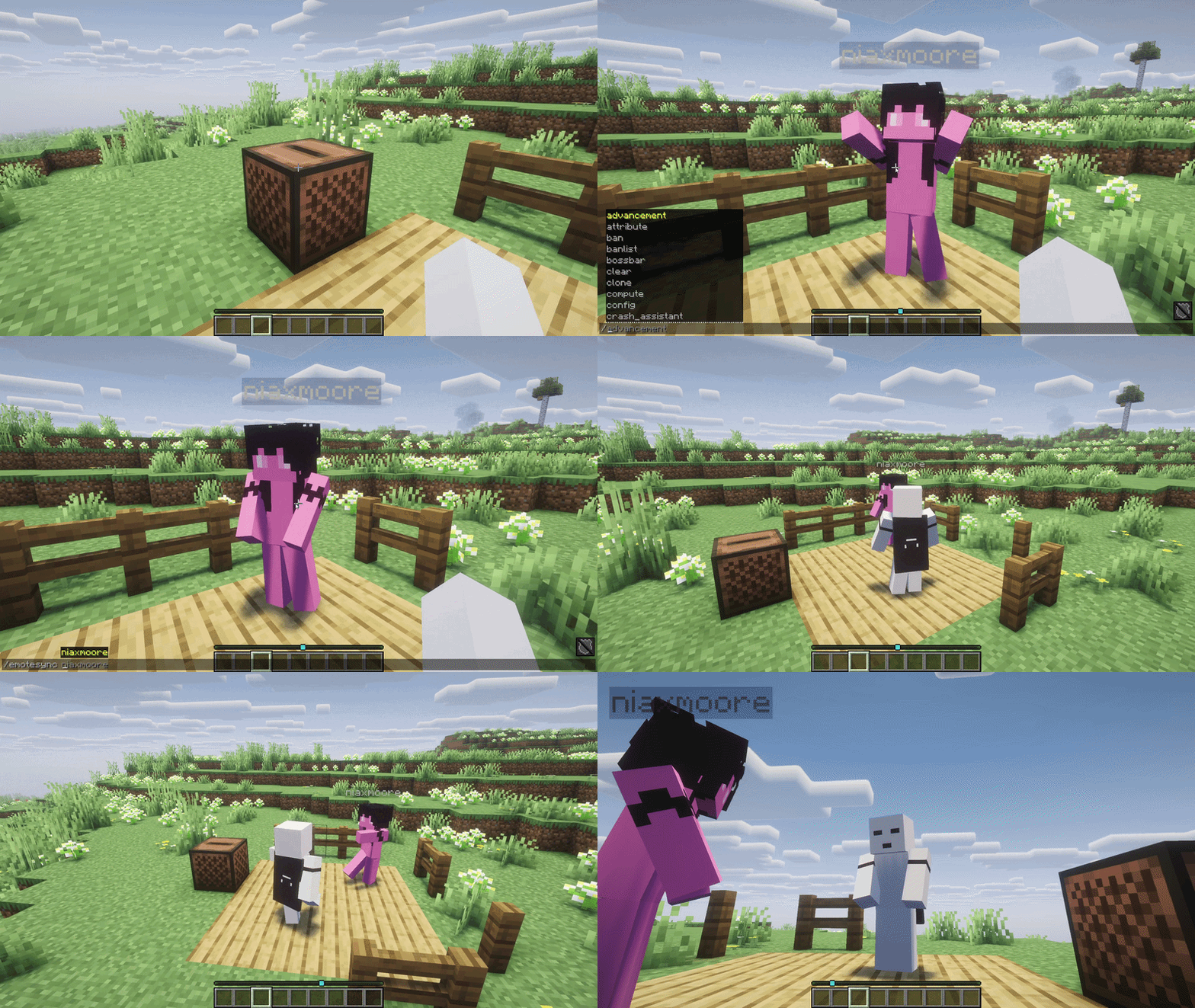
Press B and pick one. Every slot shows a small 3D preview of the emote with your own skin, and it starts moving when you hover it. You can put your favorites in whatever slot you want, there are 10 pages of them.
If you'd rather hold the key and let go over an emote, that's in the settings too.
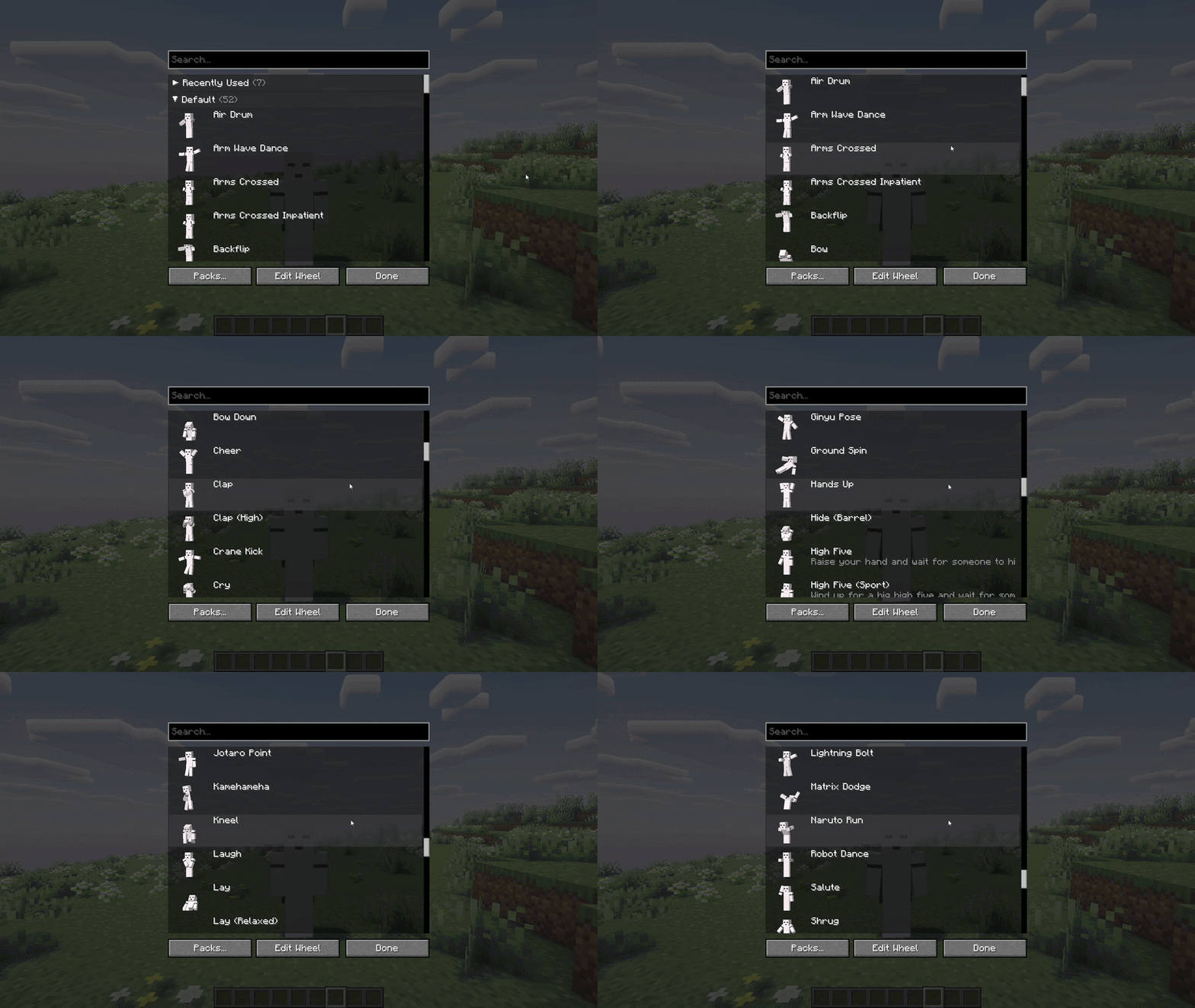
Waves, bows, claps, sitting and laying around, dances, and a few you might recognize, like the Kamehameha, the Naruto run, etc :>
The camera goes to third person while you emote so you can actually see yourself, and back once you're done. Walking, jumping or attacking stops the emote, so it never gets in your way.
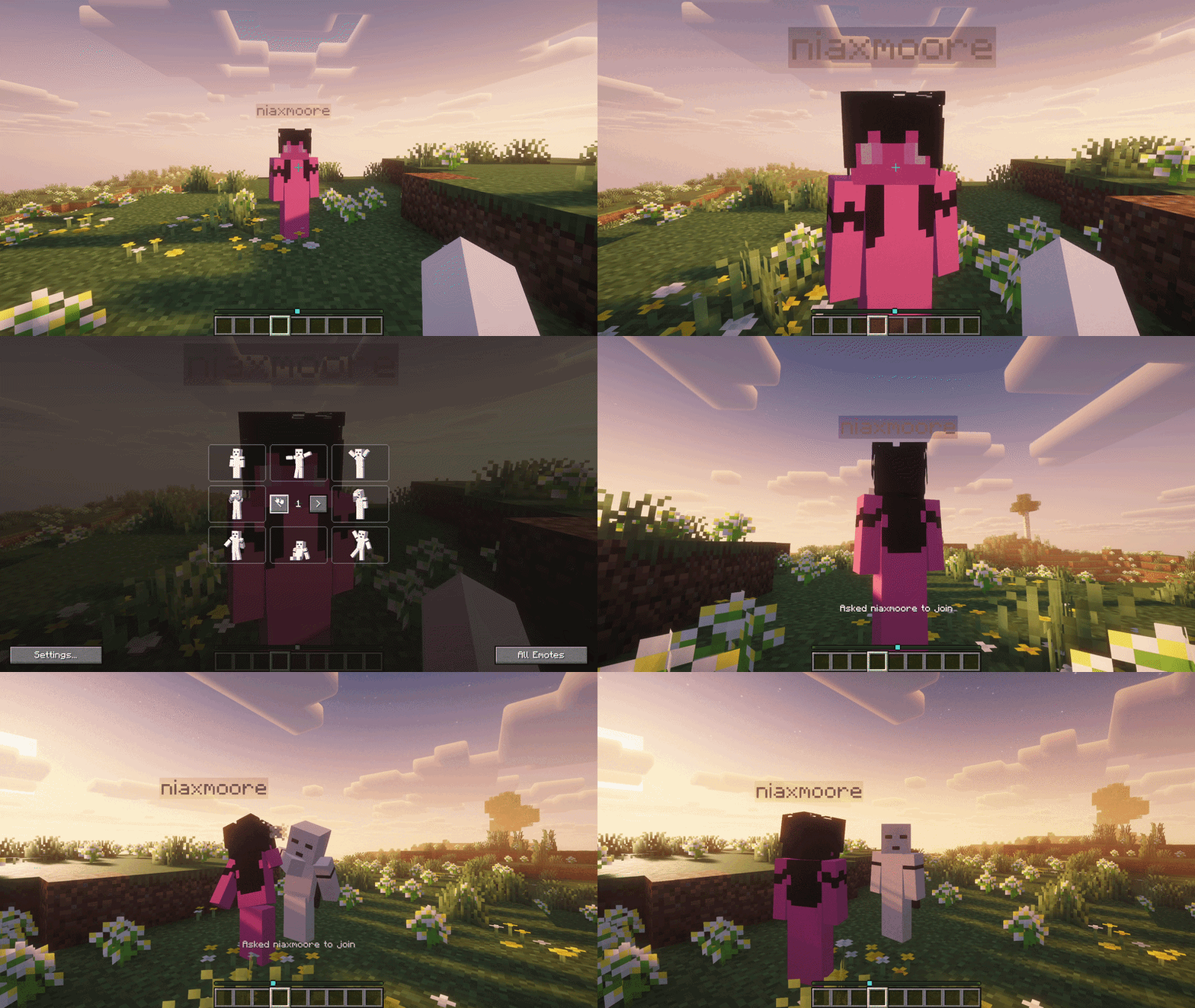
Some emotes need two people. Look at your friend and try to high five, they get a request in chat and once they accept, you both play your part lined up properly.
If nobody is in front of you, just wait there and whoever walks up can join.
See someone dancing? Type

Every emote is just a resource, so you can make your own with a resource pack. The Template package on the wiki comes with Blockbench templates. Animate the player, export it into your pack, press the reload key in game and it's there.
Remember to set the reload key in your keybinds. It's unassigned by default.
Custom packs can also add sounds, particles, random variants, animated items and their own partner emotes. Everything about making emotes is on the wiki.
Only in the case of multiplayer, the mod needs to be on the server or the person hosting needs to have it so other players can see each other's emotes. Without it you can still join any server, only you will see your emotes.
You can put the mod in any modpack, no need to ask me first. Same for making emote packs, addons, videos or anything else with it, go ahead :) A link back to this page is always appreciated, and I'd love to see what you made, so feel free to show it on the Discord.
Fabric needs Fabric API.
If another mod makes your limbs look weird while emoting, set Elbows and Knees to Off in the emote settings, and please let me know about it.

I would appreciate it if you try out the mod and tell me your thoughts and suggestions, especially which emotes you want next.
If you liked the mod, why not give it a follow, feedback that way is also appreciated and helps motivating me!

I rewrote everything from scratch. It doesn't need third party libraries anymore, it runs on NeoForge too and goes all the way up to 26.3.
There's a new emote wheel with 3D previews, emotes you do together with a friend, a lot more emotes, and you can make your own but with more features than before. Check it out!
Lets players express themselves using emotes!
A mod that adds emotes to Minecraft, and tries to make them feel like they belong in the game instead of looking like a stiff model being moved around.
We all did it at some point, crouching up and down at a friend because there is nothing else to say hi with. Now you can actually wave, bow, sit down or high five them, and they see it too.
This section only shows the main things, not everything the mod has. For the rest, please refer to the wiki page.
The Emote Wheel
Press B and pick one. Every slot shows a small 3D preview of the emote with your own skin, and it starts moving when you hover it. You can put your favorites in whatever slot you want, there are 10 pages of them.
If you'd rather hold the key and let go over an emote, that's in the settings too.
Over 50 Emotes
Waves, bows, claps, sitting and laying around, dances, and a few you might recognize, like the Kamehameha, the Naruto run, etc :>
The camera goes to third person while you emote so you can actually see yourself, and back once you're done. Walking, jumping or attacking stops the emote, so it never gets in your way.
Partner Emotes
Some emotes need two people. Look at your friend and try to high five, they get a request in chat and once they accept, you both play your part lined up properly.
If nobody is in front of you, just wait there and whoever walks up can join.
Joining In
See someone dancing? Type
/emotesync <player name> and you join them, in step with them.Smaller Things
- Sounds and Particles - a few emotes make a sound or spawn particles, you can turn the sounds off
- Animated Items - emotes can move the item in your hand, like the Zelda one does
- Elbows and Knees - emotes can bend your arms and legs, mostly for emote packs. Set it to Off if you like the classic look more
- Hotkeys - 4 keys you can bind to play your first wheel slots directly
- Controllers - the wheel works with a controller through Controlify
- Replays - if you record with Replay Mod or Flashback, the emotes show up in the replay too, yours included
Every emote is just a resource, so you can make your own with a resource pack. The Template package on the wiki comes with Blockbench templates. Animate the player, export it into your pack, press the reload key in game and it's there.
Remember to set the reload key in your keybinds. It's unassigned by default.
Custom packs can also add sounds, particles, random variants, animated items and their own partner emotes. Everything about making emotes is on the wiki.
Servers
Only in the case of multiplayer, the mod needs to be on the server or the person hosting needs to have it so other players can see each other's emotes. Without it you can still join any server, only you will see your emotes.
- Server Emote Packs - put emote packs in a data pack and players download them when joining, only once
- Rules - cooldown, disable or restrict emotes, turn off partner emotes or /emotesync
- Permissions - works with LuckPerms and other permission mods
Modpacks & Developers
You can put the mod in any modpack, no need to ask me first. Same for making emote packs, addons, videos or anything else with it, go ahead :) A link back to this page is always appreciated, and I'd love to see what you made, so feel free to show it on the Discord.
Compatibility
Fabric needs Fabric API.
If another mod makes your limbs look weird while emoting, set Elbows and Knees to Off in the emote settings, and please let me know about it.
I would appreciate it if you try out the mod and tell me your thoughts and suggestions, especially which emotes you want next.
If you liked the mod, why not give it a follow, feedback that way is also appreciated and helps motivating me!
More like this

 Simple EmotesMinecraft 26.1.1 Other Mod
 Aquarius_playz
10/8/25 10:46
• posted 7/12/25 2:12
1.9k 119 3x 169
Aquarius_playz
10/8/25 10:46
• posted 7/12/25 2:12
1.9k 119 3x 169
 RavenVLemon
 hohigamer
7069470
7
![Hypixel Skyblock Texturepack - OLD [Link to the new one is provided] Minecraft Texture Pack](https://static.planetminecraft.com/files/resource_media/screenshot/general-lssogo-1573723881_thumb.jpg)






 TheGreatestDrone


 Vicious Potato Studios
 Hardmuscle


Have something to say?