


• • 10/7/26 3:20 am • 38 logs
- 14k views • 7 today
- save_alt 1.1k downloads • 2 today
- Game Version
- Minecraft 26.2
- Progress
- 100% complete
41






📘 Description
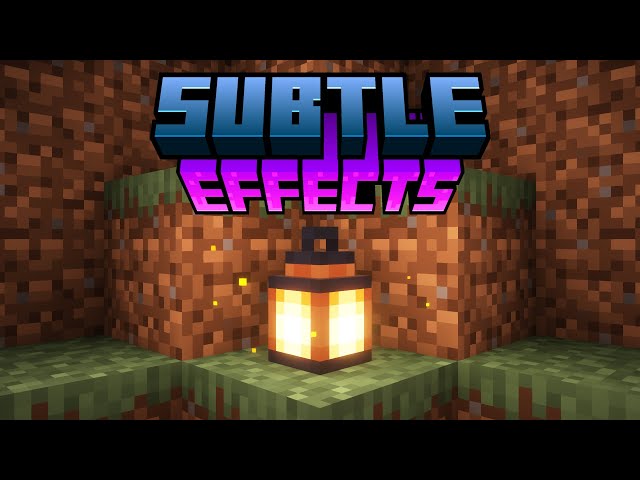
Adding many new subtle details through particles and a few sounds. All of which can be toggled and some can be further customized. The mod also comes with built-in particle culling and a particle render distance. This mod was designed to be mainly client-sided, but there are a few features that require server access to work, see FAQ for more details.
✨ Some Key Features
- Particle culling
- Particle render distance
- Fire-related blocks (fire, campfires, candles, torches, etc) have sparks
- Villagers and players snore and have Z particles
- Slimes leave a trail of slime
- Glowstone and redstone blocks emit dust particles
- Allay and Vexes emit magic
- Shearing a sheep drops fluff
- Burning entities have sparks, smoke, and flames
- Vanilla smoke has been replaced with updated textures similar to campfire smoke
- Players with 3 hearts or less have a heartbeat
- Players with 3 hunger or less have stomach growling
- Wearing a mob head will apply the spectator shader for that mob (currently only for the creeper head and Enderman head from Supplemenaries)
- Players and a few mobs have running dust clouds
- Mobs have dust clouds when they hit the ground
- And much more...
A full list of features can be found on the wiki.
Requires Fzzy Config.
📜 Terms of Use
You may
✅ Use this mod as a reference to understand and or create something of your own, as long as it is not a copy or recreation
✅ Use this mod in modpacks with credit and one or more links to any of the project pages*
✅ Edit for personal use
✅ Use this mod for/in YouTube videos with credit and one or more links to any of the project pages*
✅ Create resource packs, data packs, and addon mods for this mod
You may not
❌ Reupload/publish this mod to any website without explicit permission from me and one or more links to any of the project pages*
❌ Redistibute edited or unedited assets** from this mod without permission from me and credit
* Project pages include CurseForge, Modrinth, Planet Minecraft, GitHub
** Assets include logos, banners, textures, models etc
✅ Use this mod as a reference to understand and or create something of your own, as long as it is not a copy or recreation
✅ Use this mod in modpacks with credit and one or more links to any of the project pages*
✅ Edit for personal use
✅ Use this mod for/in YouTube videos with credit and one or more links to any of the project pages*
✅ Create resource packs, data packs, and addon mods for this mod
You may not
❌ Reupload/publish this mod to any website without explicit permission from me and one or more links to any of the project pages*
❌ Redistibute edited or unedited assets** from this mod without permission from me and credit
* Project pages include CurseForge, Modrinth, Planet Minecraft, GitHub
** Assets include logos, banners, textures, models etc

📚 F.A.Q
Q: Can XYZ feature be disabled?
A: Yes, all features can be disabled in the config menu. If you find that a feature/change cannot be disabled please report it as a bug
Q: How to disable Dust Clouds?
A: The configs for dust clouds are located in the `Entities/Dust Clouds` config section
Q: How to disable dropped item particles?
A: The configs for dropped item particles are located in the 'Entities/Item Rarity' config section and can be disabled by changing 'Particle Display Type' to 'OFF'
Q: Will you support Forge?
A: Absolutely not, Forge 1.20.1 is the only version I will support Forge on.
Q: What game environment does the mod run in?
A: The mod was designed to run client side, however, there are some extra features and details that only work if the mod is also installed on the server. If installed on the server all clients will need the mod installed to join, including LAN servers. For a list of features that require server access visit the wiki.
Note: Forge 1.20.1 does NOT support the mod running client side only.
Q: Does this mod work with Fancy Block Particles, Particle Core, Visuality, or Particular?
A: Yes
Q: Particular's leaves aren't showing, how do I fix them?
A: Disable the 'Cull Particles With No Alpha' config inside the 'General' config section
Q: Do you take suggestions/feature requests?
A: Yes, suggestions and feedback in general are much appreciated. You can provide feedback/suggestions in a GitHub issue, the CurseForge comments, or on my Discord Server. Please keep your suggestions somewhat Minecraft-y, e.g. no blood. Please also try not to suggest things that multiple other mods implement, such as rain ripples.
Q: The mod isn't working/no particles are appearing.
A: Check your Video Settings to make sure that the Particles setting is not set to minimal
💬 Translations
Feel free to translate this mod into any language or update existing translations. To get your translation into the mod, make a pull request on GitHub with the translated language file
All translators are credited in the list below.
- Simplified Chinese: kuhananxianglai
- Traditional Chinese: OutlinedArc217
- Literal Chinese: OutlinedArc217
- Japanese: gohkenytp, kazumadness, KAGUYA-1137
- Mexican Spanish: TheLegendofSaram
- Korean: sunbatheproductions
- Russian: Det-rovv
📢 Additional Credit
Stomach Growling Sound Effect, licensed under CC0
38 Update Logs
Update 1.15.0 : by MincraftEinstein 10/07/2026 3:20:33 amOctober 7 @ 7:20 am UTC
As of this update, 1.20.1 is being put into maintenance mode, meaning it will no longer receive content updates, only bug fixes as needed. Additionally, support for 26.2 is being dropped. 26.1 will still be supported for now, though only on 26.1.2.
Additions
- Added bone particles to skeletons and skeleton horses being attacked. Each skeleton variant has custom bone textures to match its variant
- Naming a parrot "party parrot" or "jeb_" will cause it to continuously change texture while dancing. Just like Mojang intended
- Added volume config for chests opening randomly underwater
- Added allay twinkling sounds (Allays will randomly play amethyst sounds)
- Added allay duplication sounds
- Added blue electricity particles around charged creepers. When a charged creeper explodes, the explosion will also have the particles mixed in (#226)
- Replaced the vanilla electricity particles
- Added electricity particles in the air around a small area when lightning strikes
- Added endman particles for when a shukler teleports. Mojang has since added them to vanilla in 26.3 :)
- Added redstone dust particles around the redstone torches of powered comparators
- Added redstone dust particles around powered activator/powered/detector rails
- Added smoke particles occasionally appearing around magma blocks
- Added steam and sounds when a player with frost walker stands on magma blocks
- Added a custom debug screen, fully independent of the vanilla debug screen. Replaces my original particle count command and shows some ticker info. Still toggled through commands
- Added particles that rise up when an item is enchanted at an enchantment table. Comes in 2 styles: glyphs (default), looks like vanilla enchant particles using SGA characters, and magic, similar to trial spawner activation particles, but purple
- Replaced tipped arrow particles with potion poof clouds
- Added config to disable splashes in waterlogged blocks (#235)
- Added a spawn texture animation to heart particles
- Added a splash height scale config
Changes
- Snoring particles now have alpha fade out
- Tweaked splash scaling again.
- Renamed vanilla enchantment particle ralated configs
- The behavior for end crystal magic particles has been completely reworked and will now slowly orbit the end crystal clockwise
- When an end crystal is sitting in fire, the fire block will no longer spawn particles
- Grouped allay and vex configs
- Updated particle bounding box renderer
- Added a few vanilla particles to the particle culling blocklist
- Changed potion rings to move down for harmful effects
- Made potion rings emissive (they glow now)
- Grouped potion cloud configs
- Improved how slime trails and projectile splat particles detect blocks
- Retextured egg splat particle
- [26.x] Changed explosion splashes to work client side only again
- Tweaked the movement of the mushroom spore particles that spawn on mushroom islands
- Einstein solar system now changes the number of heads rendered based on health percentage
- If installed on the server, attack based effects will now be visible to other players, e.g., chicken feathers, skeleton bones, etc. Additionally, this allows them to work for a wider range of damage types, e.g., arrows, falling dripstone, etc. Because of these changes, the configs have been moved back into a separate config section inside entity configs.
- Rewrote much of how entity tickers work
- Replaced my custom multiloader networking api with the Fzzy Config networking api
- Rewrote particle registration, now uses the Fzzy Config registration api and particles are now also registered on the server
- Rewrote the biome particles system
- Rewrote dynamic sprite set loading
- Rewrote/Improved splashes for remote players (other players on the server)
Fixes
- Fixed splashes being able to be spawned inside water streams
- Fixed ender chests not spawning bubbles underwater
- Fixed double chests creating an unnecessary ticker
- Fixed ClassCastException for farmland (#230)
- Fixed loaded Burning Effects for Dyed Flames persisting after resource reload
- Fixed fireflies only spawning in habitat biomes by default
- Fixed ClassCastException related to entities being cast to client players (#250)
- Fixed game crashing with End Remastered (#258)
- Fixed crash with custom splashes missing textures (specifically lava splashes), if textures can't be found, the Missing Texture texture will be used instead (#219, #237, #242)
- Fixed Sodium causing rendering issues with bubbles when the Biome Color Water Particles pack is enabled
- Fixed the pack format version for the Biome Color Water Particles pack being incorrect in 1.21.1 and 26.1
- [26.x] Fixed the `Splash Effects` toggle config not applying to explosion splashes (#239)
- [26.x] Fixed lava splashes not spawning
- [26.x] Fixed splashes crashing on NeoForge (#255, #259)
- [26.x] Fixed missing mod icon on NeoForge
- [26.x] Fixed Einstein solar system rendering all armor pieces
- [26.x] Fixed mod icon/banner for NeoForge's redesigned mod list screen
- [26.3] Fixed log stripping using the wrong block particles
- [26.3] Fixed mooshroom feeding particle changes potentially not working
- [26.3] Fixed custom copper scrapping particles not spawning
LOAD MORE LOGS
More like this
 Armor Trim Item Fix (NeoForge/Fabric)Minecraft 26.2 Aesthetic Mod
 MincraftEinstein
7/31/26 5:36
• posted 7/30/23 7:38
9.3k 606 3x 32528
MincraftEinstein
7/31/26 5:36
• posted 7/30/23 7:38
9.3k 606 3x 32528 Useful Slime (NeoForge/Fabric)Minecraft 1.21.1 New Content ModMincraftEinstein
3/9/25 1:26
• posted 5/28/23 8:02
8.1k 539 3x 91720
Useful Slime (NeoForge/Fabric)Minecraft 1.21.1 New Content ModMincraftEinstein
3/9/25 1:26
• posted 5/28/23 8:02
8.1k 539 3x 91720 Mendable Anvils (NeoForge/Fabric)Minecraft 26.1.2 Functional ModMincraftEinstein
6/16/26 2:50
• posted 5/31/23 1:56
3.6k 124x 11819
Mendable Anvils (NeoForge/Fabric)Minecraft 26.1.2 Functional ModMincraftEinstein
6/16/26 2:50
• posted 5/31/23 1:56
3.6k 124x 11819 White Pumpkins (NeoForge/Fabric)Minecraft 1.21.11 New Content ModMincraftEinstein
12/29/25 4:36
• posted 11/20/24 10:15
2.7k 165 9x 51717
White Pumpkins (NeoForge/Fabric)Minecraft 1.21.11 New Content ModMincraftEinstein
12/29/25 4:36
• posted 11/20/24 10:15
2.7k 165 9x 51717 Fired Pots (NeoForge/Fabric)Minecraft 1.21.11 New Content ModMincraftEinstein
12/29/25 4:47
• posted 8/4/24 8:29
1.3k 15 1x 41213
Fired Pots (NeoForge/Fabric)Minecraft 1.21.11 New Content ModMincraftEinstein
12/29/25 4:47
• posted 8/4/24 8:29
1.3k 15 1x 41213
6426063
7






 agent94055

 DollEyedNurse
 XavierTomasino
 MaMiBett
 IAmARandom

Have something to say?