
• 4/14/16 5:56 pm
- 550 views • 1 today
- Progress
- 100% complete
- 1
- 0

319
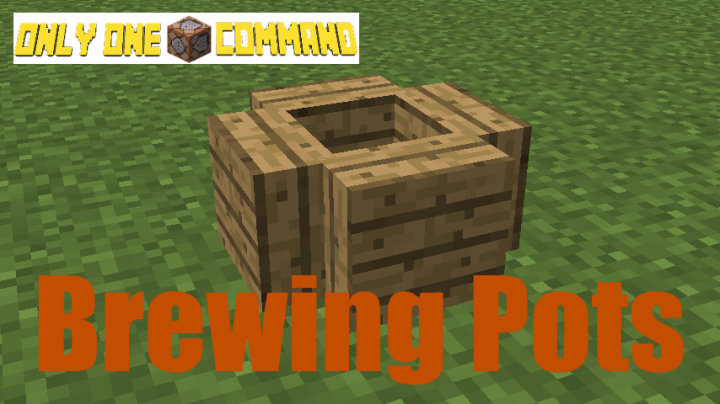
Hello! Today I've made really cool brewing pots, which let you brew all new types of stews, currys, soups and porridges!
Click here for the first command!
Click here for the second command!
Installation:
Yet again, I'm doing an Installation Guide, because this mod requires two commands!
1. Place a command block
2. Paste in the first command into the command block
3. Wait for it to finish, then paste the second command into the same
command block, which should now be empty
4. Done
Crafting:
Brewing Pot - Oak Planks + Water Bucket
All recipes are floor crafting
Tutorial:
After placing a Brewing Pot, use it by throwing ingredients into the pot. You can tell
what brew it is by the colour of the liquid in the pot. Mine shrubs to get oats. All the
ingredients you can use: oats, apple*, cooked chicken, cooked beef, mushroom, cooked porkchops,
carrots, potatoes. Apples can only be used when there is porridge (porridge is made with oats) in
the pot already, because it makes Apple Porridge. Throw bowls onto the pot to fill them up with whatever
brew is in your pot. You can only fill up four bowls at a time before the brew will run out. To destroy the pot,
stand over it and look straight down.
Credits:
By Code202
Notes:
For 1.9
Click here for the first command!
Click here for the second command!
Installation:
Yet again, I'm doing an Installation Guide, because this mod requires two commands!
1. Place a command block
2. Paste in the first command into the command block
3. Wait for it to finish, then paste the second command into the same
command block, which should now be empty
4. Done
Crafting:
Brewing Pot - Oak Planks + Water Bucket
All recipes are floor crafting
Tutorial:
After placing a Brewing Pot, use it by throwing ingredients into the pot. You can tell
what brew it is by the colour of the liquid in the pot. Mine shrubs to get oats. All the
ingredients you can use: oats, apple*, cooked chicken, cooked beef, mushroom, cooked porkchops,
carrots, potatoes. Apples can only be used when there is porridge (porridge is made with oats) in
the pot already, because it makes Apple Porridge. Throw bowls onto the pot to fill them up with whatever
brew is in your pot. You can only fill up four bowls at a time before the brew will run out. To destroy the pot,
stand over it and look straight down.
Credits:
By Code202
Notes:
For 1.9
More like this

 Blitzgod400


 IdoPlayers
3664596
2














 KALLOMION
 Meat_Mallet
 DaniX7692


Have something to say?