



• 9/20/17 12:16 am
- 467 views • 0 today
- save_alt 33 downloads
- Progress
- 100% complete


1
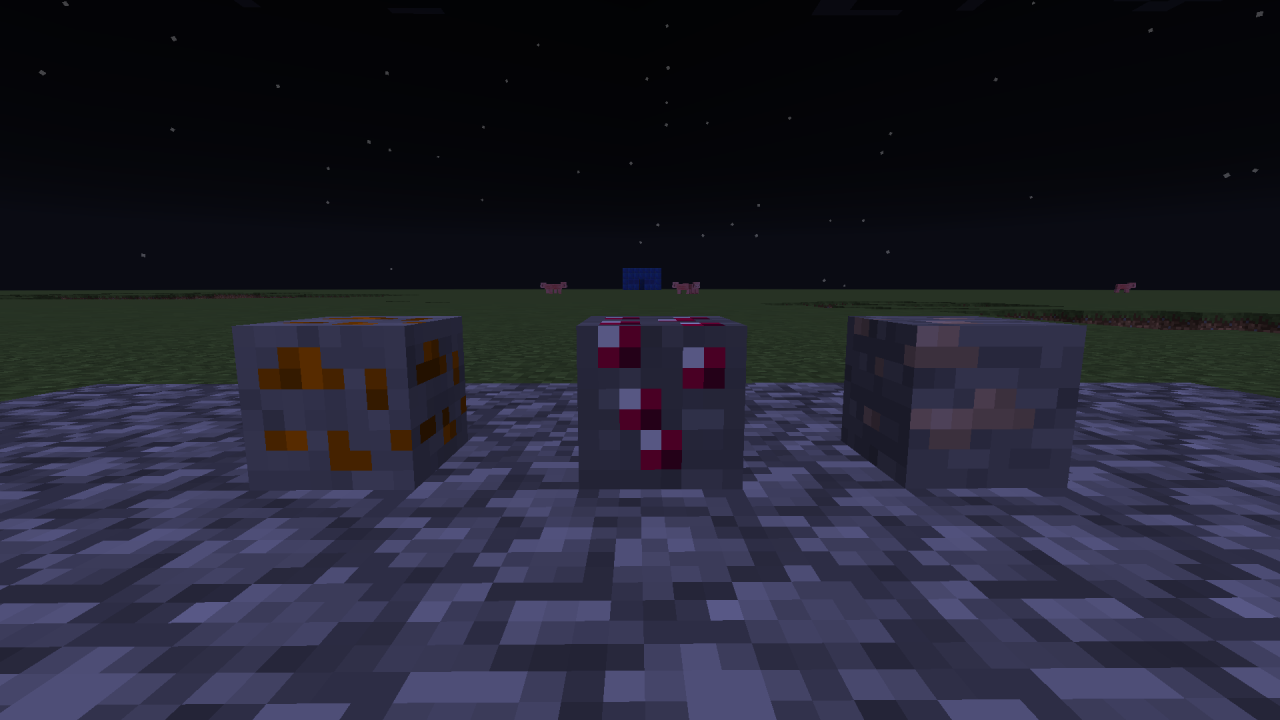
Here it is! i've been working on it for a few days now, and i think i finally finished it.
The smoke grenade recipe is the same as normal grenade recipe but with ink sack instead of gunpowder
and poison grenade is with poison 2 splash potion(has to be one with 21 seconds) and 4 tin around it
Bronze armor is same as ruby armor recipe but with bronze bars instead of ruby and tin instead of redstone for helmet
To make ruby tools place any diamond tool in the center and put 4 rubies around it
BTW there isn't a copper hoe
All the crafting is in the left side of a minecart chest
How to install: go to your minecraft saves folder, and find the world you want to install it on. Then, create a new folder named structures(all lowercase or it wont work) then in the zip file, take out the file inside and put it in the folder you just created. Then, go into the game and use this command. /give @p minecraft:structure_block then place it, and go into it's gui. Where it says data click it until it says load. then on top type in commandthing(no spaces all lowercase) and then click the button on the opposite side from the button you clicked to put it in load mode, it should say load and then it will be installed.
The smoke grenade recipe is the same as normal grenade recipe but with ink sack instead of gunpowder
and poison grenade is with poison 2 splash potion(has to be one with 21 seconds) and 4 tin around it
Bronze armor is same as ruby armor recipe but with bronze bars instead of ruby and tin instead of redstone for helmet
To make ruby tools place any diamond tool in the center and put 4 rubies around it
BTW there isn't a copper hoe
All the crafting is in the left side of a minecart chest
How to install: go to your minecraft saves folder, and find the world you want to install it on. Then, create a new folder named structures(all lowercase or it wont work) then in the zip file, take out the file inside and put it in the folder you just created. Then, go into the game and use this command. /give @p minecraft:structure_block then place it, and go into it's gui. Where it says data click it until it says load. then on top type in commandthing(no spaces all lowercase) and then click the button on the opposite side from the button you clicked to put it in load mode, it should say load and then it will be installed.
More like this
 Creeper Companion!(one command vanilla mod!)Redstone Device Map
 Lord Arrani
•3/28/15 10:16
2.4k 3x 141
Lord Arrani
•3/28/15 10:16
2.4k 3x 141
 Treasure Chests "vanilla mod" (One command installation!)Redstone Device MapLord Arrani
•4/5/15 9:07
1.4k 5x 142
Treasure Chests "vanilla mod" (One command installation!)Redstone Device MapLord Arrani
•4/5/15 9:07
1.4k 5x 142 Useful items - Only One Command vanilla modRedstone Device Map
 Siem_72
•5/21/15 2:38
1.3k 127 2x 212
Siem_72
•5/21/15 2:38
1.3k 127 2x 212
 AlexDAM
 Stegoratops
4021333
2












 vaporr

 Benjimin_MC
 ASAKA828

Have something to say?