




2
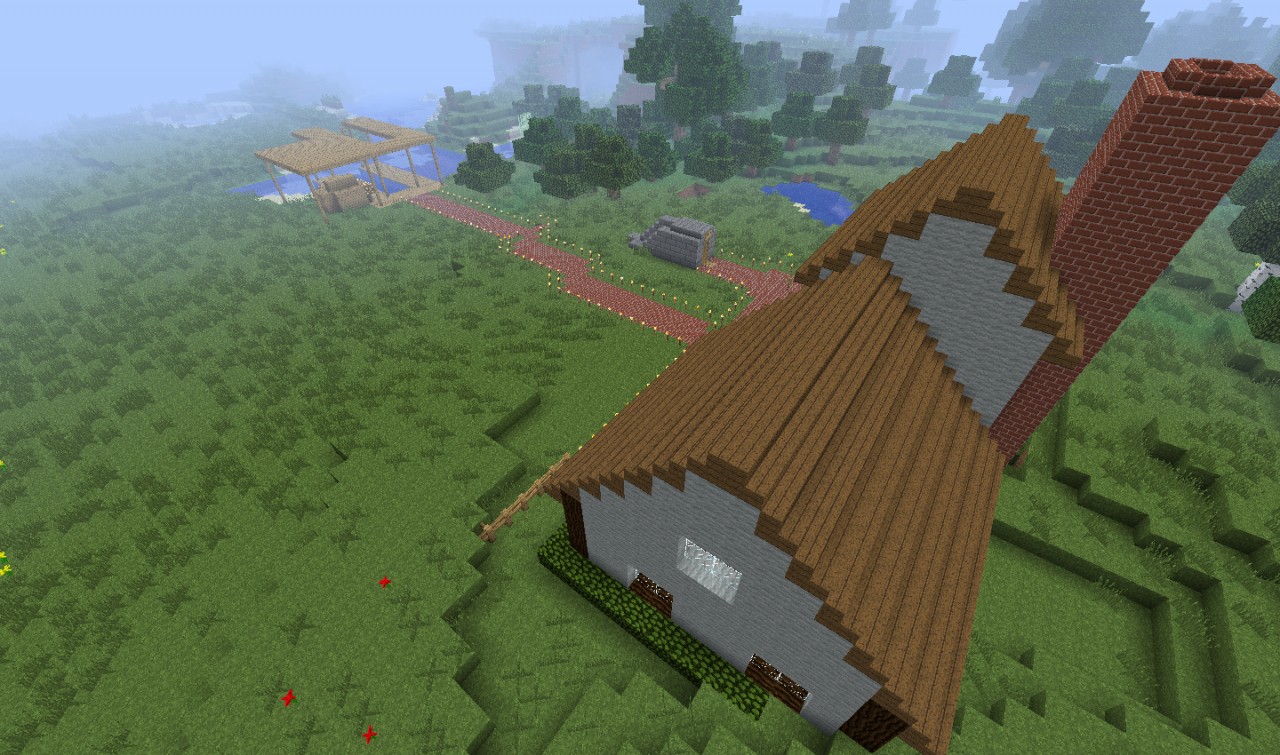
In Cozy Home Starter Map, you spawn right outside of a little complex that gives you a jumpstart to a minecraft world and skips the building process.
Producers: Dragonuave
We're trying to do many things at once like making our texture pack, updating Blue Velvet's YouTube Account, updating the website...It's all very hard to do. Sorry if updates aren't frequent enough.
Version 1.1
Credit to AntVenom for redstone wiring idea for the Trading Center
If bugs occur, please report them. Suggestions can be put in as a comment on this page, but if you want to be sure we read it, post a suggestion or bug report here: http://www.planetminecraft.com/blog/tipsideasbugs-on-cozy-home-starter-map/
I finally got around to making a MediaFire download link to make it easier to get. Sorry it took so long, I didn't realize we needed to zip the file.
How to install with Windows:
1. Open Cozy Home Starter Map.zip
2. Type run into the Start Menu
3. Type in %appdata% into Run
4. Search the file opened for a file named .minecraft
5. Open .minecraft and find a file named saves
6. Drag or copy and paste Cozy Home Starter Map file from Home Starter Map.zip into the saves file in .minecraft
7. Run Minecraft and play the world named Cozy Home Starter Map, and have fun!
(This only works for Windows XP and up)
How to install with Mac/Apple:
1. Find the seed that is available as well as a download link for this map.
2. Open Minecraft and start a new world. Go into More Options and go to seed.
3. Enter the seed given at the downloads for this map.
4. Start the world and have fun!
(Sorry, since I don't have nor have I ever used a Mac/Apple computer, I do not know how to install the map without a seed on Mac/Apple computers.)
Producers: Dragonuave
We're trying to do many things at once like making our texture pack, updating Blue Velvet's YouTube Account, updating the website...It's all very hard to do. Sorry if updates aren't frequent enough.
Version 1.1
Credit to AntVenom for redstone wiring idea for the Trading Center
If bugs occur, please report them. Suggestions can be put in as a comment on this page, but if you want to be sure we read it, post a suggestion or bug report here: http://www.planetminecraft.com/blog/tipsideasbugs-on-cozy-home-starter-map/
I finally got around to making a MediaFire download link to make it easier to get. Sorry it took so long, I didn't realize we needed to zip the file.
How to install with Windows:
1. Open Cozy Home Starter Map.zip
2. Type run into the Start Menu
3. Type in %appdata% into Run
4. Search the file opened for a file named .minecraft
5. Open .minecraft and find a file named saves
6. Drag or copy and paste Cozy Home Starter Map file from Home Starter Map.zip into the saves file in .minecraft
7. Run Minecraft and play the world named Cozy Home Starter Map, and have fun!
(This only works for Windows XP and up)
How to install with Mac/Apple:
1. Find the seed that is available as well as a download link for this map.
2. Open Minecraft and start a new world. Go into More Options and go to seed.
3. Enter the seed given at the downloads for this map.
4. Start the world and have fun!
(Sorry, since I don't have nor have I ever used a Mac/Apple computer, I do not know how to install the map without a seed on Mac/Apple computers.)
2 Update Logs
Update #2 : by BlueVelvet 08/23/2012 7:27:56 pmAugust 23, 2012 @ 11:27 pm UTC
Version 1.2
- Added a nether exploration center. You can't miss it.
- Added the Pool sign.
- Fixed the brick path to the Docks.
LOAD MORE LOGS
More like this

 User2068854
 dyliams
 Kerus
Kerus

 RebelYelliex
1312116
2






 Mortality SMP

![Roblox Doors in Minecraft V.3[Roblox PARADOX Chases Added] Minecraft Map & Project](https://static.planetminecraft.com/files/image/minecraft/project/2026/857/20097663_s.jpg)
 MrPillagerGamingYT_OFFICIAL
 Edhart

 Obscuria

Have something to say?
With all due respect, you have no respect.