

• 9/5/15 1:04 pm
- 930 views • 0 today
- save_alt 51 downloads
- Progress
- 80% complete
Added CreditMrGarretto
86
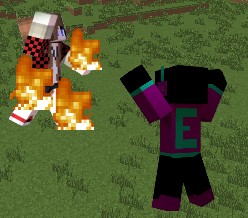
Hey, it's EnderDurant and today I am bringing you my second One Command Creation! This One Command Creation adds in traps such as fire traps, pitfall traps and launching traps! But be careful not to fall for your own traps...
Please do not distribute this command. If you would like to share it, please give a link to this page. You may use this command in youtube videos, just mention my name (EnderDurant) and leave a link to this page in the description!
Traps
Fire Trap: This trap is crafted by combining a fire charge and a piston. It will light any blocks a player steps on on fire within a 3x3 square around the trap.
Lava Trap: This trap is crafted by combining a lava bucket and a piston. It will replace the block below any player with lava within a 3x3 square around the trap.
Fall Trap: This trap is crafted by combining a block of sand and a piston. It will create a giant pitfall under any player within a 3x3 square around the trap.
Launch Trap: This trap is crafted by combining a slime block and a piston. It will launch any player within a 3x3 square around the trap into the air.
Poison Trap: This trap is crafted by combining a spider eye and a piston. It will poison any player within a 3x3 square around the trap.
More to come!
How to Use
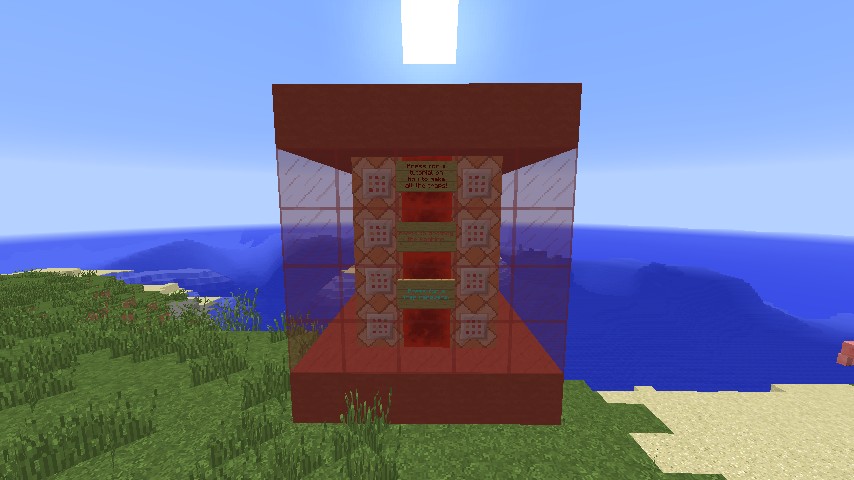
To install this One Command Creation, press the world save button in the top right corner of the post. It will take you to a google document page. Then copy the command using Ctrl C. Then go into minecraft and type this command (without quotes) "/give @p minecraft:command_block 1" Then (in creative mode) place the command block down. Then paste the command into the block by right clicking it and pressing Ctrl V. Then power the command block with redstone. It will build a machine. The command creation is now installed!
Credit
This One Command Creation was made using MrGarretto's Command Combiner.
This One Command Creation was made by EnderDurant.
I hope you enjoy!
Please do not distribute this command. If you would like to share it, please give a link to this page. You may use this command in youtube videos, just mention my name (EnderDurant) and leave a link to this page in the description!
Traps
Fire Trap: This trap is crafted by combining a fire charge and a piston. It will light any blocks a player steps on on fire within a 3x3 square around the trap.
Lava Trap: This trap is crafted by combining a lava bucket and a piston. It will replace the block below any player with lava within a 3x3 square around the trap.
Fall Trap: This trap is crafted by combining a block of sand and a piston. It will create a giant pitfall under any player within a 3x3 square around the trap.
Launch Trap: This trap is crafted by combining a slime block and a piston. It will launch any player within a 3x3 square around the trap into the air.
Poison Trap: This trap is crafted by combining a spider eye and a piston. It will poison any player within a 3x3 square around the trap.
More to come!
How to Use
To install this One Command Creation, press the world save button in the top right corner of the post. It will take you to a google document page. Then copy the command using Ctrl C. Then go into minecraft and type this command (without quotes) "/give @p minecraft:command_block 1" Then (in creative mode) place the command block down. Then paste the command into the block by right clicking it and pressing Ctrl V. Then power the command block with redstone. It will build a machine. The command creation is now installed!
Credit
This One Command Creation was made using MrGarretto's Command Combiner.
This One Command Creation was made by EnderDurant.
I hope you enjoy!
1 Update Logs
Update #1 : by Sardonyx 09/05/2015 2:54:37 pmSeptember 5, 2015 @ 6:54 pm UTC
Added Youtube Video
More like this


 Legend of Zelda Items One Command CreationRedstone Device Map
 Sardonyx
•9/12/15 12:42
2.8k 298x 941
Sardonyx
•9/12/15 12:42
2.8k 298x 941
 Mini Creations | Simple Quarries - Only One CommandRedstone Device Map
 Code202
•6/16/16 6:17
592x 11
Code202
•6/16/16 6:17
592x 11
 MysteryBlokHed
3450340
2



 faisu887

 _Dusky_
 Mxtsukii




 SzymoQwertyMC
 unibrandon
Have something to say?