




• 9/29/16 9:08 am
- 608 views • 0 today
- save_alt 26 downloads
- Progress
- 100% complete


1
The Dynamic Safe Shop:
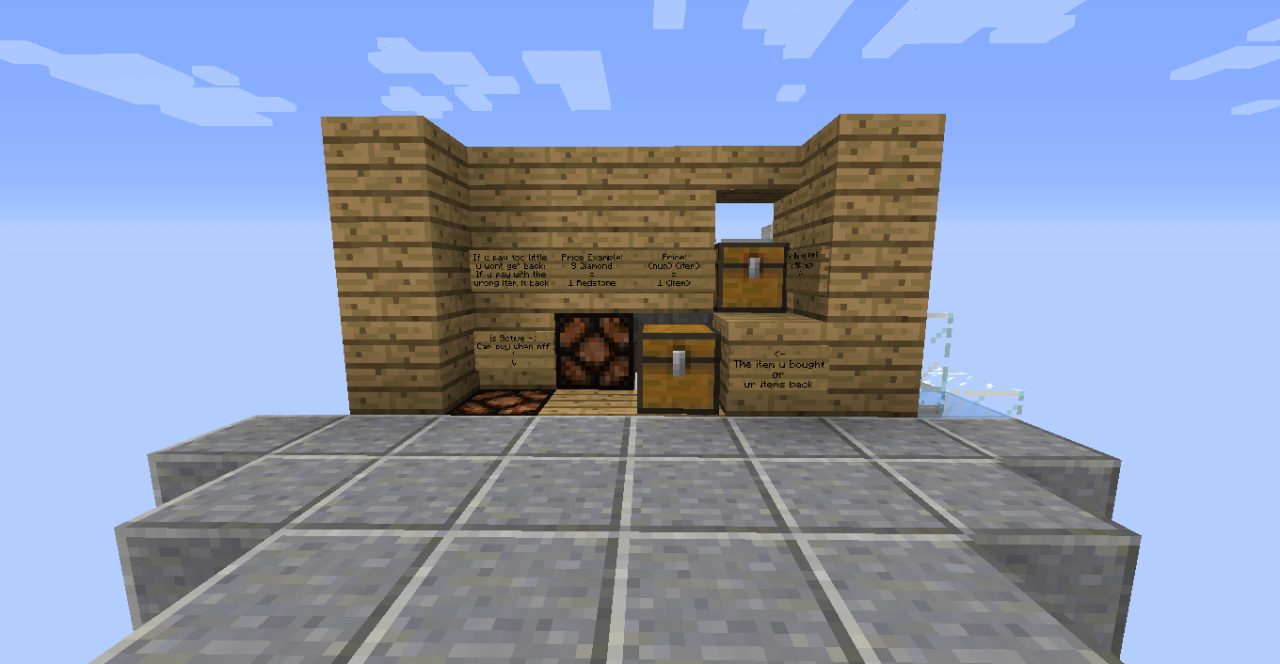
It's a shop designed for a player to sell one type of his items in exchange to a specific amount and type of another item.
In other words, you can sell your items safely and you can choose with which item you want to get payed with and how much of it.
Size:
9x10, height: total of 8 (blocks 3 above ground, 1 ground level & 4 below ground level).
ingredients:
I don't really believe that someone would build it in Survival mode, but if someone will ask me in the comments I'll start counting ^^
Instructions:
For the seller: (Set the machine)
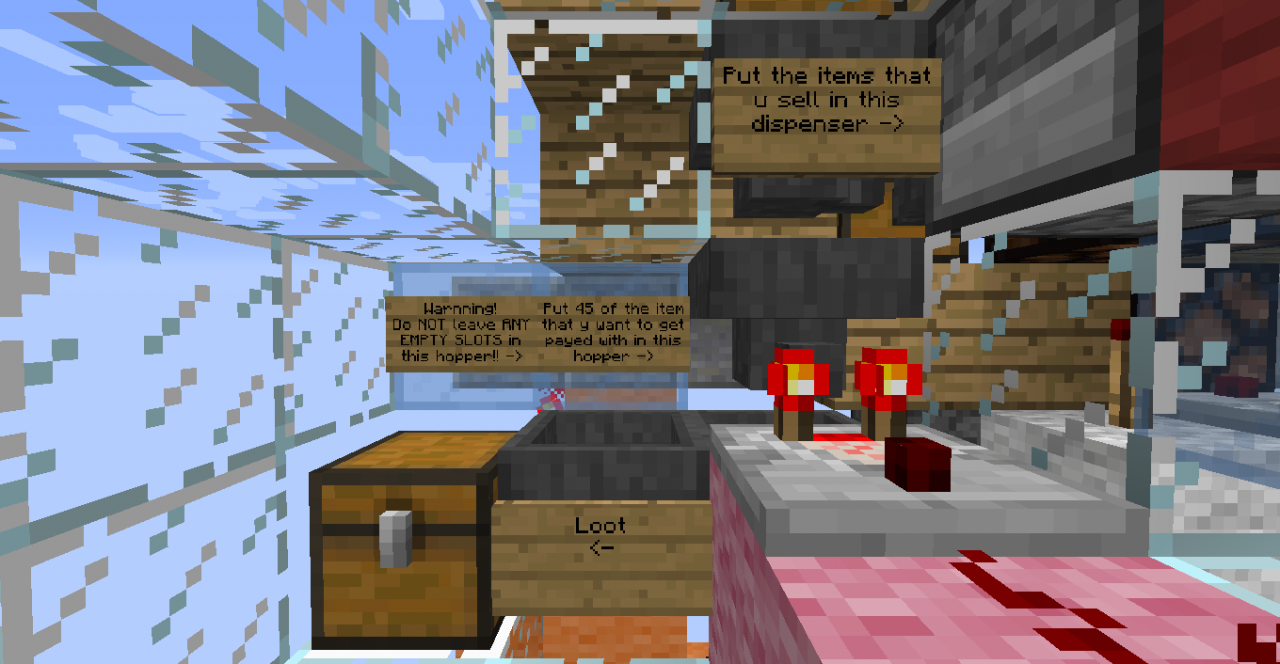
1. Chose an item that you want to sell and fill the dropper that the sign tells you to with it.
2. Chose an item that you want to get payed with. We will call it "x" for now.
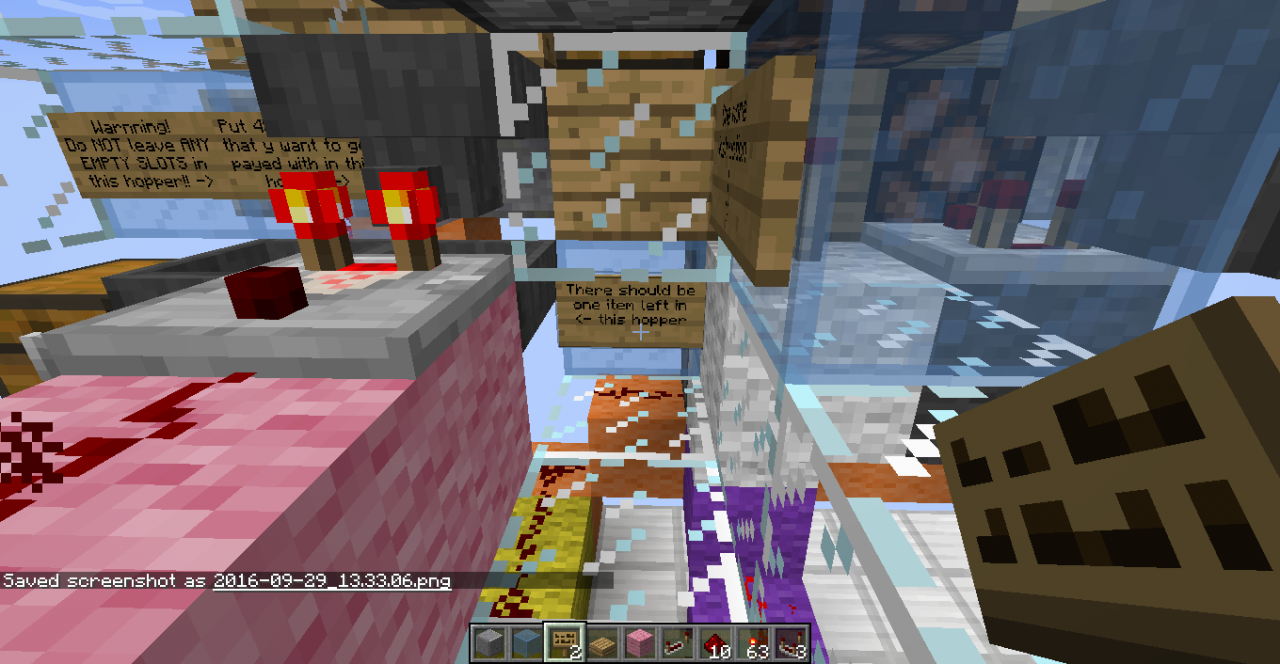
3. Put 46 units of x in the the hopper that the sign tells you. 45 units should always stay in that hopper (I recommend 9 units in each slot) and 1 should go to the hopper below.
4. Put the amount of x that you want to get for each sell in the hopper that the sign says. Put in the right hopper!
5. If you wish to change something (the item that you sell, x, or the amount x that you want per the item that you sell) you can easily change it. Just make sure to change the sign for the buyers.
6. Have Fun =D
For the buyer:
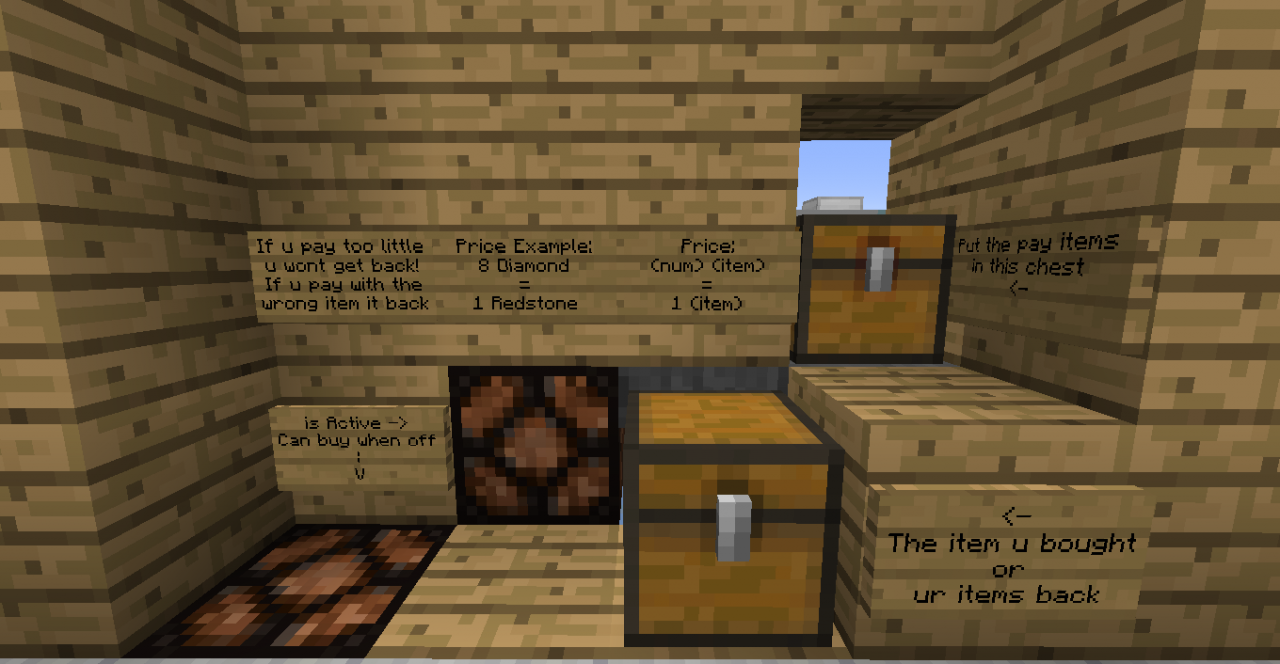
1. Check that the "Can buy when off" lamp is turned OFF!
2. Put the requested item (amount and type) in the more-right chest.
(YOU SHOULD KNOW:
If you put too little of the requested item, nothing will come back.
If you put too much of the requested item, you'll get the item that you bought but you won't get any change.
If you put incorrect item, you'll get it back in the chest (the more-left one). )
3. Get the item that you bought in the more-left chest.
4. Wait until the "Can buy when off" lamp is turned off again to buy again.
5. Have Fun =D
Structure:
* The things that I call "Structure" are the blocks that I put in the machine so I'll be understandable. Every one of them will be explained below
* If you want to see ONLY the machine, you can brake all of the "Structure" blocks
- Polished Andesite: The recommended ground level.
- Oak Wood Planks: The recommended place to put the wall and ground for the shop.
- Glass: The recommended place to put the blocks for the Set-Place, so everything will be comfortable for the seller.
- Light Blue Stained Glass: The places that I HIGHLY recommend to put blocks (most of them are for the signs).
- Sign: The signs explains the things that you need to do in order to operate the machine correctly (Sorry for the poor English, There isn't much space in the signs).
* If you don't understand something, you can comment me and I'll be glad to help ^^
Mechnizam:
In this section I'll explain what the parts in the machine are doing.
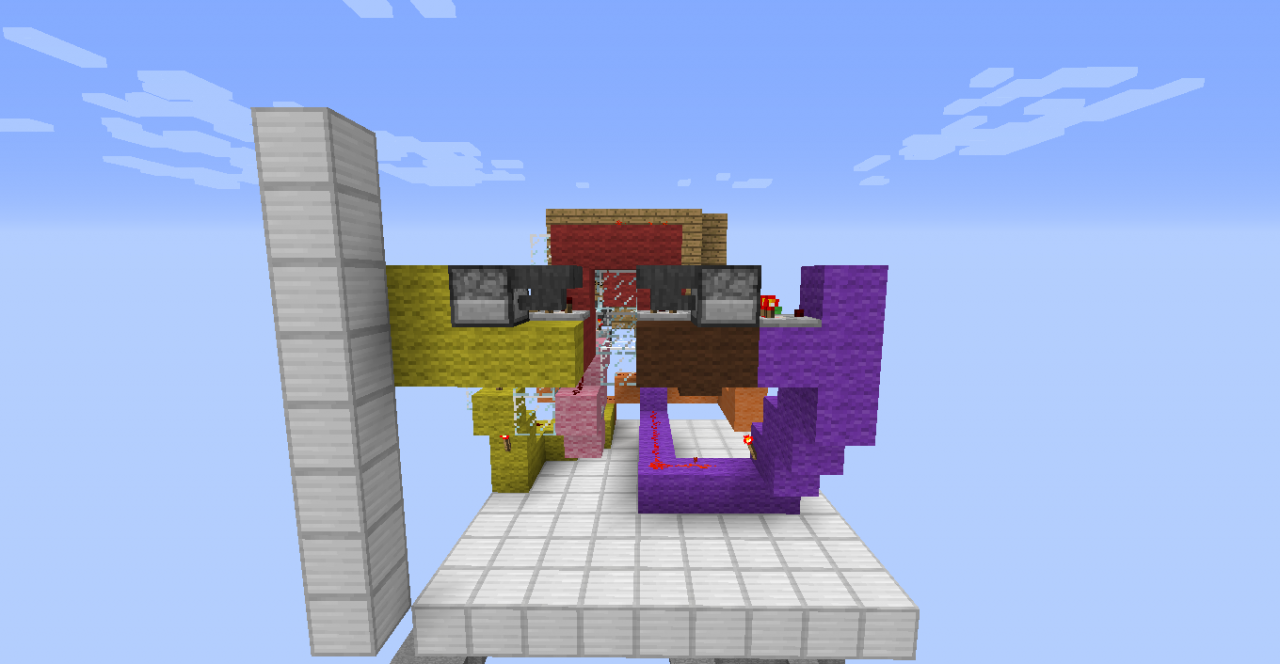
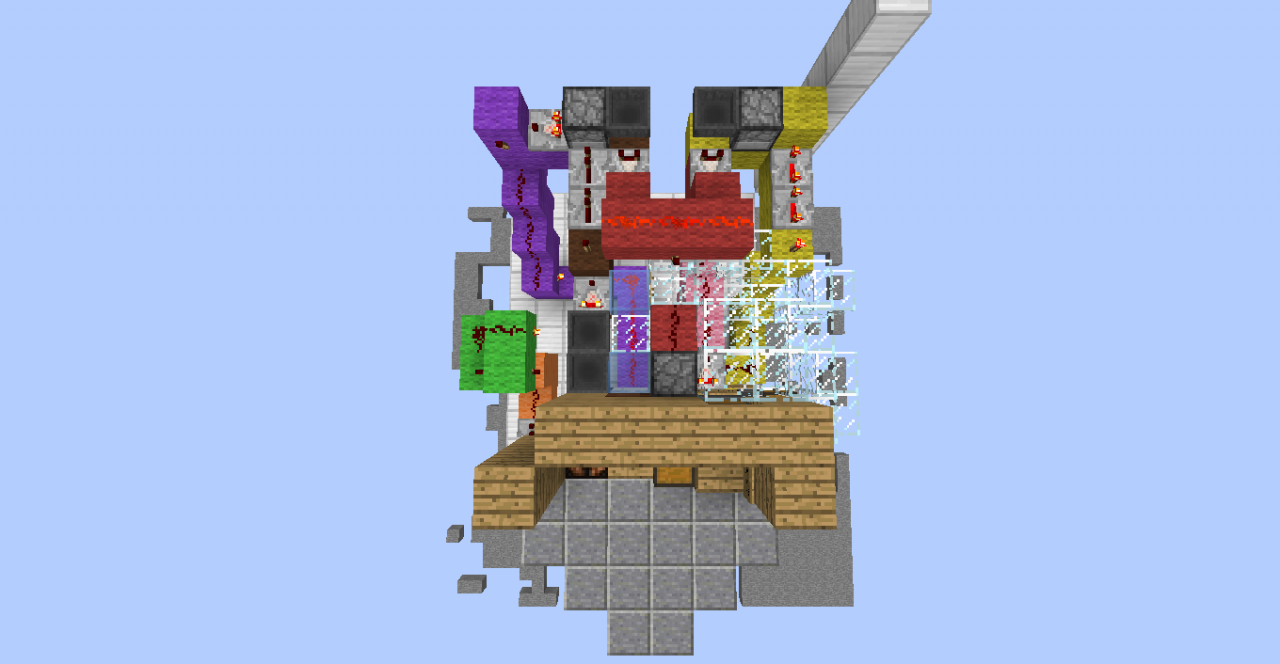
- The Pink Part: The filter. It'll let only for a specific item to pass to the loot chest. Or else, it'll return the item to the chest that gives you your items back (I originally saw the design in a video of Mumbo Jumbo).
- The Orange Part: It activate the machine when the buyer input the requested item (I originally saw the Flip-Flop machanizam (The 3 droppers and a hopper) in a video of Mumbo Jumbo)
- The White Part: Turn on the "is active" lamp. Which tells you if the machine is still calculating the items or not. When the lamp turn off (after it turned on) you should get the requested item (if you putted the correct amount and type of item). The lamp will NOT turn on if the input is a incorrect item.
- The Green Part: The check Timer. It's a timer which gives an redstone signal output when It's finish.
- The Gray Part: Turn on and off the "Can buy the off" lamp. As it's named, you can buy only when that lamp is turned off.
- The Yellow Part: Give a one-tick update signal when all of the input Items has been transferred.
- The Brown Part: Give a one-tick update signal when the check timer got to his destined time.
- The Red Part: Checks if the the check timer has turned off at the exact same time as the time that all of the input items has been transferred.
- The Purple Part: Automatically reset the machine after the check timer has got to his destined time.
* I hope you liked it. If you have any questions, feel free to comment me and write me what you think ^^
It's a shop designed for a player to sell one type of his items in exchange to a specific amount and type of another item.
In other words, you can sell your items safely and you can choose with which item you want to get payed with and how much of it.
Size:
9x10, height: total of 8 (blocks 3 above ground, 1 ground level & 4 below ground level).
ingredients:
I don't really believe that someone would build it in Survival mode, but if someone will ask me in the comments I'll start counting ^^
Instructions:
For the seller: (Set the machine)
1. Chose an item that you want to sell and fill the dropper that the sign tells you to with it.
2. Chose an item that you want to get payed with. We will call it "x" for now.
3. Put 46 units of x in the the hopper that the sign tells you. 45 units should always stay in that hopper (I recommend 9 units in each slot) and 1 should go to the hopper below.
4. Put the amount of x that you want to get for each sell in the hopper that the sign says. Put in the right hopper!
5. If you wish to change something (the item that you sell, x, or the amount x that you want per the item that you sell) you can easily change it. Just make sure to change the sign for the buyers.
6. Have Fun =D
For the buyer:
1. Check that the "Can buy when off" lamp is turned OFF!
2. Put the requested item (amount and type) in the more-right chest.
(YOU SHOULD KNOW:
If you put too little of the requested item, nothing will come back.
If you put too much of the requested item, you'll get the item that you bought but you won't get any change.
If you put incorrect item, you'll get it back in the chest (the more-left one). )
3. Get the item that you bought in the more-left chest.
4. Wait until the "Can buy when off" lamp is turned off again to buy again.
5. Have Fun =D
Structure:
* The things that I call "Structure" are the blocks that I put in the machine so I'll be understandable. Every one of them will be explained below
* If you want to see ONLY the machine, you can brake all of the "Structure" blocks
- Polished Andesite: The recommended ground level.
- Oak Wood Planks: The recommended place to put the wall and ground for the shop.
- Glass: The recommended place to put the blocks for the Set-Place, so everything will be comfortable for the seller.
- Light Blue Stained Glass: The places that I HIGHLY recommend to put blocks (most of them are for the signs).
- Sign: The signs explains the things that you need to do in order to operate the machine correctly (Sorry for the poor English, There isn't much space in the signs).
* If you don't understand something, you can comment me and I'll be glad to help ^^
Mechnizam:
In this section I'll explain what the parts in the machine are doing.
- The Pink Part: The filter. It'll let only for a specific item to pass to the loot chest. Or else, it'll return the item to the chest that gives you your items back (I originally saw the design in a video of Mumbo Jumbo).
- The Orange Part: It activate the machine when the buyer input the requested item (I originally saw the Flip-Flop machanizam (The 3 droppers and a hopper) in a video of Mumbo Jumbo)
- The White Part: Turn on the "is active" lamp. Which tells you if the machine is still calculating the items or not. When the lamp turn off (after it turned on) you should get the requested item (if you putted the correct amount and type of item). The lamp will NOT turn on if the input is a incorrect item.
- The Green Part: The check Timer. It's a timer which gives an redstone signal output when It's finish.
- The Gray Part: Turn on and off the "Can buy the off" lamp. As it's named, you can buy only when that lamp is turned off.
- The Yellow Part: Give a one-tick update signal when all of the input Items has been transferred.
- The Brown Part: Give a one-tick update signal when the check timer got to his destined time.
- The Red Part: Checks if the the check timer has turned off at the exact same time as the time that all of the input items has been transferred.
- The Purple Part: Automatically reset the machine after the check timer has got to his destined time.
* I hope you liked it. If you have any questions, feel free to comment me and write me what you think ^^
More like this

 scary_boy806
 creepershurt1995

 shalev_123
3814359
2













 Arcantos
 Benjimin_MC

 Kathaythum
 Nayko206
Have something to say?