



• 8/5/25 2:03 pm
- 1.2k views • 4 today
- save_alt 271 downloads • 3 today
- Progress
- 100% complete


41
Functions :
- Go up and down 😁
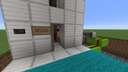
- The doors remain closed until the elevator is present.
- The elevator's departure causes the door to close.
How to use : The elevator uses command blocks that call functions defined in the datapack located, starting from the map root, in :
datapacks/elevator/data/elevator/function
Four function files are present:
- call_from_bottom.mcfunction
- call_from_top.mcfunction
- launch_from_bottom.mcfunction
- launch_from_top.mcfunction
- Each function in this directory spawns a redstone block and immediately makes it disappear to start the elevator. To make the elevator work in another location on the map, you obviously need to modify the coordinates of the redstone blocks defined in the functions accordingly. These redstone blocks can be placed anywhere around the top and bottom note blocks. Only one redstone block is attached to a single note block.
- The two flip-flops (one at the top and one at the bottom) allow you to detect the elevator's presence using an observer. One of the two flip-flops is horizontal because I didn't anticipate that I would need space at the bottom and that the bedrock would block my path. If you have the space, you can easily make this flip-flop vertical, taking inspiration from the one at the top.
- Instead of using T flip-flops to control the door blocking, you can also use the function files to make a redstone block appear or disappear under the doors. But using T flip-flop seems more elegant to me 😊
IMPORTANT : If you use WorldEdit to copy and paste or create a .schem of the elevator, sometimes piston configuration (in/out) are not preserved during the operation. You'll need to reorder them for this to work. But the best thing to do is to reproduce it by hand in the location you want. This also helps you understand how it works.
Do not modify the crying obsidian parts, they are necessary for the slim blocks to slide over them.
- Go up and down 😁
- The doors remain closed until the elevator is present.
- The elevator's departure causes the door to close.
How to use : The elevator uses command blocks that call functions defined in the datapack located, starting from the map root, in :
datapacks/elevator/data/elevator/function
Four function files are present:
- call_from_bottom.mcfunction
- call_from_top.mcfunction
- launch_from_bottom.mcfunction
- launch_from_top.mcfunction
- Each function in this directory spawns a redstone block and immediately makes it disappear to start the elevator. To make the elevator work in another location on the map, you obviously need to modify the coordinates of the redstone blocks defined in the functions accordingly. These redstone blocks can be placed anywhere around the top and bottom note blocks. Only one redstone block is attached to a single note block.
- The two flip-flops (one at the top and one at the bottom) allow you to detect the elevator's presence using an observer. One of the two flip-flops is horizontal because I didn't anticipate that I would need space at the bottom and that the bedrock would block my path. If you have the space, you can easily make this flip-flop vertical, taking inspiration from the one at the top.
- Instead of using T flip-flops to control the door blocking, you can also use the function files to make a redstone block appear or disappear under the doors. But using T flip-flop seems more elegant to me 😊
IMPORTANT : If you use WorldEdit to copy and paste or create a .schem of the elevator, sometimes piston configuration (in/out) are not preserved during the operation. You'll need to reorder them for this to work. But the best thing to do is to reproduce it by hand in the location you want. This also helps you understand how it works.
Do not modify the crying obsidian parts, they are necessary for the slim blocks to slide over them.
More like this
 It's a REAL Minecraft Elevator!Piston Map
 y2bd
11/22/11 1:00
• posted 11/17/11 12:35
70.7k 23.5k 182x 49629
y2bd
11/22/11 1:00
• posted 11/17/11 12:35
70.7k 23.5k 182x 49629


 EmeraldSword
 WARdd
WARdd CobaltXimplosions
 minerman6685744
6694728
2











Have something to say?