


• 10/26/24 6:33 pm
- 287 views • 0 today
- save_alt 19 downloads
- Progress
- 100% complete

10
When you spawn in the world:
Stop the lower CC:Turtle for a while by typing in "q".
You need to refresh the two Wireless Redstone Transmitters on Panabas.
Restart the lower CC:Turtle
get out of the chamber and open up your debugger tablet
run "debugger_panabas" and press "k" to reinitialize Panabas
press "p" to un pause Panabas.
use "w","a","s","d" for linear movement
"q","e" for yaw
"r","f" for pitch
"z","c" for roll
toggle blade mode on with "b" key
press "g" to toggle axe mode
press "w" to point blade
press "s" to block
use "q","e" to twist blade position
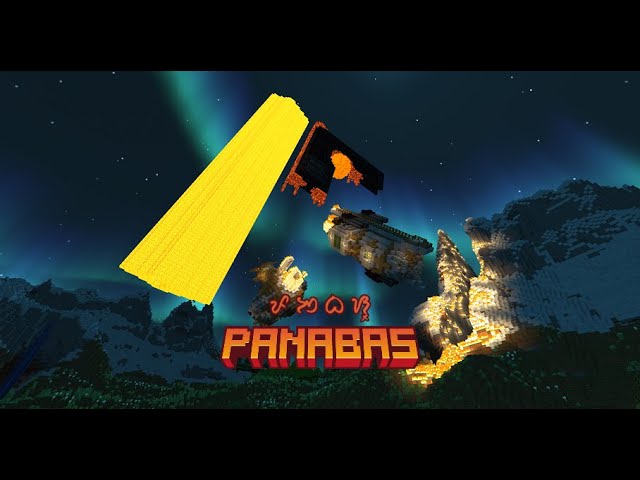
The two Redstone Link Controllers are used to control the two airships in the map. They're positioned a few chunks to the left and back from Panabas.
Props to Khanaris for the free airships:
https://www.planetminecraft.com/member/khanaris/
Left Redstone Link Controller is for the Dreadnaught (the big one):
"w" to follow flight path
"s" to stop
"shift" to stop firing cannons
"space" to fire cannons (make sure to refresh the 3 Wireless Redstone Transmitters bellow deck)
Right Redstone Link Controller is for the Gunboat(the small one):
"w" to follow flight path
"s" to stop
Github Repo:
github.com/19PHOBOSS98/PANABAS
Stop the lower CC:Turtle for a while by typing in "q".
You need to refresh the two Wireless Redstone Transmitters on Panabas.
Restart the lower CC:Turtle
get out of the chamber and open up your debugger tablet
run "debugger_panabas" and press "k" to reinitialize Panabas
press "p" to un pause Panabas.
use "w","a","s","d" for linear movement
"q","e" for yaw
"r","f" for pitch
"z","c" for roll
toggle blade mode on with "b" key
press "g" to toggle axe mode
press "w" to point blade
press "s" to block
use "q","e" to twist blade position
The two Redstone Link Controllers are used to control the two airships in the map. They're positioned a few chunks to the left and back from Panabas.
Props to Khanaris for the free airships:
https://www.planetminecraft.com/member/khanaris/
Left Redstone Link Controller is for the Dreadnaught (the big one):
"w" to follow flight path
"s" to stop
"shift" to stop firing cannons
"space" to fire cannons (make sure to refresh the 3 Wireless Redstone Transmitters bellow deck)
Right Redstone Link Controller is for the Gunboat(the small one):
"w" to follow flight path
"s" to stop
Github Repo:
github.com/19PHOBOSS98/PANABAS
More like this

 xXFlameMasterXx
![[NAME PENDING] Dreadnaught Minecraft Map & Project](https://static.planetminecraft.com/files/resource_media/screenshot/1401/2014-01-05_184019_6939458_thumb.jpg)
 DarkEternity909
 Shark_in_a_box
 gkid118
 The_Hunter2005
6426474
2









 BrasilCraft_Servidor
 loos2906
 MazaVili
 RecordedSkate53

Have something to say?