



• • 2/21/26 5:51 pm • 2 logs
- 459 views • 2 today
- save_alt 120 downloads
- Progress
- 100% complete
Added CreditLunarNya, jul209, CreeperBlaster46, Chustguy


3
! ! ! ! Official Trailer ! ! ! !
Trailer made by Lunar_Nya can be viewed on YouTube here!
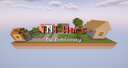
What Is TNT Wars Remastered
TNT Wars Remastered is my restoration of the old TNT Wars maps. The goal is to be the last team standing by building TNT cannons to destroy the other team's island. The map also provides resources to build TNT missiles that soar across the sky and into your enemy's face. If you don't know how to build a TNT cannon or missile, then check out these videos:
TNT Wars Remastered has 24 levels for you to choose from, and [TODO] of those levels have different variants depending on which team you join. The levels were built by myself, jul209, Lunar_Nya, and Creeperblaster46, look at the in-game credits to see who built which levels.
TNT Wars Remastered also allows for the modification of levels as long as you have a basic understanding of how structure block function. Modify a level by going left from the spawn point, after you have made your modifications use the structure block to save the level, it is important that the name inside the structure block is unchanged and Include Entities is set to ON. Additionally, make sure that you modify both the orange, and blue side as they are stored apart from each other.
How To Install TNT Wars Remastered
Installing TNT Wars Remastered if you're using the Minecraft launcher:
- Unzip the map file you downloaded from Planet Minecraft.
- Find the saves folder, this can be found by pressing WIN+R and typing %AppData%, then navigate to /.minecraft/saves/.
- Move TNT Wars Remastered from your downloads folder, into the saves folder.
- Open Minecraft, navigate and the world should appear in the saves menu.
Installing TNT Wars remastered if you're using Prism Launcher:
- Unzip the map file you downloaded from Planet Minecraft.
- Right-click on the instance that you want to install the world on and navigate to the Worlds tab.
- Click Add in the top-right and find the world TNT Wars Remastered.
- Open up Minecraft and have fun!
More Info
TNT Wars Remastered does not use any data packs, everything is handled with command blocks. Make sure the gamerule command_blocks_work is set to true.
There is no AI in TNT Wars Remastered or any of my other projects. All commands are written by hand with the exception of the reset and leve loading command stacks. These were generated by a script that I wrote in GDScript. All of the organizational and script files can be found in the /res/ folder of the TNT Wars Remastered world download.
Map Credits
See the in-game credits to see who created what levels.
Level Builders:
Play Testing:
Inspiration:
2 Update Logs
Version 1.0.1 - 1.21.11 Compatability : by Bobiloosky875 02/21/2026 5:51:24 pmFebruary 21 @ 10:51 pm UTC
New Maps:
- Updated the Beach map.
New Options / Settings
- None
New Features:
- New Billothy is hidden somewhere...
Major Changes:
- None
Minor Changes:
- Updated commands using the `gamerule` command to use the new `gamerule` names.
Debug / Developer Tools:
- None
- Updated the Beach map.
New Options / Settings
- None
New Features:
- New Billothy is hidden somewhere...
Major Changes:
- None
Minor Changes:
- Updated commands using the `gamerule` command to use the new `gamerule` names.
Debug / Developer Tools:
- None
LOAD MORE LOGS
More like this

 TNT Wars (Bedrock & Java)Other Map
 Kilomegaminx
1/23/25 3:23
• posted 12/11/21 12:03
14.1k 2.8k 6x 201516
Kilomegaminx
1/23/25 3:23
• posted 12/11/21 12:03
14.1k 2.8k 6x 201516


 KongZa4G
 juniormunk
6765925
2
 Bobiloosky_






 aSimpleBaboon
 Chertolet


 CMDW
CMDW![Grand Regent Thragg [1.5:1] (DOWNLOAD) Minecraft Map & Project](https://static.planetminecraft.com/files/image/minecraft/project/2026/461/20161345-image_s.jpg)
 DeLoreaN_DarK
 JustPinkCake

 Silveran666
Have something to say?