



• 2/28/22 1:22 pm
- 1.7k views • 0 today
- save_alt 124 downloads
- Progress
- 90% complete


42
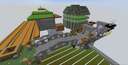
I built a working version of the Tron Lightcycle roller coaster from Hong Kong Disney Land.
Please let me know what you think. I tried very hard to make it accurate to the track layout.
Please let me know what you think. I tried very hard to make it accurate to the track layout.
More like this

 killerman66
 ISHRATasSpartan117


5501278
2


 Opla Manerda DEV Team







 Vys A song of Mine and craft



Have something to say?
If you put repeating command blocks that needs to be powered under activation rails you drive trough, you can give it the following command and your minecart will go in every speed you want:
execute positioned ~ ~1 ~ run data merge entity @e[type=minecart, distance=..1,sort=nearest,limit=1] {Motion:[0.0,0.0,0.0]}
Change motion [0.0,0.0,0.0] like [x,y,z] or [-x,-y,-z] to change direction (y is not possible in this case because rails don't go up)
however, slowing down the car when driving uphill is also a good way to feel the fast stretches more extreme. you just have to try and change it until it looks really good! : )
Hope this helps a little!
regards roisHh
It seems to work normally when the Z is set to 1, but if I try to go higher than 10 the cart doesn't move at all. I know this is the number i need to mess with because if i set it to -1 the cart immediately starts going backwards. But I still can't get the cart to go beyond it's normal top speed.
Let me know, when you need someone to test it out : )