


• 8/23/14 9:33 pm
- 1.2k views • 0 today
- Progress
- 100% complete
- 3
- 1

2
Ever wanted to make a shopping system but that pesky redstone comparator doesn't turn off when you want it to? I have found a solution! The problem is that when a command block's "testfor" is activated, it doesn't turn off until the testfor is turned from true to false. This keeps you from buying multiple items from a would-be successful shop. This is a fairly compact system and its possibilities are endless!
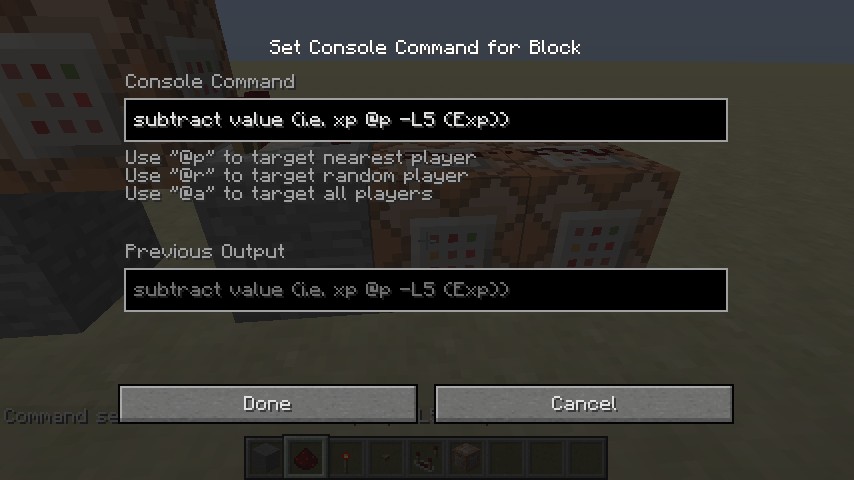
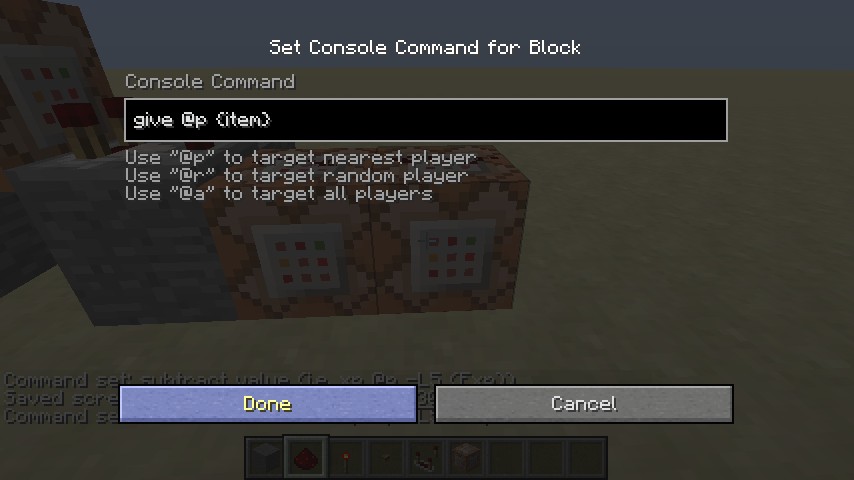
The redstone device works like this: The testfor command keeps players from getting as many items as they want. A good command to put here is: /testfor @p[score_NAME_min=#]. If someone has a high enough score the testfor is set to true and the comparator sends out a redstone pulse. The next two command blocks give the player an item and remove the set amount from their score or EXP level. Simple enough. But here's where the common problem is: The only way the testfor will stop sending a redstone signal is to tell it something false (i.e. someones score is under the set minum score). So by adding a redstone torch connected to the comparator, all redstone charges are canceled out. When you push the button the torch is turned off and if the testfor command reads something true the redstone pulse is send and resent as many times as the button is pushed. If the testfor command reads something false the redstone pulse is turned off and the next two command blocks are not activated.
The redstone device works like this: The testfor command keeps players from getting as many items as they want. A good command to put here is: /testfor @p[score_NAME_min=#]. If someone has a high enough score the testfor is set to true and the comparator sends out a redstone pulse. The next two command blocks give the player an item and remove the set amount from their score or EXP level. Simple enough. But here's where the common problem is: The only way the testfor will stop sending a redstone signal is to tell it something false (i.e. someones score is under the set minum score). So by adding a redstone torch connected to the comparator, all redstone charges are canceled out. When you push the button the torch is turned off and if the testfor command reads something true the redstone pulse is send and resent as many times as the button is pushed. If the testfor command reads something false the redstone pulse is turned off and the next two command blocks are not activated.
More like this
 Pistonless ComparatorRedstone Device Map
 fibonatic
10/24/12 8:29
• posted 6/13/12 9:22
1.9k 53 5x 58
fibonatic
10/24/12 8:29
• posted 6/13/12 9:22
1.9k 53 5x 58![Fast and Compact Comparator [RDF] Minecraft Map & Project](https://static.planetminecraft.com/files/resource_media/screenshot/1210/2012-03-07_063055_1638306_thumb.jpg)


 EngineersBox
3048558
2


 Adamic39

 ThatYoutubeHater

 Qovion
 Spirre the Assasian


 SciSyf

Have something to say?