


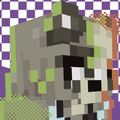


![Mr. "ant" tenna [deltarune]](https://static.planetminecraft.com/files/resource_media/preview/alex-slim-arms-planetminecraft-com-20190796-minecraft-skin.jpg)







1 - 25 of 2,242,130


- ADVERTISEMENT
![Dr. Clarify [Base Model] Minecraft Skin](https://static.planetminecraft.com/files/resource_media/preview/alex-slim-arms-planetminecraft-com-20192462-minecraft-skin.jpg)


![N.E.R.O. Employee [Days Gone] v2 Minecraft Skin](https://static.planetminecraft.com/files/resource_media/preview/n-e-r-o-v2-20192762-e2740-minecraft-skin.jpg)


-
Suggested Members for Skins






- ADVERTISEMENT


-
Community Content Jam!
Halloween Stab-A-Thon
Live Unranked Jam for Blogs, Data Packs, Maps, Mob Skins, Mods, Skins and Texture Packs
All things horror permitted entry - tickets at the gate!ENTRIES OPEN FOR 30 days Browse all content jams52Joined8Entries1.9kViews 


-

 Glitch3959_
 FolkIsntAtlas
 clarifyeati
 ToxicMenace
 Star_1mp
 UwuIsOnFire
 LukaCaTJJ
 Juillyoom
 SamaragdiaFox
 snackss
 scottin
Minecraft Player Skins
Skins change how your character looks in the game of Minecraft. Everyone starts with the classic Steve and Alex skins but players customize their avatar by downloading or creating custom skins. It's like character creation except while you're limited by the simplistic blocky model, you have unlimited possibilities because every pixel matters. Technically, a Minecraft skin is just a small .png image file that wraps around your player model changing its appearance in the game. You don't have to settle with one persona when you can choose from over a million custom skins uploaded by the community to Planet Minecraft!
Downloading Minecraft Skins
The easiest way to customize your Minecraft skin is downloading them. You can download skins for different occasions, characters and purposes. When you find the right skin on Planet Minecraft, you'll see options for changing your skin or downloading the image file to import in your game. If you're using Java Edition, you can simply change your skin and it will automatically upload it to your minecraft.net account. If you're using Windows 10 Bedrock Edition, download the skin file, open Minecraft and import the file from your skin settings. Consider leaving some kind feedback on the skin creators content!
Creating Minecraft Skins
If you can't find the perfect Minecraft skin for you, consider creating your own with our Minecraft Skin Editor! Who knows, maybe you'll have so much fun, you'll upload skins for others to download! Whether you're a novice or advanced Minecraft skinner, you can find inspiration for your next skin by browsing trending Minecraft skins. New personas, characters, objects and artistic interpretations are uploaded every day! You can learn new skin design techniques by studying the details of your favorite Minecraft skins or following tutorials on Minecraft Skinning.
Reasons to use custom Minecraft Skins
- Personalization: Custom skins allow players to personalize their in-game character and make it stand out from other players.
- Creativity: Creating custom skins allows players to express their creativity and design their own unique character.
- Representation: Players may use custom skins to represent themselves or their identity in the game.
- Role-playing: Custom skins can be used for role-playing purposes, such as creating a specific character for a server or game mode.
- Community: Many Minecraft communities have custom skins as a way to identify and differentiate members of the community.
