


• • 9/27/16 2:27 am • 1 logs
- 12.3k views • 0 today
- save_alt 1.8k downloads
- Game Version
- Minecraft 1.10
- Resolution
- 16x
- Progress
- 80% complete
- Changes include
- GUI
- Terrain

88
![[9x] NineCubed Minecraft Texture Pack](https://imgur.com/CcyyHdQ.png)
NineCubed by JustusFT
1.10 update
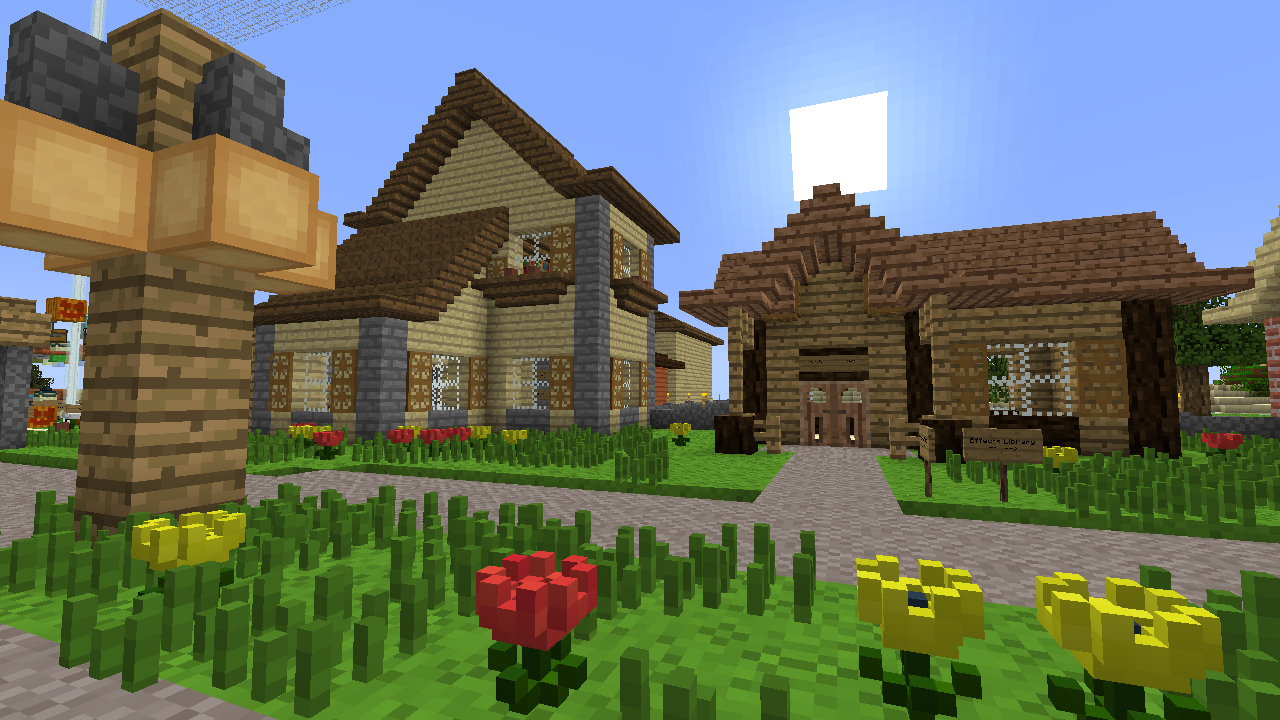
A 9x9x9 resource pack. (Yes, it's possible)
Inspired by PrimeCraft.
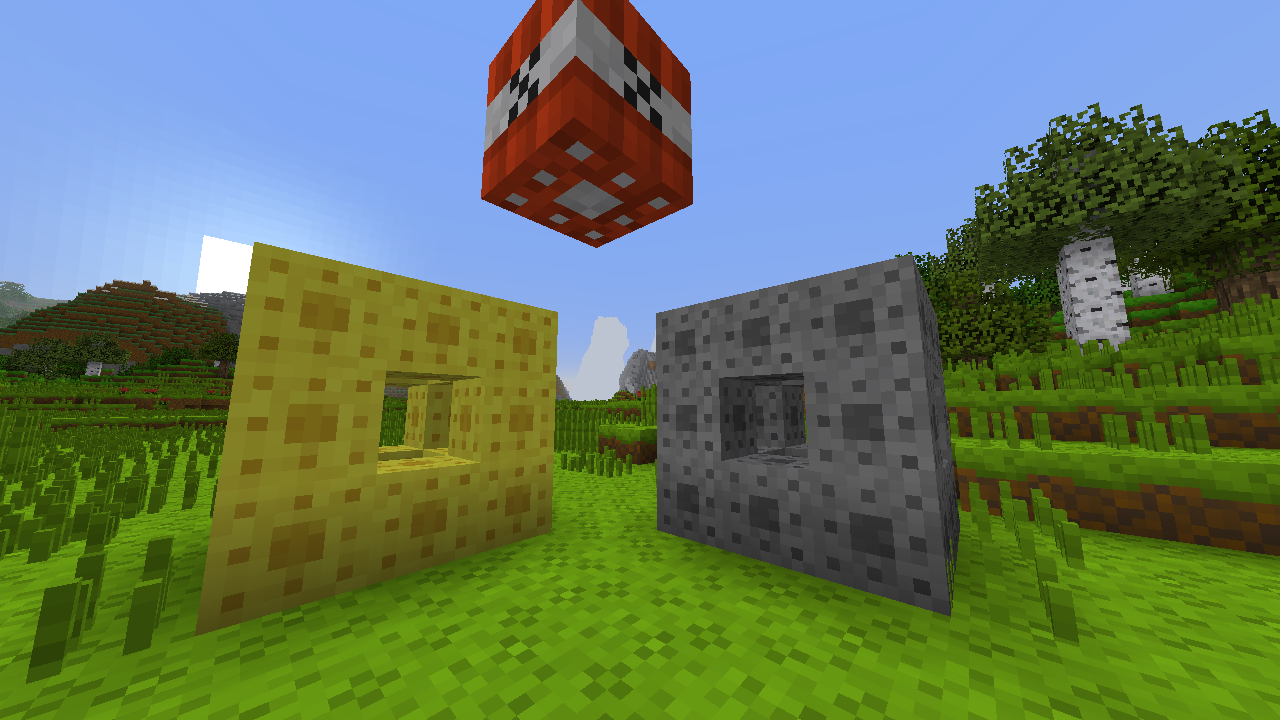
This pack features 9^3-sized 3D block models. (hence NineCubed)
I decided to use 9x9 because it's near 8x8, I could have a central pixel, and it's divisible by 3. And so I can reference the sierpinski carpet/menger sponge on some textures :P
Since it's low-res I tried to make the game look more "blocky" through the use of 3D models.
Because of the odd resolution you may experience rendering issues or blurriness. Disabling mipmaps should fix this.
I will work on finishing all the plant models and items, as some plants are just resized default (Fern, double flower, sapling specifically).
Tools used:
Textures: GIMP
3D models (from first release): opl's model creator
Raw model editing/Newer models: Notepad++
1 Update Logs
Update #1 : by JustusFT 09/27/2016 2:27:06 amSeptember 27, 2016 @ 6:27 am UTC
Updated to 1.10
- dumb ~year-ago me thought all-out shader screenies was the way to go. Fixed; no more shaders
- converted messed-up models
- new models
- redesigned lots of textures
- new logo (sponge > flower)
- anything else I changed that I can't remember, this was an overhaul...so yeah
- dumb ~year-ago me thought all-out shader screenies was the way to go. Fixed; no more shaders
- converted messed-up models
- new models
- redesigned lots of textures
- new logo (sponge > flower)
- anything else I changed that I can't remember, this was an overhaul...so yeah
More like this
![47k's [8x] pack Minecraft Texture Pack](https://static.planetminecraft.com/files/resource_media/screenshot/1201/title_003_1135525_thumb.jpg) 47k's [8x] pack16x Minecraft 1.0 Experimental Texture Pack
47k's [8x] pack16x Minecraft 1.0 Experimental Texture Pack 47k
1/2/12 1:01
• posted 12/30/11 8:01
4.6k 1.1k 4x 656
47k
1/2/12 1:01
• posted 12/30/11 8:01
4.6k 1.1k 4x 656![cube craft [discontinue] Minecraft Texture Pack](https://static.planetminecraft.com/files/resource_media/screenshot/1337/2013-09-09_151846_6356396_thumb.jpg) cube craft [discontinue]16x Minecraft 1.6.2 Experimental Texture Pack
cube craft [discontinue]16x Minecraft 1.6.2 Experimental Texture Pack skizuke
•9/9/13 4:30
2.6k 483 5x 551
skizuke
•9/9/13 4:30
2.6k 483 5x 551![SharpCube[16x] Minecraft Texture Pack](https://static.planetminecraft.com/files/resource_media/screenshot/1142/2011-10-23_195259_692518_thumb.jpg) SharpCube[16x]16x Minecraft 1.8 beta Experimental Texture Pack
SharpCube[16x]16x Minecraft 1.8 beta Experimental Texture Pack Boxx
11/25/11 1:48
• posted 10/23/11 10:55
2.1k 379 10x 965
Boxx
11/25/11 1:48
• posted 10/23/11 10:55
2.1k 379 10x 965![FiatluX [32x] Minecraft Texture Pack](https://static.planetminecraft.com/files/resource_media/screenshot/1141/2011-10-15_000144_634737_thumb.jpg) FiatluX [32x]32x Minecraft 1.9 beta Experimental Texture PackMine4eva
•10/15/11 10:58
2.2k 288 3x 12
FiatluX [32x]32x Minecraft 1.9 beta Experimental Texture PackMine4eva
•10/15/11 10:58
2.2k 288 3x 12 guitars bright colorful texture pack16x Minecraft 1.2.4 Experimental Texture Packguitarmanjt1990
•3/30/12 4:49
1.7k 74 1x 11
guitars bright colorful texture pack16x Minecraft 1.2.4 Experimental Texture Packguitarmanjt1990
•3/30/12 4:49
1.7k 74 1x 11
3571432
4
![[9x] NineCubed Minecraft Texture Pack](https://static.planetminecraft.com/files/resource_media/screenshot/1639/2016-09-27_10483510552271_thumb.jpg)
![[1.8-1.9] [512x] Chubik - a minimalistic survival challenge Minecraft Texture Pack](https://static.planetminecraft.com/files/resource_media/screenshot/1539/2015-09-27_160428copy9432237_thumb.jpg)





 Noctuspotkus


 zanderest

 RalTu
RalTu

 crackmine_kingstor_drossy_cake
Have something to say?
just one thing, when you use it the item pictures in your invintory on some of the blocks are blurry
But if that's not the case, mind showing me a screenshot of the blur? Thanks