


• 6/30/24 8:57 pm
- 1.5k views • 2 today
- save_alt 157 downloads
- Game Version
- Minecraft 1.21
- Resolution
- 16x
- Progress
- 100% complete
- Changes include


95
It's a simple resource pack that allows you to place big and functioning roman numeral analog clock for building any respectable clock towers, churches, townhalls, train stations, castles and palaces.
resource pack, map and bbmodels models are included in compressed file: MAKE SURE to place them in the right files.
Optifine is not required, however I have placed new texture for end stone bricks that needs ctm, so if you don't mind having vanilla end stone bricks for the showcased clock tower in the map, then just pluck optifine file out of the resource pack. It should work just fine.
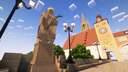
I based this clock after old town houses and church tower clocks, but specifically, after St. Paul's Church in Strasbourg - I am working on cit pack to recreate this church, and this is part of that project.
To get the big clock out, just place the clock onto the item frame. Because it's on item frame, when you go really far away from clock, it will disappear from your sight.
Clock is 6 x 6 blocks big.
If you don't like the colour, and wish to change the colors/ design of the clock, then JUST CHANGE THE TEXTURES of the clock: click resource pack > textures > item > you'll get the textures named: clock, clock1, needle - needle8. Just draw over these png. images.
If you don't like the size, whether its too big or small, use BDEngine to get command to change size.
resource pack, map and bbmodels models are included in compressed file: MAKE SURE to place them in the right files.
Optifine is not required, however I have placed new texture for end stone bricks that needs ctm, so if you don't mind having vanilla end stone bricks for the showcased clock tower in the map, then just pluck optifine file out of the resource pack. It should work just fine.
I based this clock after old town houses and church tower clocks, but specifically, after St. Paul's Church in Strasbourg - I am working on cit pack to recreate this church, and this is part of that project.
To get the big clock out, just place the clock onto the item frame. Because it's on item frame, when you go really far away from clock, it will disappear from your sight.
Clock is 6 x 6 blocks big.
If you don't like the colour, and wish to change the colors/ design of the clock, then JUST CHANGE THE TEXTURES of the clock: click resource pack > textures > item > you'll get the textures named: clock, clock1, needle - needle8. Just draw over these png. images.
If you don't like the size, whether its too big or small, use BDEngine to get command to change size.
6324916
4





 cadbane86140




 Snipperfoot100
 lisiamamusia
 BlissZeCat
 Yoler_Toons
 -David_the_Fox-
Have something to say?
You will get code that looks like this for example:
/summon block_display ~-0.5 ~-0.5 ~-0.5 {Passengers:[{id:"minecraft:item_display",item:{id:"minecraft:clock",Count:1},item_display:"none",transformation:[2f,0f,0f,0f,0f,2f,0f,0f,0f,0f,2f,0f,0f,0f,0f,1f]}]}
this command display clock 2 times larger than it's original size, so size of the clock will be 6x6 (since size of my clock is 3x3).
when you use BDEngine to get code, you get no size restriction.