


• 8/14/20 9:40 pm
- 2.4k views • 1 today
- save_alt 0 downloads
- Game Version
- Minecraft 1.16
- Resolution
- 16x
- Progress
- 100% complete
- Changes include

25
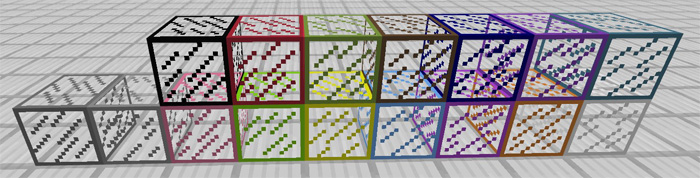
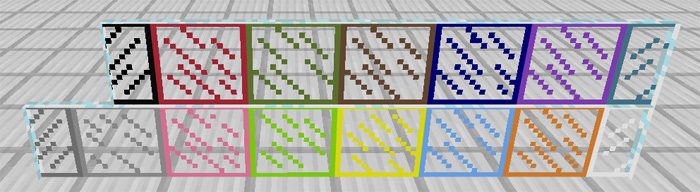
Wouldn’t it be awesome if you were able to paint blocks in Minecraft?
This resource pack doesn’t exactly let you paint blocks but it does
allow you to spawn blocks in a wide variation of colors. It works for 6
different types of blocks such as wood planks and fence posts.
Use this resource pack if you want to add some colors to your next creations!
And by the way, it doesn’t replace any of the default blocks!
How does it work?
Type the following text command to spawn any of the following blocks found in the list further down: /setblock ~ ~ ~ <type> <id>
- Dirt (ID: 1 – 13)
- Stone (ID: 8 – 15)
- Planks (ID: 7 – 14)
- Fence (ID: 6 – 14)
- Stained Glass (ID: 0 – 15)
- Stained Glass Panels (ID: 0 – 15)
Let’s say you wanted to spawn a green Oak Wood Planks block then you would need to type the following command: /setblock ~ ~ ~ planks 6
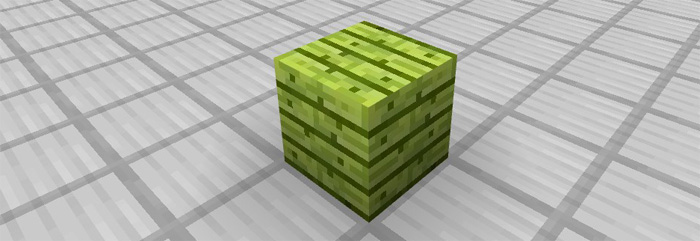
Even though it’s only possible to use the blocks by using the setblock command it’s still pretty cool as you can use it to add some colors to your creations.
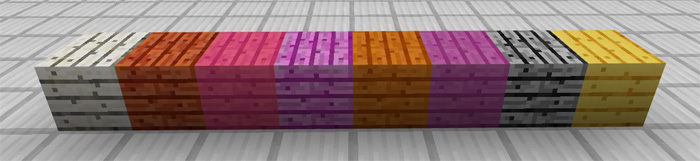
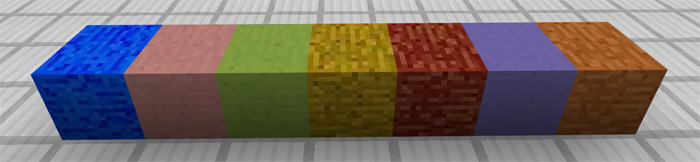
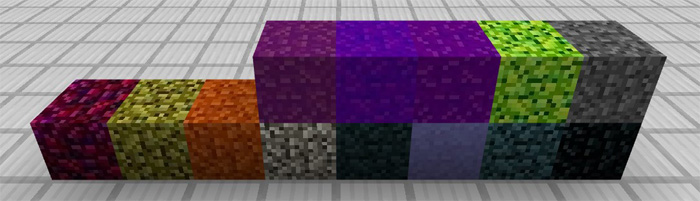

Installation
- Open Minecraft PE
- Go to Settings > Global resources > Activate resource pack
More like this
 Moving Blocks Resource Pack16x Minecraft 1.15 Experimental Texture Pack
 leckaschmecka
•7/28/20 1:33
20.7k 3.9k 1x 12524
leckaschmecka
•7/28/20 1:33
20.7k 3.9k 1x 12524 Perfect Concrete Color Resource Pack16x Minecraft 1.18 Experimental Texture Pack
 Infinite0range
•12/21/21 10:34
4.7k 852 1x 521
Infinite0range
•12/21/21 10:34
4.7k 852 1x 521 Vineyard Pack (CIT Resource Pack)16x Minecraft 1.20 Experimental Texture Pack
 Creativeture
•8/11/23 1:53
3.1k 202x 31818
Creativeture
•8/11/23 1:53
3.1k 202x 31818
 My first Resource Pack16x Minecraft 1.6.2 Experimental Texture Pack
 Lol_the_creeper
•8/15/13 8:32
1.3k 53 7x 12
Lol_the_creeper
•8/15/13 8:32
1.3k 53 7x 12
 Creeper830
4721366
4




 SaphirasJewel


Have something to say?