


• 12/28/22 5:09 pm
- 5.5k views • 0 today
- save_alt 734 downloads
- Game Version
- Minecraft 1.19.3
- Resolution
- 16x
- Progress
- 100% complete
- Changes include
- Misc


1
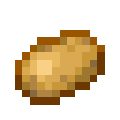
A pre-made Template resource pack so you can create your own paintings with 2 examples
In the painting folder at the end i have included the original minecraft paintings. As a name reference and sorted them into size folders.
when you make your own photos just put them into the "painting" folder and not a 1x1 or other folder
I made a map with every painting you might want to use to make sure you've got everything right
https://www.planetminecraft.com/project/paintings-5808975/
How to use (windows)
- Extract folder
- Move to minecraft "resourcepacks" folder ; windows key+R "%appdata%/.minecraft"
- Navigate to ; C:\Users\(user name here)\AppData\Roaming\.minecraft\resourcepacks\Paintings Template\assets\minecraft\textures\painting
- Add photos you want as paintings
- Rename them to the painting of choice and change File extension to .png e.g "plant.png"
- Launch Minecraft; Pause game "Options..."- "Resource Packs" move pack from "Available" to "Selected" click done (map will reload)
And your done
The Element Paintings (Earth, Fire, Water, Wind) can only be spawned via command unless you have data pack like this one made by Rob333
https://www.planetminecraft.com/data-pack/place-element-paintings/
Note the size of the image doesn't seem to matter only the aspect ratio
e.g
2000x2000 for a 1x1, 2x2 or 4x4 blocks
3000x1500 for a 1x2 or 4x2 blocks
1500x3000 for a 2x1 blocks
3200x2400 for a 4x3 blocks
use a size close to the original size of YOUR image
In the painting folder at the end i have included the original minecraft paintings. As a name reference and sorted them into size folders.
when you make your own photos just put them into the "painting" folder and not a 1x1 or other folder
I made a map with every painting you might want to use to make sure you've got everything right
https://www.planetminecraft.com/project/paintings-5808975/
How to use (windows)
- Extract folder
- Move to minecraft "resourcepacks" folder ; windows key+R "%appdata%/.minecraft"
- Navigate to ; C:\Users\(user name here)\AppData\Roaming\.minecraft\resourcepacks\Paintings Template\assets\minecraft\textures\painting
- Add photos you want as paintings
- Rename them to the painting of choice and change File extension to .png e.g "plant.png"
- Launch Minecraft; Pause game "Options..."- "Resource Packs" move pack from "Available" to "Selected" click done (map will reload)
And your done
The Element Paintings (Earth, Fire, Water, Wind) can only be spawned via command unless you have data pack like this one made by Rob333
https://www.planetminecraft.com/data-pack/place-element-paintings/
Note the size of the image doesn't seem to matter only the aspect ratio
e.g
2000x2000 for a 1x1, 2x2 or 4x4 blocks
3000x1500 for a 1x2 or 4x2 blocks
1500x3000 for a 2x1 blocks
3200x2400 for a 4x3 blocks
use a size close to the original size of YOUR image
More like this
 Painting Detail16x Minecraft 1.21 Other Texture Pack
 NightEpiphany
9/12/24 12:46
• posted 3/19/23 1:29
5.8k 701 6x 109176
NightEpiphany
9/12/24 12:46
• posted 3/19/23 1:29
5.8k 701 6x 109176
 Mountain Paintings Texture Pack16x Minecraft 1.20 Other Texture Pack
 JerryJace
•8/13/23 4:12
3.1k 374 2x 51511
JerryJace
•8/13/23 4:12
3.1k 374 2x 51511 Custom Paintings16x Minecraft 1.20 Other Texture Pack
 MartinMars
•10/1/23 3:31
2.5k 306 2x 71417
MartinMars
•10/1/23 3:31
2.5k 306 2x 71417
 GamerJon2021
 Hornost
5809029
4





 ArizzYT





 hoppy__
 IvanTheInsane
 THE POTATO CULT
 ADRI GAMER
Have something to say?