


• • 5/5/24 3:08 pm • 2 logs
- 14k views • 2 today
- save_alt 3.5k downloads • 1 today
- Game Version
- Minecraft 1.20.6
- Resolution
- 16x
- Progress
- 100% complete
- Changes include
- Armor
- Models
Added CreditDartCat25


9
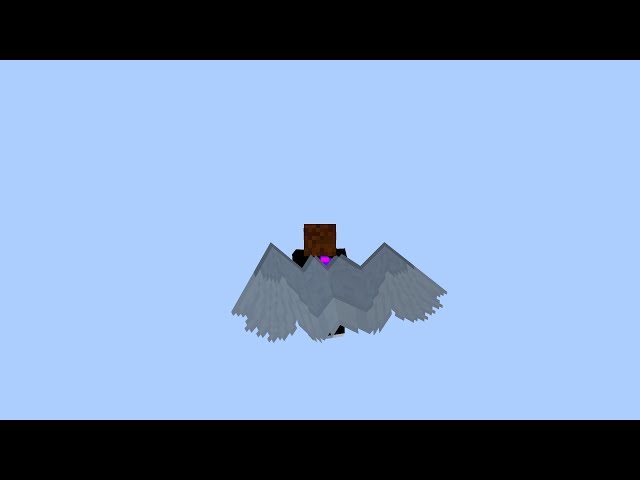
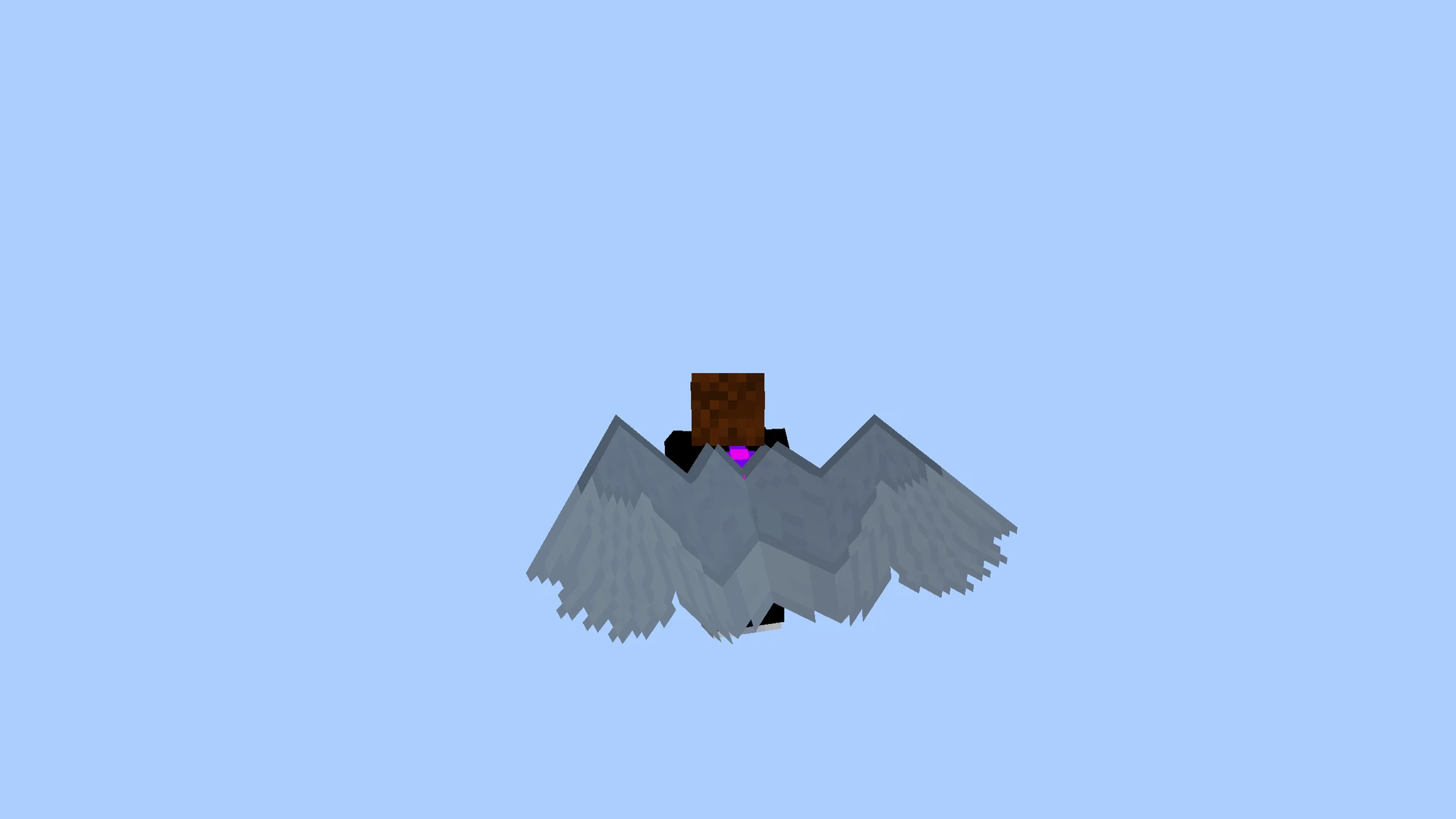
- Changes elytra to feathered wings with a folding animation using vanilla shaders.
- Also adds a flying animation. See below if you want to disable it.
- Does not modify the elytra item.
- Works well in Vanilla Java and with OptiFine, doesn't work well with Sodium.
- Should work for some older versions too, I didn't test.
- Doesn't work with capes. (when not disabled, cape elytras render as normal)
- Works in multiplayer.
- Doesn't render in the player-model in the inventory.
- Swimming with this looks a little goofy. Any fixes welcome!
- This is a modified version from the Big Phantom Elytra by DartCat25, which is licensed under MIT.
- Free to use for any purposes.
If you want to disable the flying animation, open ./assets/minecraft/shaders/core/rendertype_armor_cutout_no_cull.fsh in any text editor (notepad.exe is fine) and remove lines 116-118:
mat3 rotate = Rotate3(flightAnimController, X);
dirTBN = rotate * dirTBN;
center = rotate * (center - vec3(2.5, 5, -1) * modelSize) + vec3(2.75, 5.25, -1.2) * modelSize;2 Update Logs
Update #2 - 1.20.5 support : by Ascyt 05/05/2024 3:08:32 pmMay 5, 2024 @ 7:08 pm UTC
- Added 1.20.5 support.
- Updated pack.png icon.
- Minor texture updates.
- Additional improvements.
LOAD MORE LOGS
More like this
 Red Cardinal Wings Elytra32x Minecraft 1.16.5 Other Texture Pack
 Buul0chka
•5/20/22 10:38
12k 1.9kx 64955
Buul0chka
•5/20/22 10:38
12k 1.9kx 64955 Jay Wings Elytra32x Minecraft 1.16.5 Other Texture PackBuul0chka
•4/20/22 12:08
11.6k 1.3k 8x 699113
Jay Wings Elytra32x Minecraft 1.16.5 Other Texture PackBuul0chka
•4/20/22 12:08
11.6k 1.3k 8x 699113 Animated demon wings (elytra)16x Minecraft 1.21.5 Other Texture Pack
 Legeukko
•8/26/23 5:37
9.2k 2k 4x 51111
Legeukko
•8/26/23 5:37
9.2k 2k 4x 51111 Midnight Elytra64x Minecraft 1.19.2 Other Texture Pack
 TheSpearFamily
•5/18/24 10:34
6.5k 2.1k 1x 365
TheSpearFamily
•5/18/24 10:34
6.5k 2.1k 1x 365
 SCPKrisC
6200991
4



 Nayak Creations



![Ploofy's Item Renames [1.0] Minecraft Texture Pack](https://static.planetminecraft.com/files/image/minecraft/texture-pack/2026/197/20154384_s.jpg)
 PloofyCatz
 ewanhowell5195
 Tysig
Tysig
 Super_Jose
 Bareneil
Have something to say?
Edit. I just tried using it on 1.20.6 and the texture loaded, but it isn't working right and appears as a band at the bottom of the elytra.
Though part of me is kind of considering making this using optifine or sodium since I kind of expect these to have actual documentations on how to make shaders, unlike vanilla where there's no good resources at all.
Like I said in the post, I didn't make most of this, most of the actual shader is done by another person and this pack is just a modified texture with some parts of the shader improved, but I feel like I could improve it further if I actually understood more of how it worked. So, long story short, I am kind of considering rewriting this in my own way, but I'll see.
For Sodium, I really don't know. The thing is that this uses a very new approach which is pretty unsupported for modifications that alter the way vanilla renders things. So for Sodium at least, the only way to fix it would be to rewrite the thing using some way Sodium understands, which is most definitely possible with Optifine at least, if that really fails to work in the normal way. I just don't know my way around 3D software well enough to do that, but I might try it at some point, because I'm pretty sure that, unlike Minecraft vanilla shaders, Optifine and Sodium would have some sort of documentation that I cant work with at least.