

• • 11/17/25 1:23 pm • 2 logs
- 575 views • 0 today
- save_alt 86 downloads
- Game Version
- Minecraft 1.21.10
- Resolution
- 16x
- Progress
- 10% complete
- Changes include
- GUI


300

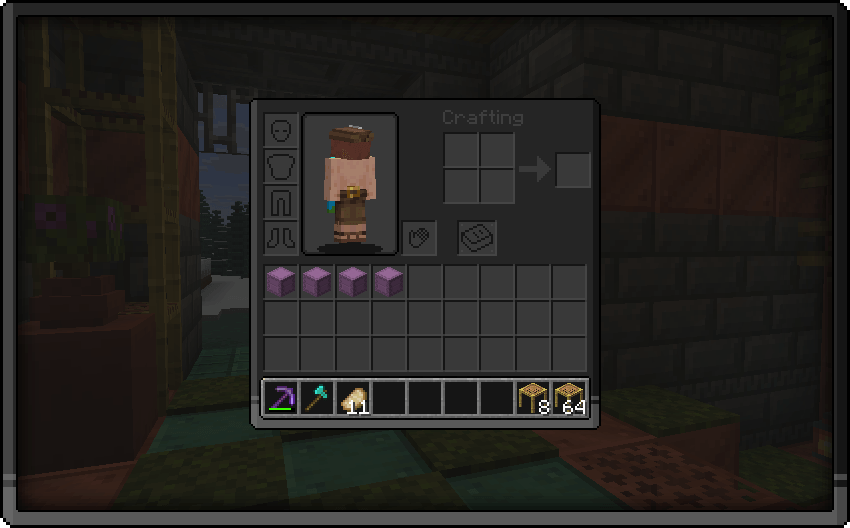

👁️ This pack brings you
A dark gui pack so that your and my eyes dont get bleached.
How to install this pack:
- Download the latest updated version of the pack
- Do NOT unzip the folder and place it in your resource packs folder
- To locate your resource packs folder simply press [Win] + [R]
- Now type "%appdata%/.minecraft" in the window that opened and press the button that says "Ok"
- Locate the folder that says "resourcepacks" and place the pack inside there
- Open Minecraft and make sure the pack appears your Options/Resource Packs
2 Update Logs
QOL Update for 1.21.10 : by Iceologer 11/17/2025 1:23:49 pmNovember 17, 2025 @ 6:23 pm UTC
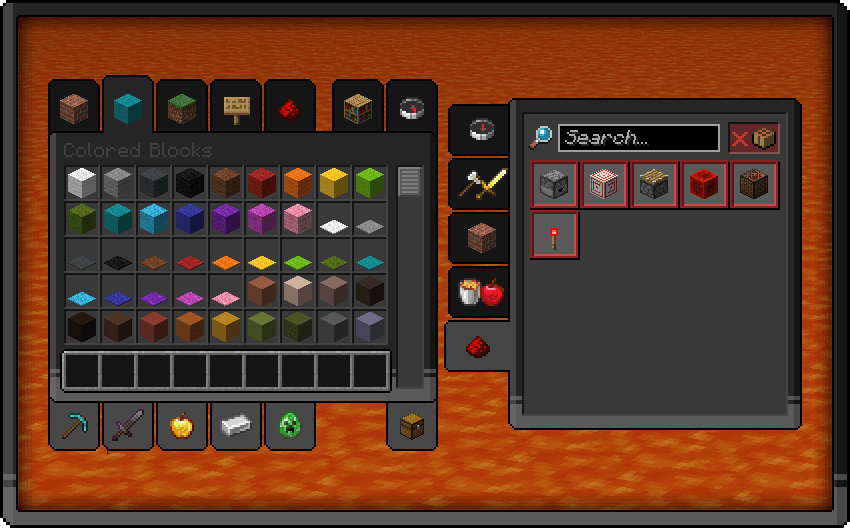
❗This update brings
- small fixed to various textures
- fixed a misplaced pixel in the creative inventory
- reworked recipe book textures, now it should feel more uniform
- reworked creative inventory tabs
LOAD MORE LOGS
More like this

![Dark Edge GUI [Dark Mode] Minecraft Texture Pack](https://static.planetminecraft.com/files/image/minecraft/texture-pack/2023/950/16630334-darkedge_s.jpg) Dark Edge GUI [Dark Mode]16x Minecraft 1.20 Other Texture Pack
Dark Edge GUI [Dark Mode]16x Minecraft 1.20 Other Texture Pack Ragon Akashi
•3/27/23 11:38
7.2k 1.5k 13x 72719
Ragon Akashi
•3/27/23 11:38
7.2k 1.5k 13x 72719
 Swirl Gui Dark Mode16x Minecraft 1.21.4 Other Texture Pack
 ElliotIsLame
•2/6/25 12:14
463 95 1x 323
ElliotIsLame
•2/6/25 12:14
463 95 1x 323
 BlueCultistArchr
 DarkAlleyWayDude
 DataPack_man
6775522
4









 Super_Jose
 Qovion
 nullifi3d_
 AdamixGaming
 Shobla_41
Have something to say?