
• 4/2/23 5:36 am
- 80.8k views • 32 today
- save_alt 38.3k downloads • 14 today
- Game Version
- Minecraft 1.20
- Resolution
- 16x
- Progress
- 100% complete
- Changes include
- Misc


5
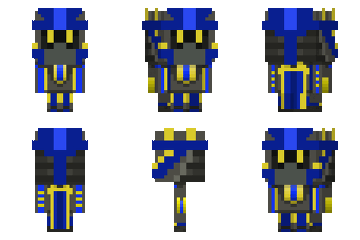
Hello everyone, I present you with my Offline Skin Changer for Minecraft resource pack! First unzip the file and go to Skin Changer for Minecraft\assets\minecraft\textures\entity\player. Now check what skin you get when you are offline. For example if you are Alex then you should rename your skin file to alex.png. Zip the file and then place it in your minecraft\resourcepacks. Open your game and boom! You have your skin.
if self promo doesnt work imma be so mad: https://youtube.com/@TurboRunner100
https://youtube.com/@MCToGo001
if self promo doesnt work imma be so mad: https://youtube.com/@TurboRunner100
https://youtube.com/@MCToGo001
More like this
 Custom Offline Skin16x Minecraft 1.18.1 Experimental Texture Pack
 GhostIsBeHere
•4/2/20 4:47
95.2k 33.5k 21x 21917
GhostIsBeHere
•4/2/20 4:47
95.2k 33.5k 21x 21917
 go60wm
5899808
4







 AvatarKage
 PredatorMCNuggets
 TryzzMC

 ShelleyKey
Have something to say?
youtube.com/@TurboRunner100