

• 7/14/12 5:37 pm
- 807 views • 0 today
- save_alt 82 downloads
- Game Version
- Minecraft 1.2.5
- Resolution
- 16x
- Progress
- 10% complete
- Changes include
- GUI
- Mobs
- Terrain

2
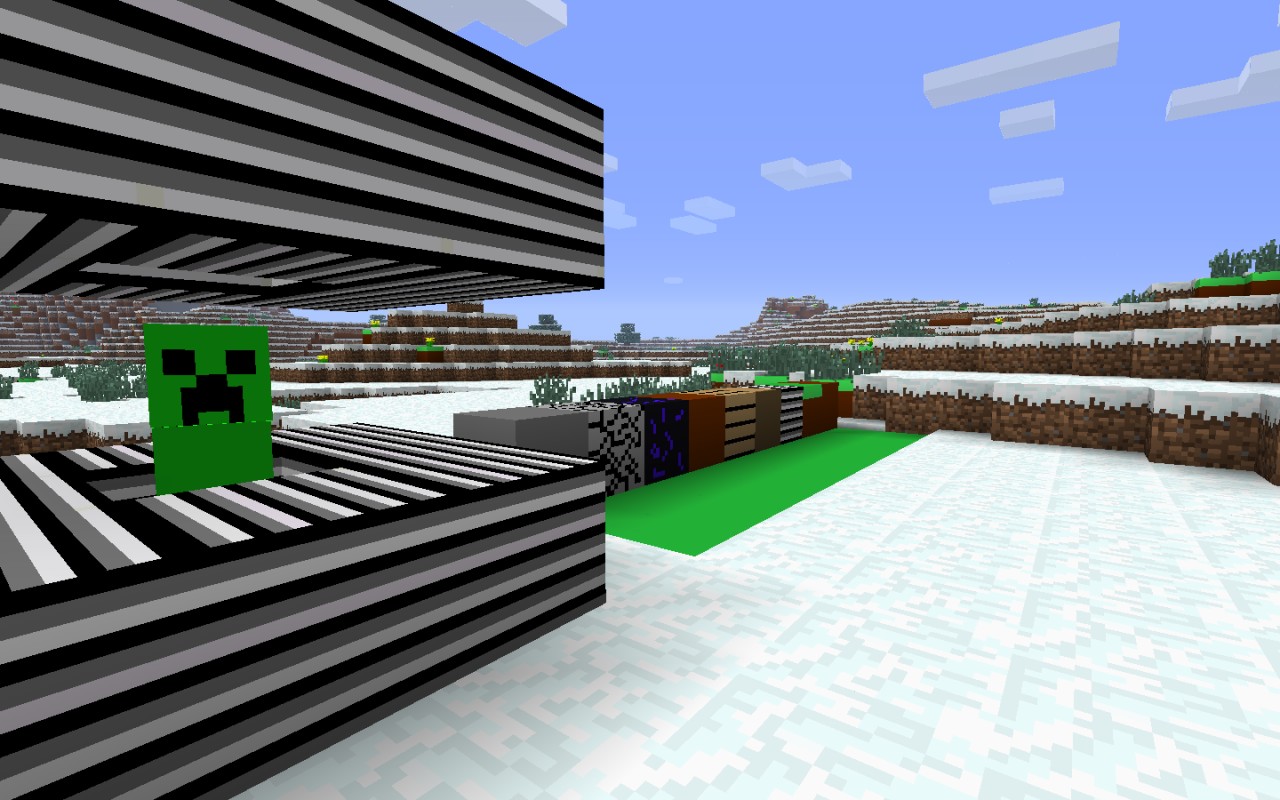
Hey everybody! Im back with a brand new texture pack!
First im going to start off with the tutorial.
1. Download Simptastic.zip
2.Save it to Desktop
3. Open up Minecraft
4. Click Texture Packs
5. Click open texture pack folder.
6. Drag Simptastic.zip into the folder.
7. Close out of the folder.
8. Select it.
9. Enjoy!
Please leave a diamond!
First im going to start off with the tutorial.
1. Download Simptastic.zip
2.Save it to Desktop
3. Open up Minecraft
4. Click Texture Packs
5. Click open texture pack folder.
6. Drag Simptastic.zip into the folder.
7. Close out of the folder.
8. Select it.
9. Enjoy!
Please leave a diamond!
More like this
 Simptastic Revamped! Version 0.2016x Minecraft 1.11 Simplistic Texture Pack
 Kylejsob312
•6/3/17 9:15
1.3k 102 4x 82
Kylejsob312
•6/3/17 9:15
1.3k 102 4x 82 Simptastic 0.15 download16x Minecraft 1.2.5 Simplistic Texture PackKylejsob312
•7/16/12 7:05
1.1k 177 1x 101
Simptastic 0.15 download16x Minecraft 1.2.5 Simplistic Texture PackKylejsob312
•7/16/12 7:05
1.1k 177 1x 101 SimpleCraft v 0.516x Minecraft 1.2.5 Simplistic Texture Pack
 Waffleboy112
5/24/12 10:32
• posted 5/21/12 6:37
750 92x 22
Waffleboy112
5/24/12 10:32
• posted 5/21/12 6:37
750 92x 22 Simptastic 0.1016x Minecraft 1.2.5 Simplistic Texture PackKylejsob312
•7/15/12 3:48
587 74 3x 142
Simptastic 0.1016x Minecraft 1.2.5 Simplistic Texture PackKylejsob312
•7/15/12 3:48
587 74 3x 142 Wanjuncraft v 0.5 UPDATED32x Minecraft 1.2 Simplistic Texture PackKylejsob312
•3/11/12 10:42
450 61x 21
Wanjuncraft v 0.5 UPDATED32x Minecraft 1.2 Simplistic Texture PackKylejsob312
•3/11/12 10:42
450 61x 21
1145441
4






 AntHills

 Skullsational


 pelloish
 Bread_Loaf32
 LKGLS
LKGLS
 poprostukuki
 pikaland385
Have something to say?